How to enable and disable .htaccess files with SiteWorx
Learn how Nexcess clients can enable and disable .htaccess files using SiteWorx.
Step by step instructions
Log in to your SiteWorx account.
- If you do not know your password, click Forgot your password on the login page.
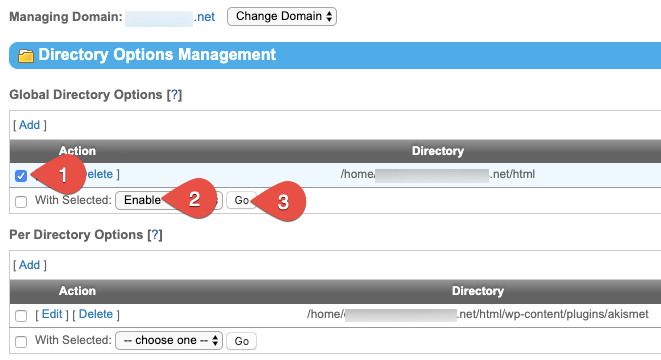
On the main menu, click Hosting Features > Htaccess.
Select the check box corresponding to the file (1). From the With Selected drop-down list, select either Enable or Disable (2). Click Go when ready.