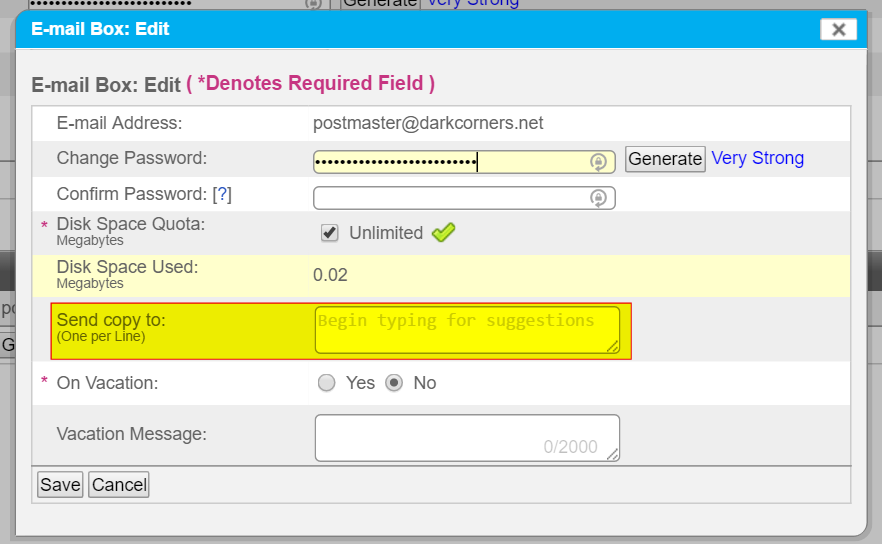
How to change the “Send Copy To” recipient
How to configure an email account outside of your domain to automatically receive messages from the domain email attached to your Nexcess service.
Step by step instructions
If you have an email account outside of your domain, this procedure will send a copy to any email sent to your domain’s email account.
- Log in to your SiteWorx account.
- If you do not know your password, click Forgot your password on the login page.
- From the SiteWorx main menu, click Hosting Features > Email > Mailboxes.
- From the Email Management page, click [Edit] next to the desired email account.
- In the Send copy to field, enter the target email address and click Save.