How to change the password for a MySQL database user in Siteworx
How clients can use SiteWorx to change login passwords for MySQL users.
If you need to change the permissions currently defined for a user, see Changing Permissions for an Existing MySQL Database User.
This method is only available to Nexcess clients on physical (non-cloud) servers. If you are a Nexcess Cloud client, see instead How to change the password for MySQL database users in Nexcess Cloud.
- Log in to your SiteWorx account.
- If you do not know your password, click Forgot your password on the login page.
- From the SiteWorx main menu, select Hosting Options > MySQL > Users.
- Click Edit next to the user name whose login information you want to change.
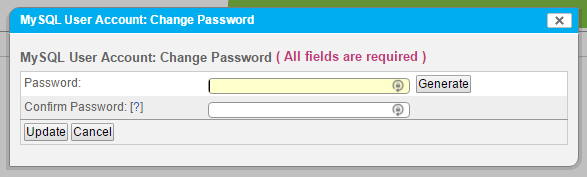
- In the Password field, enter the password, or click Generate to have SiteWorx create one for you. If you created your own password, enter it again in the Confirm Password field. Click Update when ready.