

How to show running MySQL queries in SiteWorx
If you are a Nexcess client on a physical (non-cloud) server, you can use phpMyAdmin from your SiteWorx account to show running MySQL queries following the guidance in the article.

If you are a Nexcess client on a physical (non-cloud) server, you can use phpMyAdmin from your SiteWorx account to show running MySQL queries with the following method.
ATTENTION: If you are a Nexcess Cloud client, see instead Locating your SSH/SFTP Credentials for your Nexcess Cloud Account and How to add SSH keys for your Nexcess Cloud account.
Log in to your SiteWorx account.
- If you do not know your password, click Forgot your password on the login page.
- If you do not know the web address for your SiteWorx login page, either refer to your Welcome Email or contact our 24-hour Support Team for assistance.
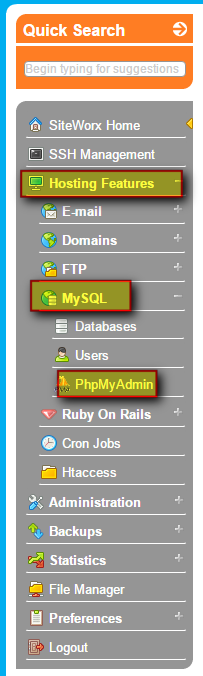
From the SiteWorx main menu, select Hosting Features > MySQL > PhpMyAdmin.

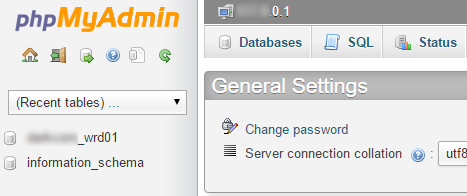
Select the correct database from the list on the left.
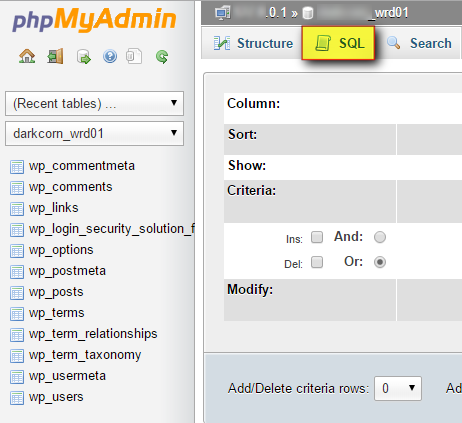
Click the SQL tab.
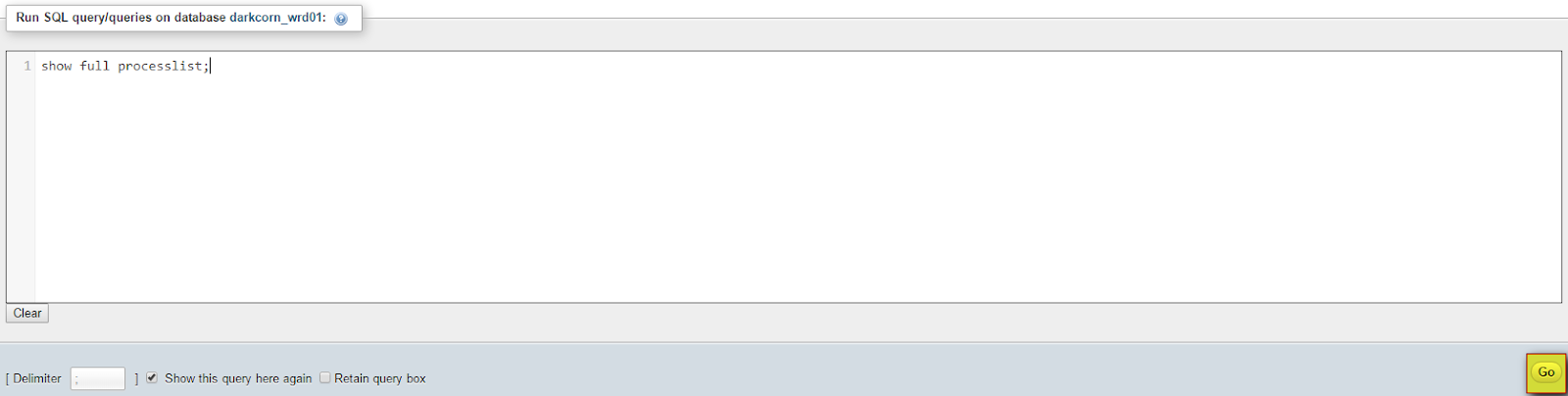
- In the Run SQL query/queries on database DATABASE_NAME field, enter
show full processlist; - Click Go
For 24-hour assistance any day of the year, contact our support team by email or through your Client Portal.