

Managing Your Firewall in InterWorx Web Panel
A firewall is a piece of hardware and/or software that exists as a barrier between your computer and the rest of the Internet. While you can add additional hardware or network firewalls to your account, in the case of your InterWorx server, the default firewall is a set of software called ConfigServer Security and Firewall (or CSF). CSF is installed on the server via a plugin and can be accessed by logging into NodeWorx as the server administrator (see Logging into InterWorx Web Panel).
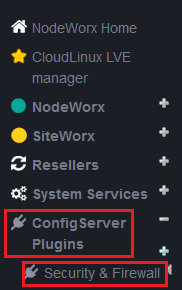
Once logged into NodeWorx, you can access CSF by clicking on ConfigServer Plugins in the left navigation menu, then clicking Security and Firewall.
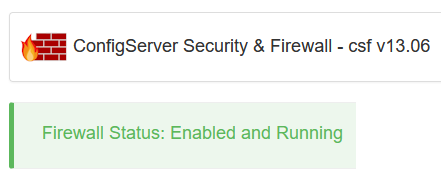
At the top of the screen, you’ll see the current CSF version number and status.
You can scroll down the rest of the screen to access all of the functionality of CSF, including allowing and blocking specific IP addresses, opening and closing specific ports, stopping and restarting the firewall, and viewing log files about access attempts on the server.
For more information about managing your server’s CSF firewall, see these articles: