

Cloud Sites Compute Cycles
Compute Cycles (CCs) measure the amount of processing time your applications take to execute in order to serve content to users from the Cloud Sites environment. Compute Cycles are only tracked with legacy Cloud Sites accounts (those who were transitioned from Rackspace to Liquid Web Cloud Sites). Compute Cycle billing is calculated by a billing period which is every 30 days. You can find your billing period and compute cycles under the Usage tab of the control panel. If you are not a legacy Cloud Sites customer or you want to know more about what is measured in the Usage tab, see our article Checking Bandwidth and Memory Usage in Cloud Sites. To enable usage notifications, see Enabling Usage Notifications in Cloud Sites.
What goes in to calculating a compute cycle?
The basic calculation is based on how long it takes for a server to respond to a request (Time to First Byte, or TTFB). Database and computationally intensive responses will take longer than static content, and have a higher CC usage. Each compute cycle is measured by application used by an individual site over a 30 day period.
Most of the calculation is done by clocking CPU processing time. In addition to processing time, the disk input/output (I/O) that your application’s operations consume also play a factor in the CC usage. For example, a page with heavy database queries will consume more compute cycles in part due to the larger volume of disk I/O it requires.
How many compute cycles will my applications use?
Since web applications vary so greatly, it’s hard to make a perfect guess. There are, however, some guidelines that can help. For example, 10,000 compute cycles would power approximately:
- 2.1 million page views using a database-driven content management system
- 11 million page views of liquidweb.com
- 25 million requests for a static 15KB image
Compute cycle Usage
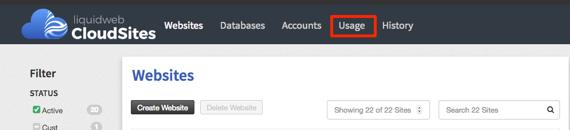
- When you log into your control panel, click on the Usage link from the menu above your websites list.

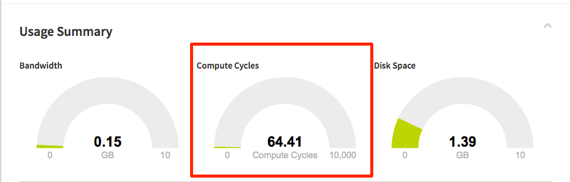
- In this tab, you will see Compute Cycles under the Usage Summary in between Bandwidth and Disk Space.

- The CC’s your sites are using will be measured by a graph that will fill as you reach the maximum amount of 10,000 Compute Cycles. If your cycle exceeds the 10,000 Compute Cycles overages will accrue.
- You can view the overall Compute Cycles from the Usage Summary, but you can also view by:
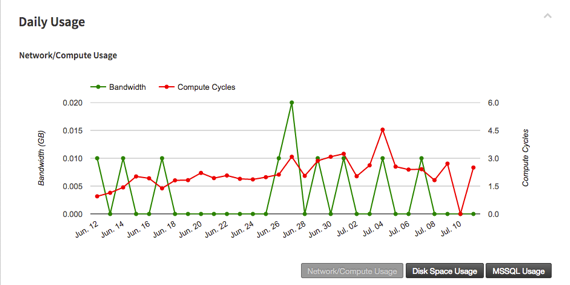
- Daily Usage – This will track how many compute cycles are recorded by day over all accounts within the control panel.
 or
or - Account Usage – In the Usage by Account section at the bottom of the page, you can see the CC’s used by account over the span of the billing cycle.

- Daily Usage – This will track how many compute cycles are recorded by day over all accounts within the control panel.
 or
or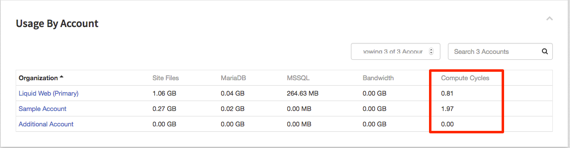
If you do not see Compute Cycles in your usage totals, you are not a legacy Cloud Sites customer and your billing is configured in a different way.