Logging Into Cloud Sites File Manager
Cloud Sites File Manager simplifies site directory and file management without external FTP clients. It utilizes FTP user credentials for access, enabling seamless login via your Cloud Sites control panel for efficient file handling.
Cloud Sites File Manager allows you to manage your site directories and files without having to use an external FTP client. The file manager uses the same credentials as your FTP user, so make sure you know how to create them in Cloud Sites control panel first using our article Creating FTP Users. Once you have your user(s) created, you can log into your Cloud Sites control panel and start using the file manager. Let’s take a look at how to log in!
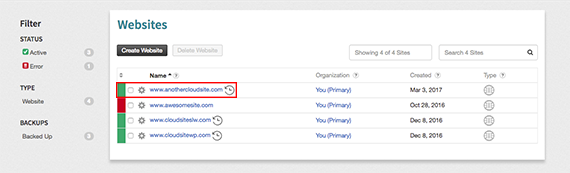
- From the home page of your Cloud Sites control panel, select the site you want to log into the file manager with.

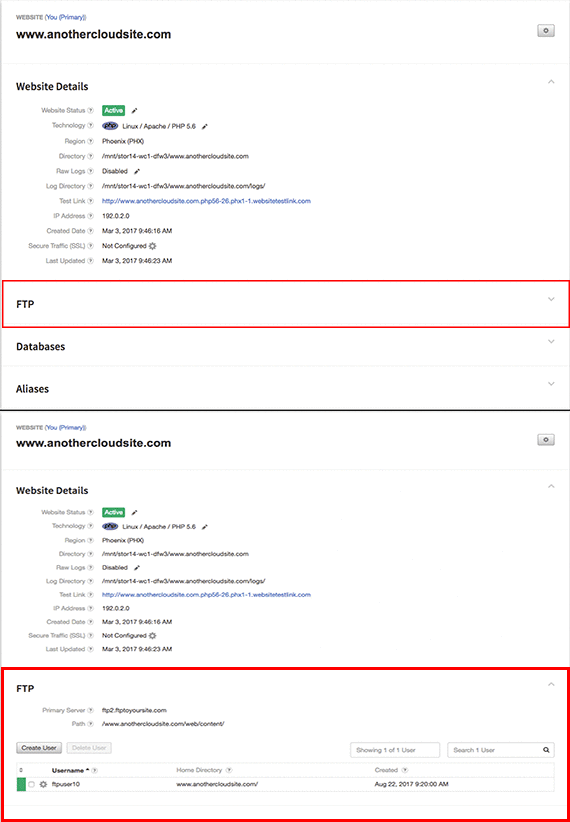
- Open the FTP section by clicking on the section.

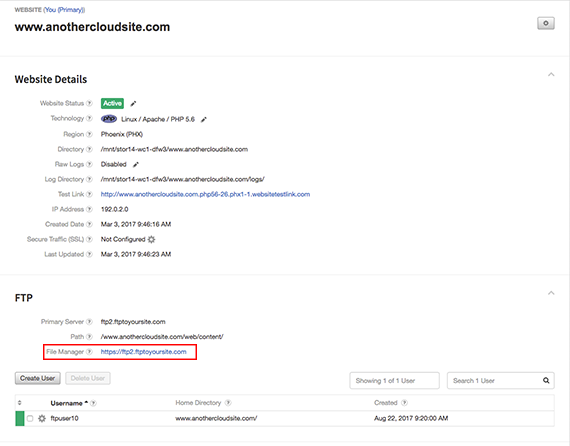
- Click on the link in the File Manager section.

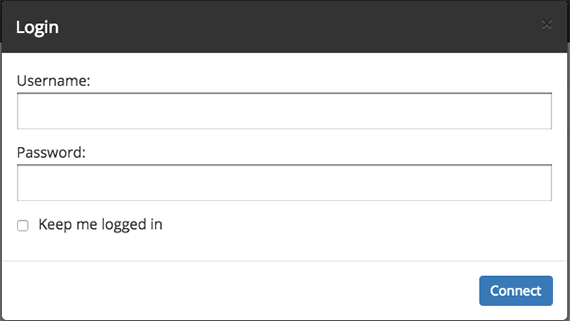
- This will open the file manager login page. Enter the credentials for the user you’ve created.

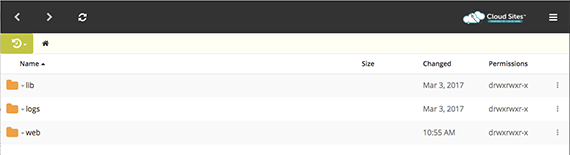
- You are now logged into the file manager.