Change Your FTP Password in Cloud Sites
This article will show you how to change your FTP user passwords in Cloud Sites.
It’s a good security practice to change all your passwords regularly. If someone unauthorized has accessed your Cloud Sites account, you should also change your passwords. This article will show you how to change your FTP user passwords in Cloud Sites.
- Log into your Cloud Sites account.
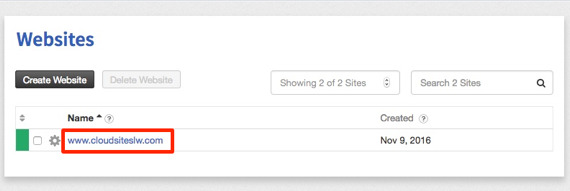
- In your website list, click on the website where you’ll changing FTP user passwords.

- Click on FTP to expand your site’s FTP information.
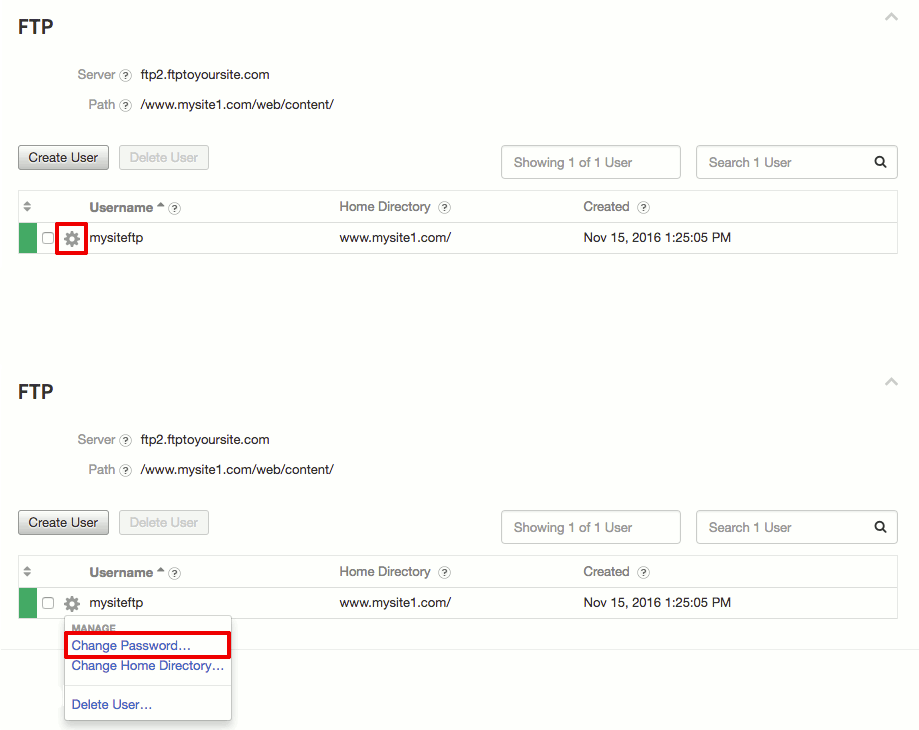
- Find the user you’d like to edit and click on the
 icon. Then, click on Change Password.
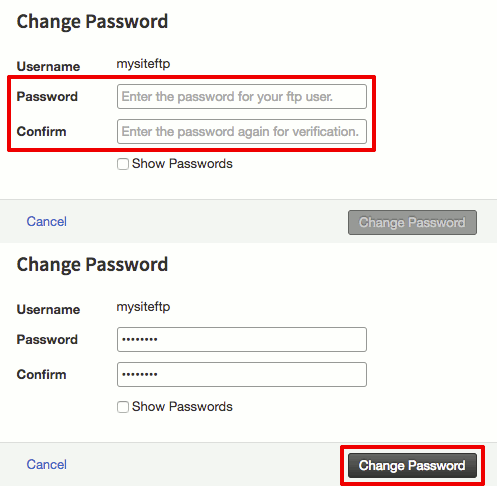
- Enter and then confirm a new strong password. Then, click Change Password to save your changes (For more information about creating a strong password, see Best Practice: Creating a Secure Password).
 icon. Then, click on Change Password.