Manual Cloud Sites MariaDB Database Backup
Create a manual backup of your MariaDB database from the Cloud Sites control panel.
Backing up your database is an important part of site maintenance in Cloud Sites. In order to create a backup of your MariaDB database from the Cloud Sites control panel, you will need to log into phpMyAdmin.
Note: |
| Cloud Sites offers automated backups of sites and databases, to find out more see our article What is Cloud Sites Backup? |
This tutorial assumes you are already logged into phpMyAdmin, if you need instructions on how to log into your database, see our article Logging into phpMyAdmin from Cloud Sites.
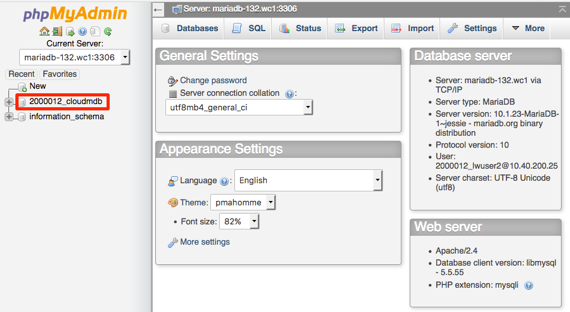
- From the home page of phpMyAdmin, click on the database to open it.

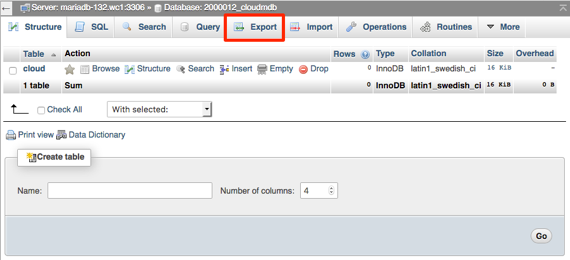
- Click on Export to open the options for exporting the database.

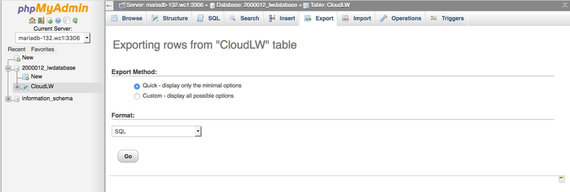
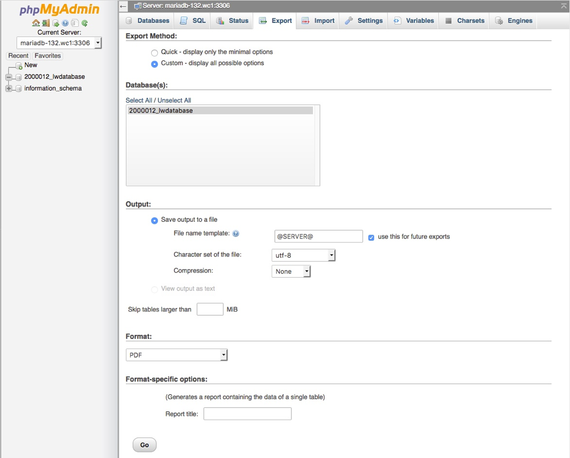
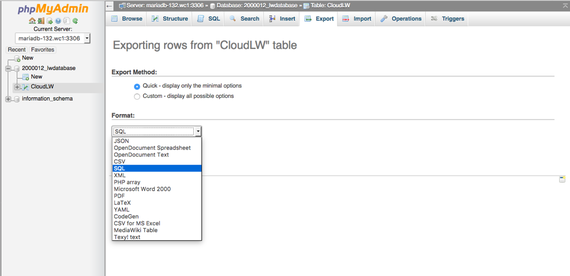
- You can select an Export Method.
- Quick will display only minimal options and give you the entire database.

- Custom allows you to print selected rows, dump rows, and compress the output. Gzip is the preferred way of compressing the file.

- Quick will display only minimal options and give you the entire database.
- Next, you can select the Format you want your backup to be sent in.

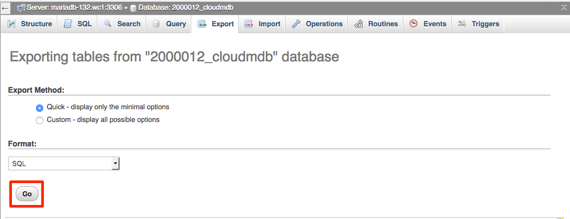
- Once you’ve selected the method and format, click Go.

- A pop-up will appear requesting you to save the file to your local computer. Click Ok or Save to save the file to your computer.