

Monitor Cloud Sites Backup Usage
You can monitor usage of the Cloud Sites Backup plan in the Usage panel. The Usage panel can be selected by clicking on Usage at the top of the Cloud Sites Control Panel:

Backup can be found at the bottom of the panel. It lists the current active plan, the number of sites and databases that you have enabled for backup, and the amount of space you are using:
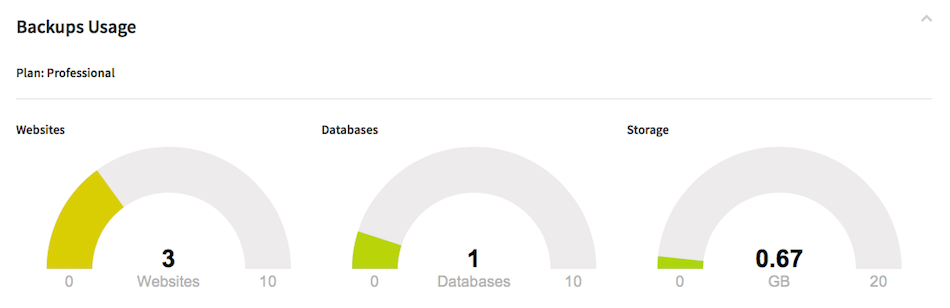
The Usage panel does not track historical data, it only shows current usage. The number of sites and databases you can back up is constrained by the current Backup Plan. You can change the plan at any time. Before downgrading your plan, you need to make sure your existing usage will fit in your desired plan. If you have too many sites or databases being archived, you will need to remove them from the plan before you can downgrade. You can upgrade at any time (see Changing Your Backup Plan in Cloud Sites).
Backups are incremental. Each time the backup detects new or changed files, a new restore point will be created.
If you delete a site that has a backup enabled, all associated backups will also be deleted. There is no mechanism to recover these backups once deleted. The site and any associated databases will be removed from your backup plan as well.