Restoring from a Backup in Softaculous
Note: |
This tutorial walks you through the restore process of a WordPress installation However, depending on database and other application dependencies the restoration requirements may differ for other applications. |
Installing Software with Softaculous in cPanel allows web applications to be installed in just a few easy steps. It also provides you with the ability to schedule or manually take backups of your installed applications. This provides you with the ability to restore your site from a backup with minimal data loss depending on how often you set Softaculous to take backups. This article will walk you through the steps to restore your web application from a backup.
Warning: |
When restoring from a backup, there will be data loss back to the date of the last backup. Any changes made after that date will be lost. |
- To restore your application from a backup, click on the Backups link on the home page of Softaculous.

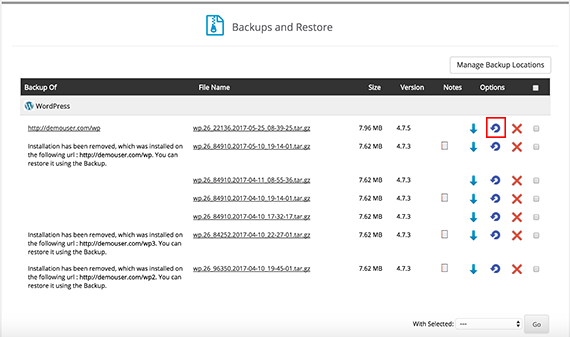
- This will take you to the Backups and Restore home page. From here, you can choose the backup you want use.
- To restore your site, click the looped arrow icon. This will take you to the restoration home page.

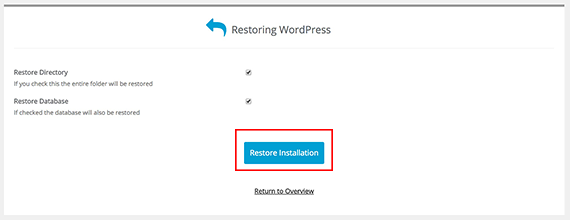
- Make sure you select both Restore Directory and Restore Database to restore your entire site. When you have selected what you wish to restore, click Restore Installation.

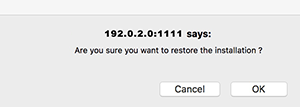
- You will be asked to confirm the restoration in a pop-up. Click OK to proceed.

- Once your site has been restored, you will be notified by a success message.
Note:
There will be downtime during the restoration, so make sure you are doing this during low-traffic times to make sure the impact to customers and users is low. There is no way to determine the amount of time it will take to restore your site as sites with large amounts of data will require more downtime.