

Enable Usage Notifications in Cloud Sites
Control costs and manage resources efficiently by tracking usage. Instead of manually checking statistics, enable Cloud Sites email notifications for bandwidth, disk space, and database size. With notifications, you will be notified by a message in the control panel in addition to an email. Here’s how:
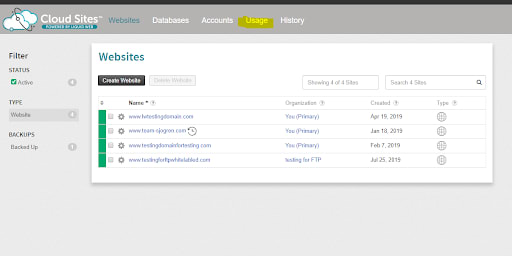
- Log into your Cloud Sites control panel and click on Usage on the top of the screen.
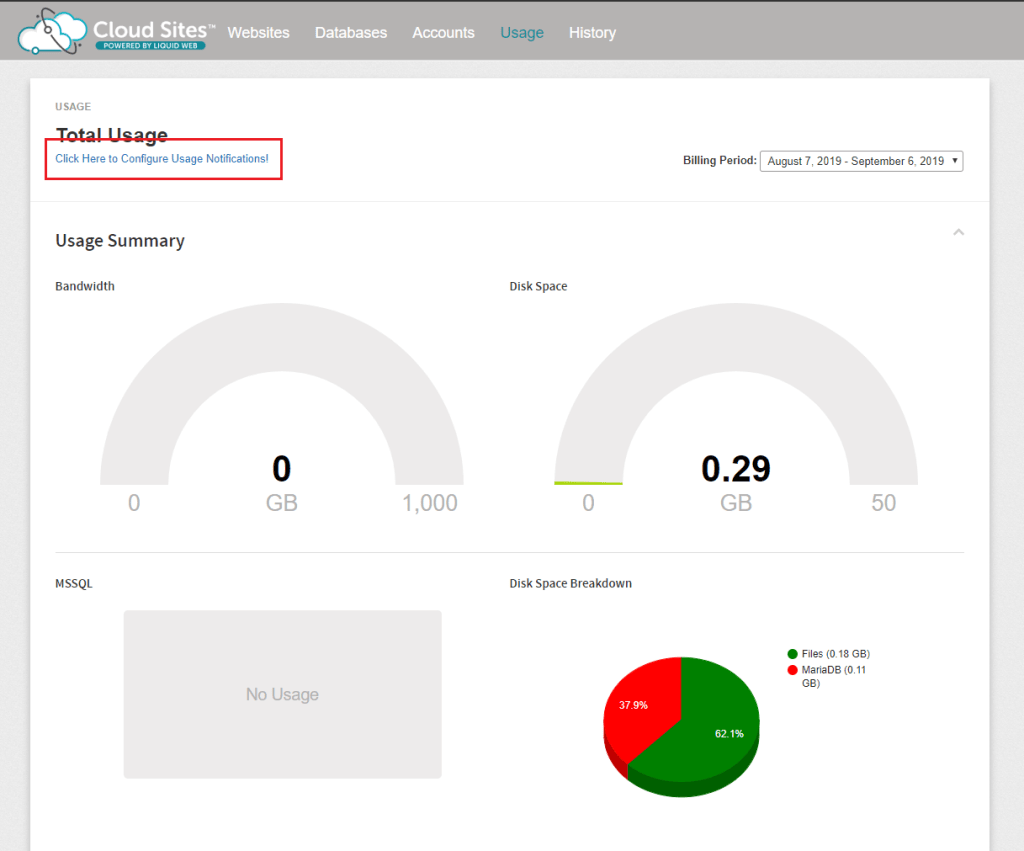
- Click on “Click Here to Configure Usage Notifications” under Total Usage on the top left section of the screen.
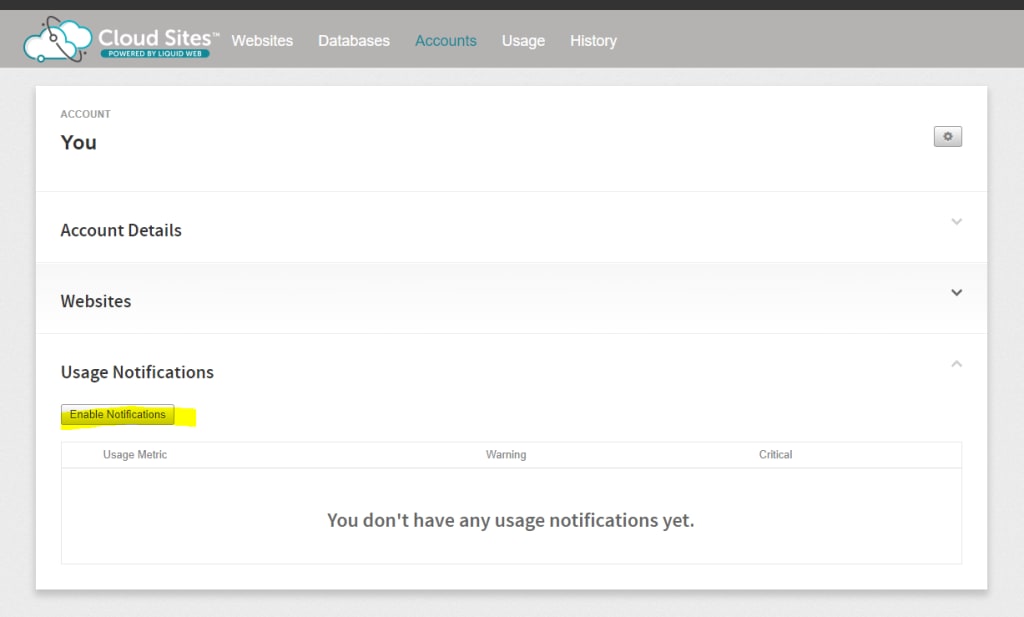
- Click on Enable Notification under Usage Notifications.
- Enable your warning and critical notifications for Bandwidth, Disk Space and MSSQL.
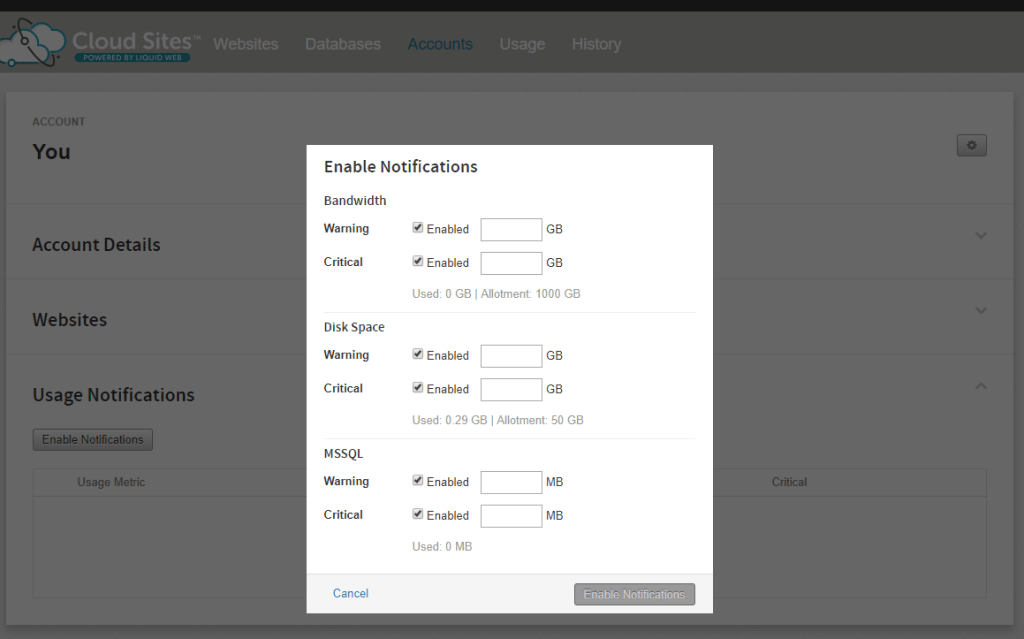
You’ll now be notified whenever your critical categories reach those usage thresholds so that you can manage your Cloud Sites account more effectively.