

Cancel Services or Servers
Cancel your services through the Liquid Web Account Portal.
Termination is permanent and irreversible. Make sure you have a good working backup of your data which includes all of the following: files, databases, emails and any other needed information before confirming the account deletion. Once the server is removed, there is no way to recover those files. Instructions to take a backup found: Creating a Cloud VPS Image, Taking a Manual Backup in cPanel or Taking a Manual Backup in Plesk.
Cancel Servers from your Liquid Web Account
Cancel Cloud VPS, Bare Metal, or Dedicated servers using your Liquid Web account.
- Log in to your Liquid Web Account.
- Click on the My Servers link at the left of the page.
- Find the name of the server you would like to cancel.
- Click on the three dot menu to the right of the server name.
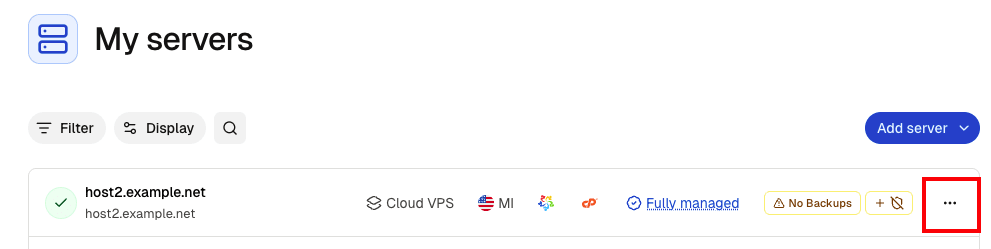
- In the drop down menu, select Destroy Server.

- On the dialog screen that appears, select a reason for destroying your server from the drop-down menu (this helps us to understand the uses of your server and how we can improve our offerings in the future). You will also be notified of any additional services that are associated with your server that will be included in the cancellation.

- You can provide additional information about the server by clicking the Have more to say? drop-down option.
- Clicking next lets you Request Assistance. Since server destruction is permanent, this opens a Support case. You can ask questions or explore alternatives before proceeding, and an agent will guide you through the next steps.
If you wish to proceed without assistance, click Cancel without assistance to destroy your server.
Destroying your server is permanent and irreversible. Make sure you have a good working backup of your data. Once the server is removed, there is no way to recover those files.
If you need to cancel your entire Liquid Web account, please contact our Support team.