

Backing Up Your CSF Firewall Configuration
Before modifying CSF firewall settings, backup the current configuration. It ensures site protection if changes lead to unexpected issues, aiding troubleshooting.
When making changes or edits to the firewall configuration in CSF (ConfigServer Security & Firewall), it is important to take a backup of the current configuration. That way, if any of your changes cause the firewall to not work as expected, you will have a quick way to continue protecting your site from malicious attack while you troubleshoot the new configuration.
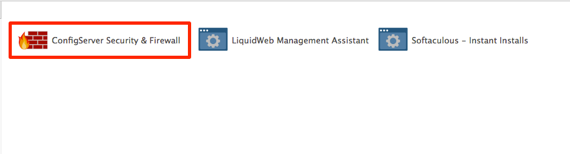
- Log into WHM click on Plugins and select the ConfigServer Security & Firewall link.

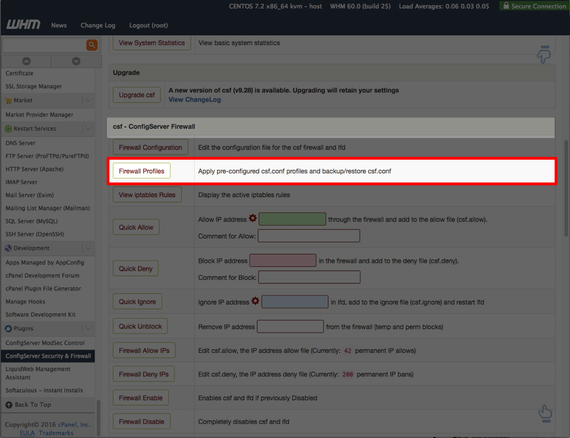
- Scroll down to the csf – ConfigServer Firewall section and click on Firewall Profiles.

- This will open the profile home page for your firewall configuration. Scroll down to the Backup csf.conf section.

- Enter a name for your backup and click Create Backup.

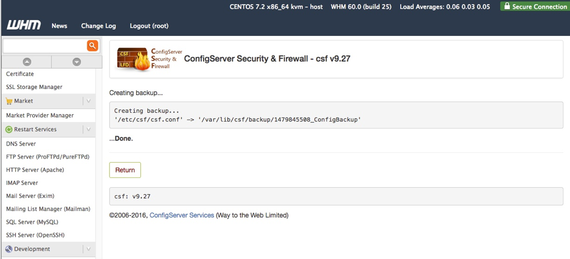
- A page will open showing the location of the backup, make sure to note the file path so you can use it to restore the configuration if you need to.

Now that you’ve taken a backup of your CSF configuration, take a look at how to do a restore in our article Restoring CSF Firewall Configuration from a Backup.