Event Calendar

Kadence
Featured Calendar: Summit Metro Parks

November 15, 2024
We’ve been so impressed by the calendar of Summit Metro Parks that we decided to feature it in this month’s customer spotlight! Established in 1921, Summit Metro Parks is Ohio’s second-oldest park district, featuring 16 parks, 3 nature centers, and more than 150 miles of trails. With an average attendance of 5 million visitors annually, it’s a beloved destination. And, because of its design and usability, their website is a beloved destination, too!
From the homepage to the events page, this website’s theme is cohesive, capturing the fresh, open feel of the outdoors. Let’s look at how they combine The Events Calendar Pro with Filter Bar to create a seriously beautiful calendar.
The homepage
The homepage welcomes visitors with the heading ‘We’re Your Back Yard.’ With this simple, clean, and fun design, next actions are clear. You’ll find two buttons that let you either discover a park or trail, or explore programs and events (our personal favorite!)

As you scroll down the page, upcoming programs and events are highlighted again. You can choose to view the full calendar or browse through a slider of upcoming events. This section is a great chance to see all events coming up in the next few days.

The slider also includes a ‘But wait, there’s more!’ link directing visitors to the events page.

Scrolling further, they also highlight two events that take you to the corresponding single event page. This section provides the opportunity to shout out the top events of the season to raise awareness. The title, location, description, and picture are all on display.

Beyond promoting events, the homepage also highlights Summit Metro Parks’ conservation efforts. While it doesn’t showcase events, it is a thoughtful display of their conservation efforts. The best websites tell a story, and this one certainly does. From events to conservation, and everything in between, Summit Metro Parks is capturing the heart of the outdoors in each section.

The main events page
When you click one of the many “View Calendar” buttons on the homepage, you get to the main events page. This page is also found on the main menu, under Things to Do → Programs & Events Calendar.
The layout of this page is crisp. The dates of each event are clear, the individual images share the bigger theme, and each listing displays the date, title, description, and location.
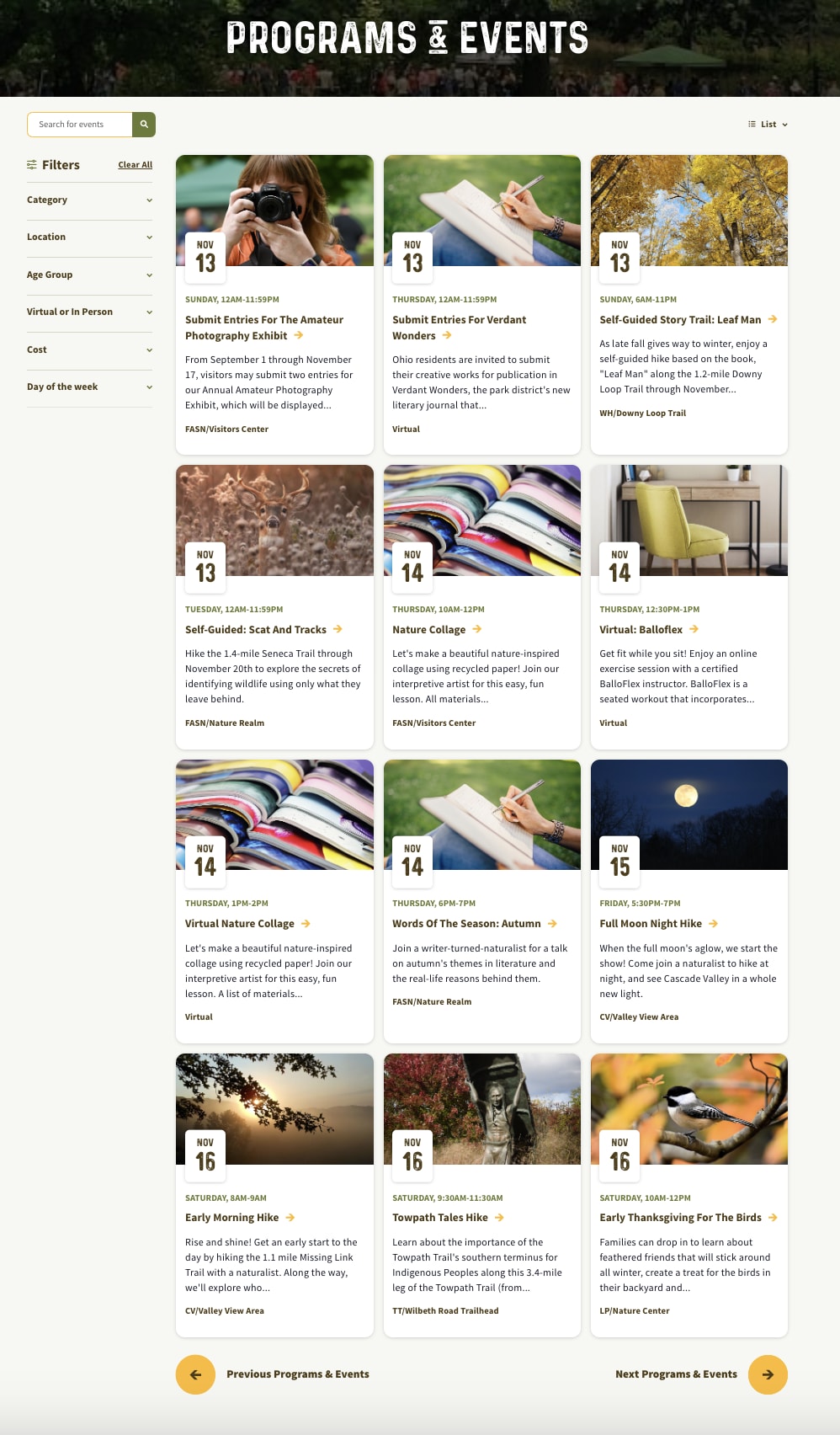
The calendar offers three views, with ‘List’ as the default. We love all of them! The default is “List” view, as we saw above.

The next option is the “Summary” view which gives users a quick overview of the events, including the title, date, and time. It looks simple and clean, and organizes the events in a straightforward manner.
The third type of view is the “Calendar” view, which displays events on a calendar. Although only the title and dates are shown, when you hover over an event, it gives you a full preview of the event details.

No matter the view, we love the simplicity and readability of these options. The “Summary” view is available for The Events Calendar Pro users, but the “List” and “Calendar” views are for all users, free and premium alike.
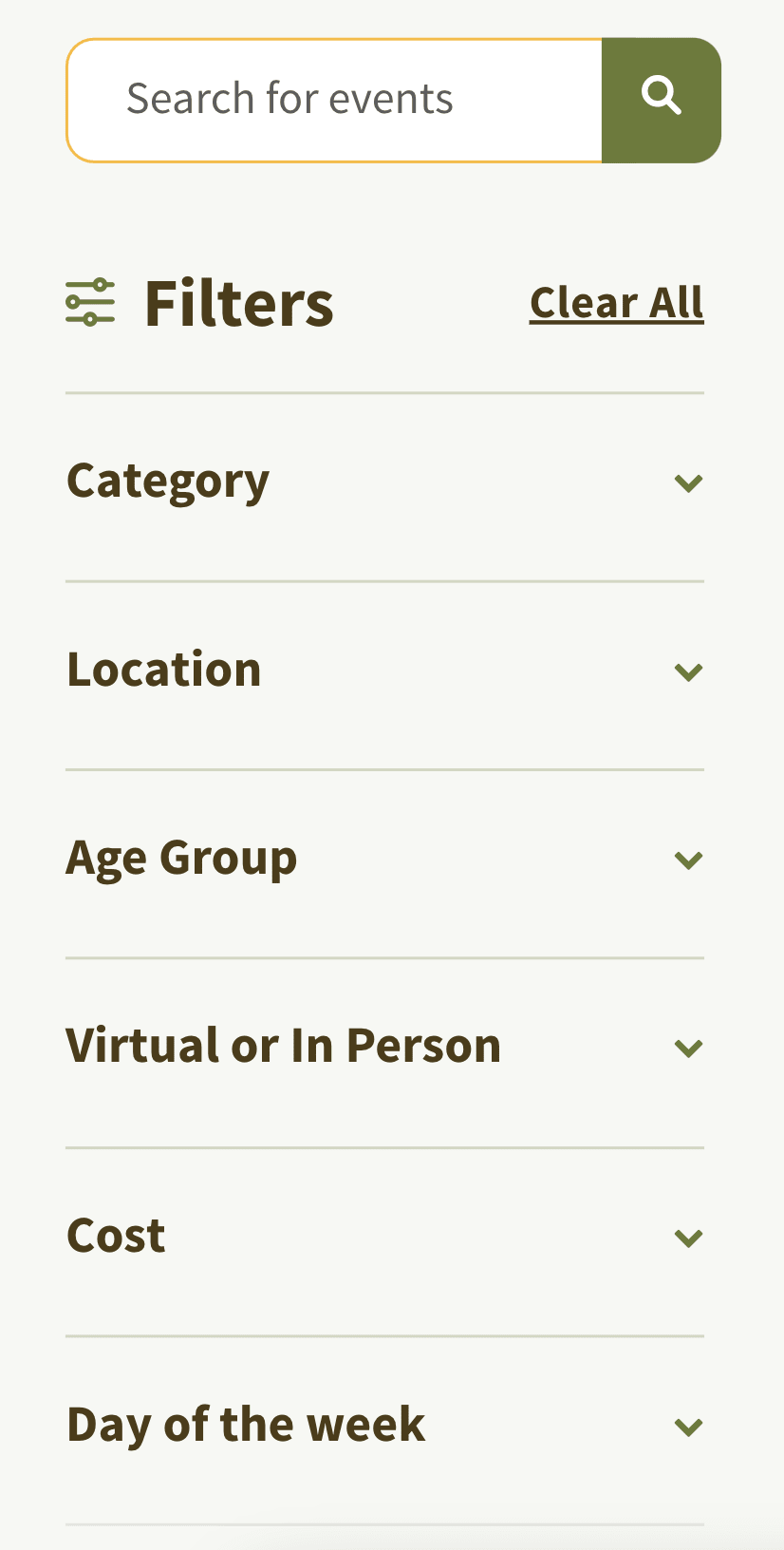
They also utilize Filter Bar to organize events, offering six different filters. This add-on is especially advantageous for them given the high volume of events and options available. For example, the location filter is needed, as it lists 17 different parks, making it easier for people to find events closest to them. We are glad that they’ve incorporated Filter Bar to help people quickly sift through events closest to them!

The single events page
Clicking on an event takes me to the single events page where all the details are provided. The page includes information such as the:
- Title
- Date and time
- Location, address, and park information
- Description of the event
- Cost
- Age group recommendation
- Event category
- Map view
Below the details, you even have the option to add the event to your calendar, either on Google, iCalendar, Outlook 365, or Outlook Live.

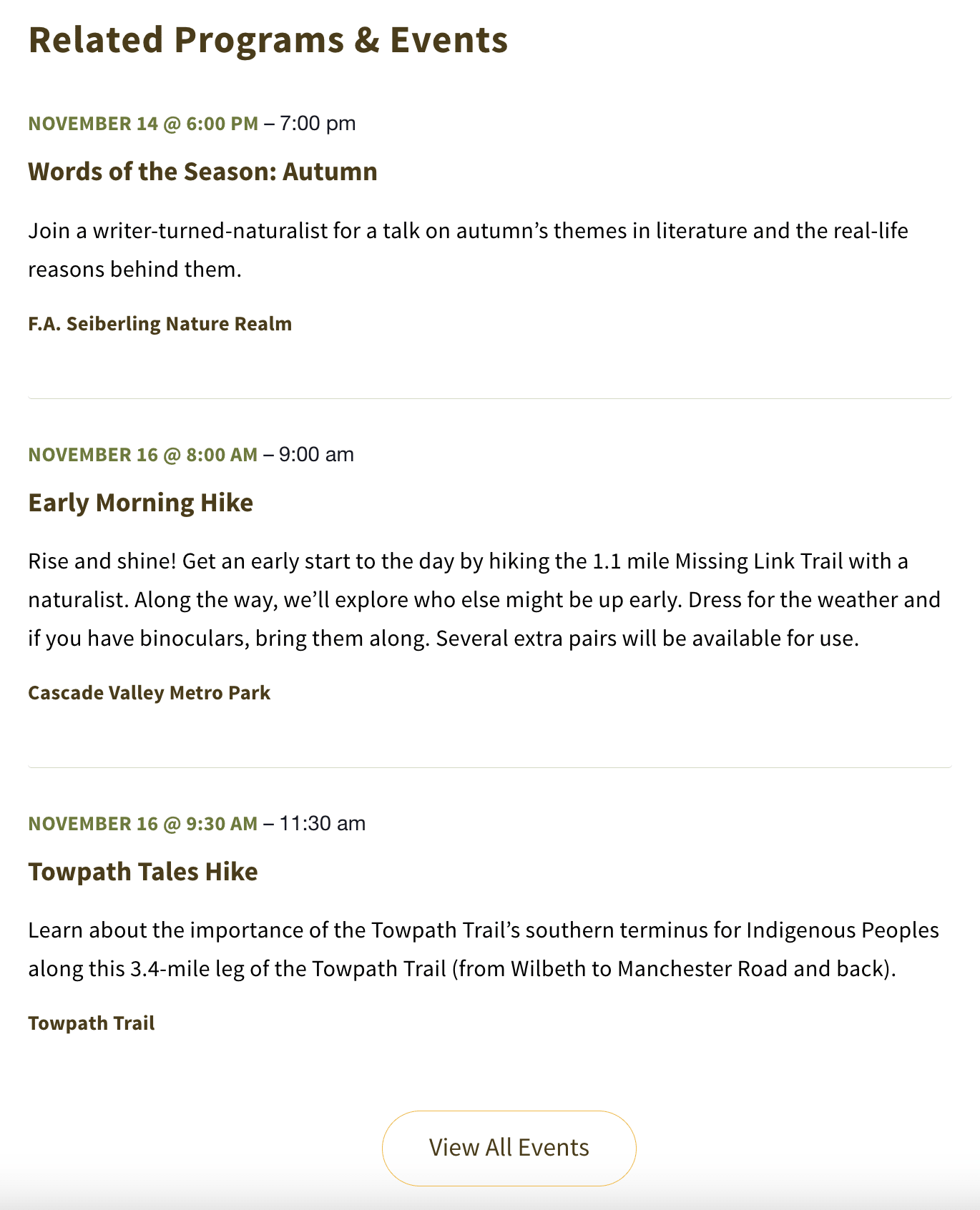
As you scroll further down, related programs and events pop up. The “Related Events” feature is a tool that automatically displays events that relate to the one being viewed, boosting user engagement by recommending activities that match visitors’ interests. This feature encourages longer site visits and increases event attendance. It is worth adding to your calendar, too!
This calendar and its features are worth exploring
Summit Metro Parks creates a beautiful calendar with The Events Calendar Pro and Filter Bar. We hope that by exploring their calendar, you feel inspired to start a calendar of your own. You can begin with a demo!
At The Events Calendar, we’re serious about giving you the tools you need to manage your events. We offer countless products, all aimed at helping you plan and execute the best events possible. Join our community of event organizers who build seamless calendars. We’re excited to have you, and we’re here to help you along the way.