
 Jerry Vasquez
 Key points
- Vulnerability scanning identifies weaknesses in networks, systems, and applications, covering network, system, software, application-specific, and cloud-related issues.
- Types of vulnerability scans include credentialed vs. non-credentialed, external vs. internal, environmental, and intrusive vs. non-intrusive, with various commercial and open-source tools available for detection.
- The vulnerability management lifecycle involves identification, prioritization, and remediation of vulnerabilities, utilizing scoring systems and risk-based approaches to address security weaknesses effectively.
Cybersecurity threats are a constant concern, and organizations need to stay ahead of potential attackers. That’s where vulnerability scanning comes in – it’s a proactive approach to finding weaknesses in your digital infrastructure before malicious actors can exploit them.
Vulnerability scanning is a systematic process of examining your networks, systems, and applications for known security flaws. It’s essentially giving your digital assets a thorough health check-up, identifying areas that need attention before they become serious problems.
But why is vulnerability scanning so essential? Well, by regularly scanning for vulnerabilities, you can:
- Identify potential entry points for cyber attacks.
- Prioritize security patches and updates.
- Maintain compliance with industry regulations.
- Strengthen your overall security posture.
This guide will cover different types of scans, recommend some top-notch tools, and share best practices to help you set up an effective vulnerability management program.
What key security issues does vulnerability scanning identify?
1. Network vulnerabilities
When it comes to network-related security issues, vulnerability scanning is a real eye-opener. It can detect open ports that might be tempting targets for attackers, as well as misconfigured firewalls that could inadvertently allow unauthorized access. The scanning process also identifies weak network protocols that are susceptible to attacks and can spot any unauthorized devices or connections lurking on your network.
2. System and software vulnerabilities
Scanners can pinpoint missing security patches and outdated software versions that might be leaving your systems exposed. They’ll also flag vulnerable operating systems with known security flaws and highlight any default or weak passwords that could be easily compromised. Plus, they’re great at sniffing out misconfigurations in system settings that might be creating unexpected security gaps.
3. Application-specific vulnerabilities
Vulnerability scanning can uncover SQL injection vulnerabilities, cross-site scripting (XSS) flaws, and broken authentication processes. It’s also adept at identifying insecure data storage or transmission practices that could put your sensitive information at risk.
4. Cloud-specific issues
In cloud environments, these scans identify misconfigured cloud services and settings. They also detect improper identity access and authentication controls, as well as insecure APIs or interfaces. As cloud adoption increases, addressing these issues becomes a key part of an organization’s security strategy.
5. Compliance-related vulnerabilities
The scanning process also helps organizations identify issues related to regulatory compliance. It can spot unencrypted sensitive data, lack of proper access controls for regulated information, and insufficient logging and monitoring practices. These findings can help organizations align their practices with relevant regulations.
How to scan for vulnerabilities
Here’s a step-by-step guide on how to check for vulnerabilities on a website:
- Define scope and objectives: Start by clearly defining what systems and applications you want to scan and what you hope to achieve. This helps focus your efforts and ensures you cover all critical areas in your security assessment.
- Choose the right scanning tools: Select appropriate vulnerability scanning tools based on your specific needs. Options include network scanners like Nessus or OpenVAS, web application scanners such as OWASP ZAP or Acunetix, and cloud-specific tools like Snyk for container and infrastructure scanning. More on this in the next sections!
- Configure scans: Set up your scans properly by defining target systems or IP ranges, configuring scan depth and intensity, and setting up credential management for authenticated scans. Proper credential management is crucial for thorough scans, so use a secure system to store and rotate scan credentials safely.
- Run the scan: Execute the vulnerability scan. The duration can vary from minutes to hours, depending on the scope of your assessment.
- Analyze results: Review the scan results carefully. Most scanners categorize vulnerabilities by severity. It’s generally best to focus on high-risk issues first, as these often require immediate attention.
- Reduce false positives: Implement strategies to reduce false positives in your scan results. This helps prioritize real threats and saves time. Effective methods include tailoring matching algorithms, continuously monitoring and updating information, and using semantic analysis to recognize redundant data.
- Retest: Address identified vulnerabilities through patching, configuration changes, or other mitigations. After implementing fixes, rescan to verify that the vulnerabilities have been successfully addressed.
Types of vulnerability scanning
Each type of vulnerability scan serves a distinct purpose. Let’s break it down:
Credentialed vs. non-credentialed scans
Credentialed scans use valid user credentials to access systems and applications during the scanning process. They provide a more comprehensive assessment by looking at vulnerabilities from an authorized user’s viewpoint. These scans can spot issues like missing patches and misconfigurations that might not be visible from the outside.
Non-credentialed scans don’t use any access privileges. They assess systems from an outsider’s perspective, focusing on vulnerabilities that can be detected without logging in. While not as thorough as credentialed scans, they’re useful for quickly identifying basic vulnerabilities that external attackers might target.
External vs. internal scans
External vulnerability scans look at internet-facing assets and systems that are accessible from outside the organization’s network. They help identify vulnerabilities in firewalls, web applications, and other public-facing resources.
Internal vulnerability scans examine systems and devices within the organization’s internal network. They help spot vulnerabilities that could be exploited by insider threats or attackers who have already made their way into the network.
Environmental scans
Environmental scans are tailored assessments that focus on specific areas or technologies within an organization. These can include cloud-based services, mobile devices, IoT devices, websites, or specific operating systems and applications. They take into account various factors that might affect an organization’s security, such as cybersecurity regulations and geographic location.
Intrusive vs. non-intrusive scans
Intrusive scans directly interact with the target systems to identify vulnerabilities. They may simulate actual attack techniques and require permission to access specific credentials. While thorough, they can potentially disrupt system operations.
Non-intrusive scans assess vulnerabilities without actively engaging with the target systems. They analyze network traffic and publicly available information to identify potential security weaknesses without risking system disruption.
Recommended vulnerability scanning tools
Automated vulnerability scanning tools
Automated vulnerability scanning tools are software solutions that systematically check systems, networks, and applications for known security weaknesses without requiring constant human intervention. These tools can scan large environments quickly and efficiently, providing regular reports on potential vulnerabilities.
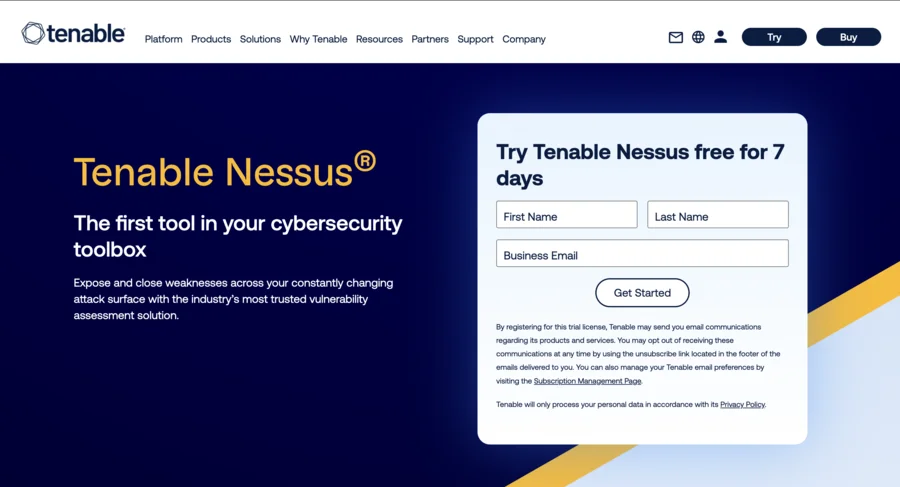
Nessus is one example of an automated vulnerability scanning tool that identifies security issues across various platforms and devices. To use Nessus:
- Download and install it from the Tenable website.
- After creating a user account, configure scan policies, define target systems, and run the scan.
- The results are presented in a report that categorizes vulnerabilities by severity, allowing you to prioritize your response.
Commercial and open-source tools
Commercial tools are paid solutions developed by companies, offering advanced features and support, while open-source tools are freely available and often community-driven, providing cost-effective options for organizations with technical expertise.
Qualys, a commercial tool, offers a cloud-based vulnerability management platform with comprehensive scanning capabilities. After signing up, you’ll deploy Qualys scanners or agents in your network. You can then configure scans, run assessments, and manage vulnerabilities through a centralized dashboard. Qualys also provides features for prioritizing vulnerabilities based on threat intelligence and asset criticality.
Nikto, an open-source web server scanner, checks for outdated versions, misconfigurations, and vulnerabilities. It’s straightforward to use: install it, specify your target websites, and run scans with desired options. The output includes identified vulnerabilities, misconfigurations, and informational findings.
Web application vulnerability scanners
Web application vulnerability scanners are specialized tools designed to identify security flaws specific to web applications, such as XSS, SQL injection, and other OWASP Top 10 vulnerabilities.
Acunetix is a comprehensive web application security scanner. After installation and license activation, you’ll add target websites, configure scan settings, and run scans. The detailed reports categorize vulnerabilities by severity and provide remediation advice.
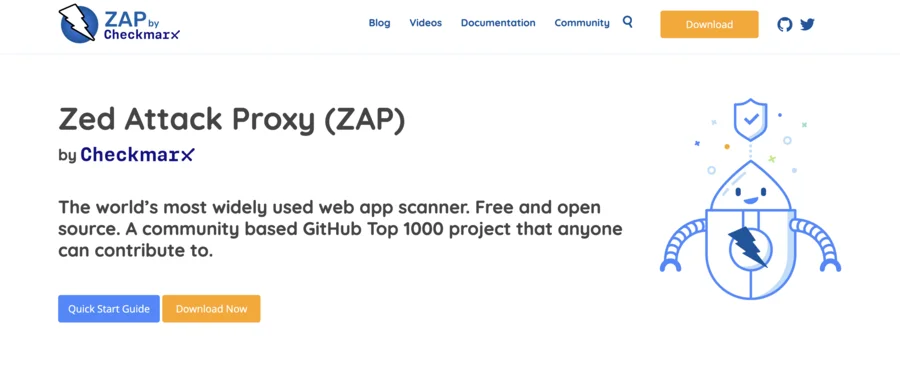
OWASP Zed Attack Proxy (ZAP) is a free, open-source alternative. It offers both automated scanning and tools for manual testing. You can set up your target application, perform automated scans, and explore results through its user-friendly interface.
DAST tools

Dynamic Application Security Testing (DAST) tools analyze applications in their running state, simulating real-world attacks to identify vulnerabilities that may not be apparent in static code analysis.
Burp Suite is a popular platform for web application security testing. It requires some setup, including configuring proxy settings and installing a CA certificate in your browser. You can then map the application, run automated scans, and perform manual testing using various built-in tools.
Vulnerability scanning best practices: Management lifecycle
The vulnerability management lifecycle is key to maintaining solid cybersecurity. It’s a process with several stages that help organizations find, prioritize, and fix security weaknesses effectively.
Identification
First up is spotting all the vulnerabilities in your environment. This usually involves using automated scanning tools that check systems, networks, and applications for known security weak spots.
Here are some tips for better identification:
- Mix it up with both credentialed and non-credentialed scans for better coverage.
- Make sure you’re managing credentials properly for accurate, thorough scans.
- Keep your scanning tools up-to-date to catch the latest vulnerabilities.
Prioritization
Once you’ve found the vulnerabilities, you need to figure out which ones are the most pressing. This means evaluating them based on how much damage they could do and how likely they are to be exploited.
Here’s how to prioritize effectively:
- Use scoring systems like CVSS to gauge how severe each vulnerability is.
- Think about the bigger picture – consider things like how critical the affected asset is and potential business impact.
- Focus on tackling the critical and high-risk issues first.
Remediation
Now it’s time to actually address those vulnerabilities. This could mean patching, changing configurations, or setting up other protective measures.
Some best practices for remediation:
- Have a solid patch management strategy that balances security needs with keeping operations running smoothly.
- Be ready to act fast on critical vulnerabilities with an incident response plan.
- Don’t forget to check that your fixes actually worked.
Vulnerability scoring systems
These systems give us a standard way to assess how severe security vulnerabilities are. The Common Vulnerability Scoring System (CVSS) is the go-to for most organizations.
Here are some tips for using these scoring systems:
- Use CVSS scores as a starting point, but remember to consider other factors, too.
- Be aware of the limitations of these systems and supplement with expert analysis.
- Regularly review how your organization interprets these scores.
Risk-based prioritization
This approach looks at vulnerabilities not just in terms of technical severity, but also how they might impact the business.
Best practices include:
- Consider factors like how critical the asset is, its exposure, and potential business impact.
- Make sure your vulnerability management efforts align with overall business goals.
- Keep reviewing and updating your risk assessment criteria.
Choose Liquid Web for effortless vulnerability scanning
Vulnerability scanning plays an important role in maintaining a strong cybersecurity strategy. Regular scans help identify potential weaknesses in your digital infrastructure, allowing you to address issues before they can be exploited.
Liquid Web’s Vulnerability Assessment and Scanning service offers a comprehensive solution:
- Proactive approach: The service uses methods similar to what potential intruders might use. This way, they can spot and categorize vulnerabilities early. Thanks to their partnership with Clone Systems, they can run secure, accurate scans using their own devices on their network
- Consistent vigilance: Liquid Web runs automated scans every month. These scans use the latest data to give you a regular snapshot of your system’s security status.
- Transparent reporting: After each scan, you get a clear, detailed report. It includes a summary for the higher-ups, lists specific issues they’ve found, and gives you steps to fix them. You can access these reports easily, and they’ll even email you when a new one’s ready.
Liquid Web’s approach turns vulnerability scanning into an ongoing process. It’s about constantly finding issues, deciding which ones need attention first, and then fixing them.
Ready to enhance your website’s security? Get started with Liquid Web’s Vulnerability Assessment and Scanning service today.
Note on the original publish date: This blog was originally published in April 2019. It has since been updated for accuracy and comprehensiveness.