


Virtual events have become a key strategy in how organizations connect with their audiences. From product launches to conferences, they let you reach people anywhere with an internet connection, and when done well, they can match or exceed the benefits of in-person events.
This guide walks through how to plan, host, and follow up on a successful virtual event. We’ll cover the main types of virtual events, how to pick the right platform, and the best tools to use.
What is a virtual event?
A virtual event is an organized gathering where attendees participate online rather than meeting in person.
This includes events like:
- Zoom webinars with people attending virtually.
- Multi-day virtual conferences.
- Livestream concerts.
- Yoga classes on Instagram Live.
- Corporate training sessions running on a dedicated virtual event platform.
The format has matured well past the early days of Zoom-only calls. Modern virtual events can include live and on-demand sessions. They can feature virtual networking rooms and interactive features like polls and Q&A. Some even offer virtual tours through 3D environments or full virtual-reality experiences that place attendees inside a shared virtual world.

Virtual events vs. webinars
These two terms get used interchangeably, but they’re not quite the same.
- A webinar is one type of virtual event, usually a single-session presentation with a host and an audience that mostly watches and listens.
- A virtual event is broader and can include multiple sessions, breakout rooms, networking spaces, exhibit halls, and interactive components.
Put another way: every webinar is a virtual event, but not every virtual event is a webinar.
Types of virtual events
Choosing the right format is the first big decision. Here are the most common types of virtual events and what each one is suited for.
The main formats:
- Webinars. Single-session presentations, usually 30 to 90 minutes long, with a host and an audience. These are good for product demos, educational content, and lead generation.
- Virtual conferences. These are usually online events with multiple sessions that replicate the structure of an in-person conference. They often include keynote and breakout sessions, as well as things like panel discussions.
- Virtual meetings. Smaller, more interactive gatherings like board meetings, team retreats, or workshops. Everyone is expected to participate rather than just watch.
- Livestreams. Livestreams are real-time broadcasts on platforms like YouTube Live, Instagram Live, or Twitch. They’re best for performances, product launches, and one-to-many announcements.
- Virtual tours. 360-degree or 3D walkthroughs of physical spaces. Used widely in real estate, museums, higher education open days, and trade shows.
- Virtual networking events. Think speed networking, virtual happy hours, or career fairs.
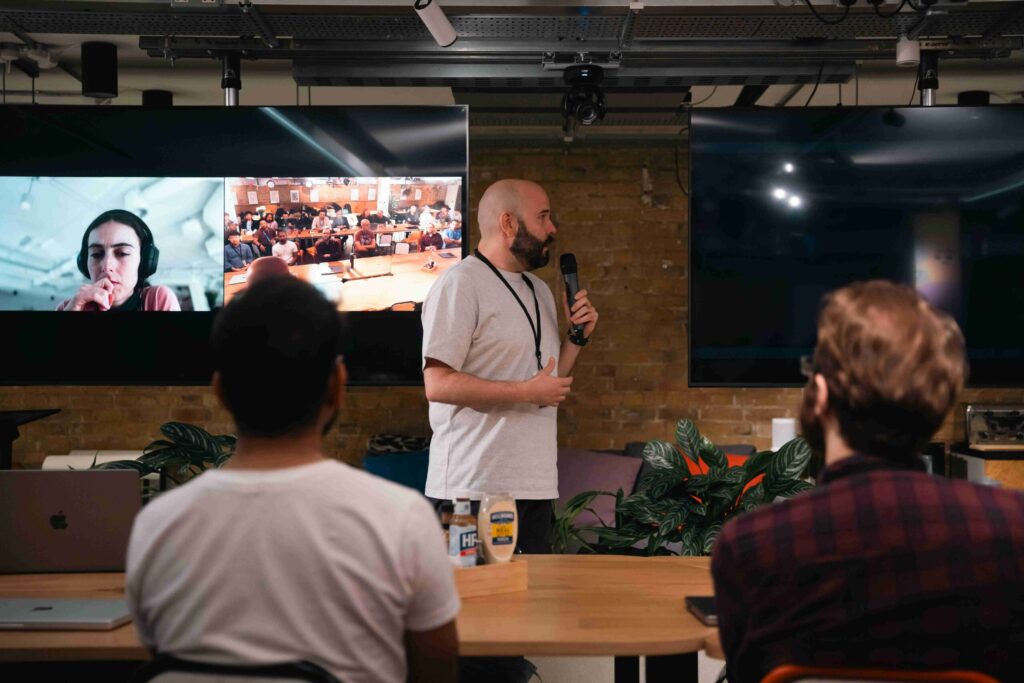
- Hybrid events. Combine an in-person experience with a virtual event component, so attendees can join from anywhere. These are increasingly becoming the default for large conferences and trade shows.
- Virtual reality experiences. Fully immersive events held in a virtual world, accessed through a VR headset or a browser-based 3D environment. Still niche but growing for specific use cases like training and product demos.
The right format depends on what you’re trying to achieve. A nonprofit running a fundraising gala will plan differently than a SaaS company hosting a product webinar.
How to choose a virtual event platform
Once you know what type of event you’re hosting, the next step is deciding which virtual event platform to use. There are plenty of options that range from free conferencing tools to event platforms with built-in features.
Here are some things to look for in a good virtual event platform:
- Attendee capacity. Make sure the platform supports your expected audience size and has room for late registrations.
- Interactive features. Polls, Q&A, live chat, and breakout rooms all make a difference in keeping people engaged.
- Streaming options. Some events benefit from including a livestream; others work better with on-demand video.
- Networking capability. If networking is part of your event, look for platforms with breakout rooms, one-to-one matching, or virtual lounges.
- Branding and customization. If you’re looking to upscale, a branded event experience builds trust and feels more polished than a generic Zoom link.
- Integrations. The platform should be able to connect with your CRM, email marketing tool, calendar, and ticketing system.
- Analytics and reporting. Post-event data tells you what worked and informs your next event.
For most small to mid-sized events, a combination of Zoom or Google Meet for the live sessions and a tool like The Events Calendar for registration, ticketing, and event listings on your website is a solid setup.
For larger virtual conferences, a dedicated event platform with multi-session support and a virtual expo hall is worth the investment.
If you’re hosting events through your website, reliable hosting matters more than you might think. A spike of registrations or a livestream embedded on your site can put real load on a server, and slow page load during a launch is the kind of mistake people remember.
How to create your event strategy
Before you book a platform or write a promo email, let’s work through the foundations of your event.
Why are you hosting this event?
Every event needs a clear goal. Are you building community, generating leads, training customers, launching a product, or driving ticket sales? The answer shapes every other decision, from format to promotion to follow-up.

Who is your event for?
Getting clear on your audience before anything else is important to make sure your event is successful.
Ask yourself the following:
- What are their interests?
- What problems are they trying to solve?
- How will they share the experience with peers?
A clear picture of your attendee helps you plan a focused agenda and write event content that lands.
What will people do at the event?
Next, map out the run of show. Are you teaching something new, offering classes or workshops, hosting panel discussions, or creating space for networking? Most successful virtual events leave gaps for questions and conversation rather than running content end-to-end.
Take a look at other online events and see what inspiration you can take from their successes and failures.
Why this event over others?
Every prospective attendee has a crowded calendar. What makes your event worth their time? A clear value proposition in your event listing, paired with a compelling speaker lineup or unique format, is what tips someone from interest to registration.
Promote your event
Once the strategy is set, it’s time to fill virtual seats.
Optimize your event listing
If you host a mix of in-person, hybrid, and virtual events on your website, make sure the listing makes the format clear. A dedicated category for virtual events, plus labels on each listing, helps people pick the option that fits them. The Events Calendar includes built-in labels for virtual and hybrid events that handle this automatically.
Focus on organic promotion
Email is the single most reliable channel for event registrations, so start there. Post on the social platforms where your audience is genuinely active, rather than every channel you have access to.
Get the event listed on relevant industry calendars. If you’ve run events before, your past attendees are one of your strongest audiences for the next one. A personal email outperforms a templated blast every time.
SEO is a longer play. It works for events tied to topics people search for, and only when you start optimizing weeks ahead of the date. For the right kind of event, it’s worth the effort.
Paid promotion
Paid promotion buys visibility you haven’t earned organically, which is useful when you’re starting from a small audience or working to a tight deadline.
The two channels that perform best for most events are promoted social posts and sponsorships at related events. For niche topics, display ads on industry websites can also work well.
One common mistake is sending paid traffic to a weak landing page. If you improve the page first, the ads will get better results.
Email touchpoints for your event attendees
A series of well-timed emails can convert registrants into attendees. Most successful event marketers send a combination of the following types of emails:
- A confirmation email as soon as someone registers, with the date, time, and access details.
- A ‘get ready’ email a week or two before, including any prep work, supplies, or software the attendee needs.
- One-week reminder email to keep the event top of mind.
- Day-before reminder email with the event link.
- Day-of reminder email an hour or two before kickoff.
Email marketing tools and event platforms can automate all of this, so you don’t have to send each email manually.

Sales and ticketing
If you’re selling tickets to your virtual events, there are a few decisions you might want to make up front.
Decide on your ticket tiers
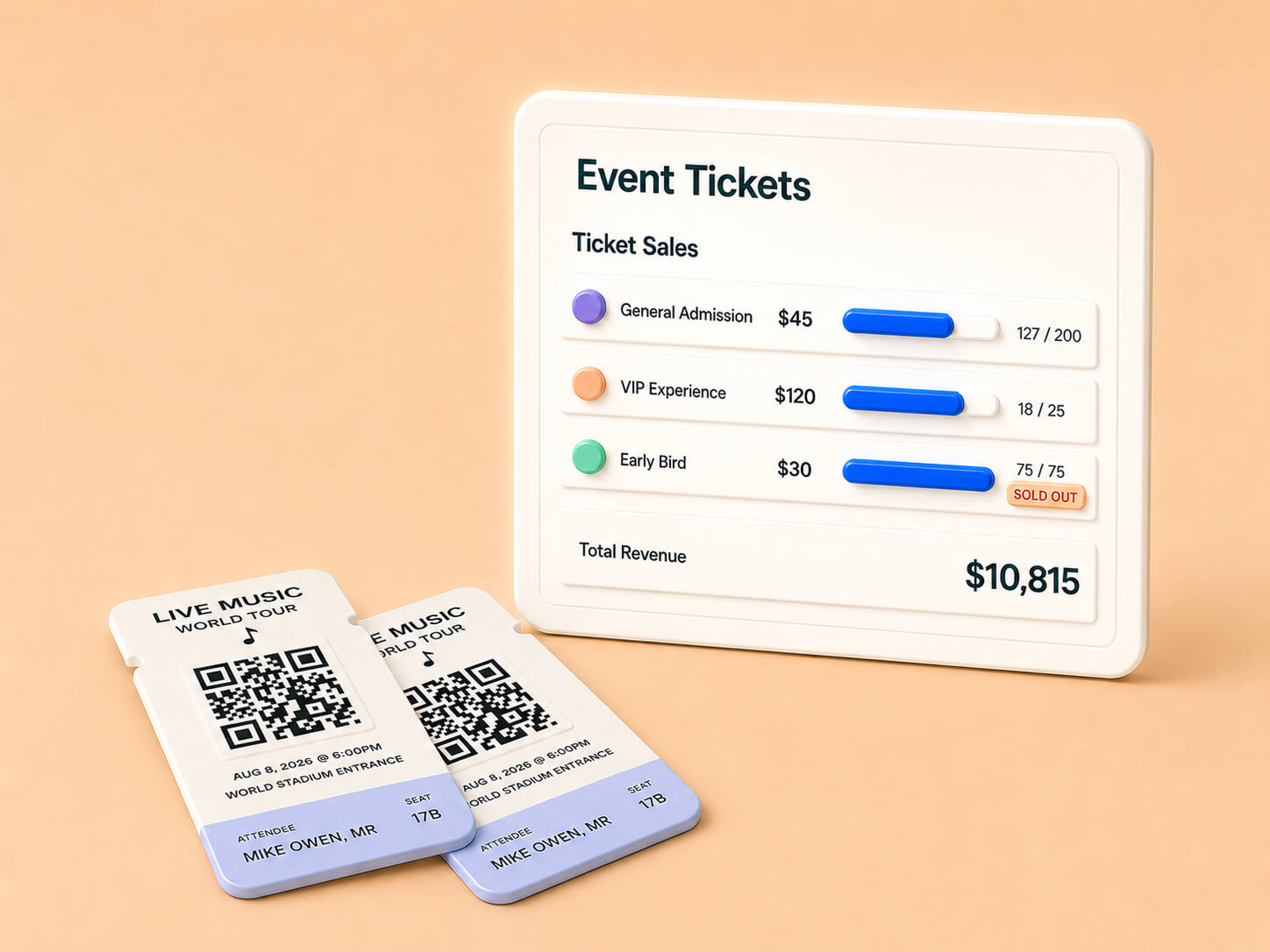
The simplest approach is a single ticket type at a single price. It works well for shorter events and smaller audiences. For larger events, tiered tickets can lift your average revenue per attendee. VIP options might include early access, exclusive sessions, or one-on-one time with speakers.
Nonprofits and community events often go in a different direction by offering free registration with optional donations. The right choice depends on your audience and what you’re trying to achieve with your event.
Decide on a ticketing system to use
A good event ticketing tool covers four things: registration, payment, attendee communications, and reporting. Trying to stitch those together with separate tools usually creates more work than it saves
So, here are a few things worth checking before you commit to one:
- Payment options. Stripe and PayPal are the bare minimum. If you’re selling internationally, check what currencies and local payment methods the tool supports.
- Custom registration fields. Some events need to collect more than just the basics from their attendees. Sometimes things like T-shirt size for swag, job title for B2B follow-up, or website links are needed. Your tool needs to cover those, too.
- Tiered pricing and discount codes like early-bird pricing, group discounts, and sponsor codes. These do a good job of increasing registration numbers, and more than you’d expect.
- Email integration. Confirmation emails, reminders, and post-event follow-ups should all run from the same place.
- Refund handling. Plans change. Make sure the tool handles refunds cleanly without needing you to log into your payment processor separately.
If your site runs on WordPress, The Events Calendar covers all of the above and integrates directly with your event listings, so a ticket purchase and a registration are the same action.
Create an event companion page
A page on your website that hosts your event gives attendees a single place to find everything they need.
On this page, you can:
- Embed the livestream.
- List speaker bios.
- Link to any tools or supplies.
- Post the schedule.
For most event organizers, this page becomes the day-of hub for everyone attending. It’s worth the hour it takes to set up.

Day-of event logistics to check
Most technical disasters at virtual events trace back to one thing: not testing in advance. In this section, we’ll outline a few things you’ll want to check before going live.
Test your tools before going live
We recommend running a full rehearsal a day or two before the event just to make sure everything is set and ready to go.
For this rehearsal, you can cover the following:
- Test your microphone, camera, internet connection, and software on the exact setup you’ll use during the event.
- Check that you’re running the latest version of every app.
- If you have speakers joining remotely, schedule a tech check with each of them in advance.
While testing, you’ll be able to see any potential road bumps you might encounter on the day and fix them before they happen.
Have a backup plan
Even with a thorough rehearsal, things can still go wrong on the day. None of this is a disaster if you’ve planned for it, but you do need a plan.
Here are a few backup measures worth putting in place:
- Keep a secondary internet connection ready to go, such as a mobile hotspot or a tethered phone, so you can switch over if your main connection drops.
- Assign someone to handle technical issues during the event. This will free up the host to stay focused on the content rather than troubleshooting on the fly.
- Have a backup host or co-presenter who can step in if the main host runs into problems.
- Keep your speakers’ phone numbers handy in case you need to reach them quickly off-platform.
The goal isn’t to anticipate every possible failure, but to have enough safety nets in place that one mishap doesn’t derail the whole event.
Follow good virtual event etiquette
Small touches go a long way in making a virtual event feel welcoming. Opening the event a few minutes early is one of the easiest. It gives attendees time to log in, sort out any audio issues, and settle in before things get going.
A moderator for the live chat is worth their weight in gold for any event with more than a handful of attendees. They can keep an eye on questions as they come in, flag the strongest ones for the host, and handle the smaller issues without interrupting the session.
There’s one final thing to keep in mind: if something does go wrong during the event, make sure to let attendees know. Acknowledging that you’re aware of an audio issue or a delayed start will keep attendees on your side rather than pretending everything is fine.
Engagement tactics that work
If you’re new to running virtual events, you don’t need to use every tactic below. Picking two or three and doing them well will get you most of the way. Polls and a moderated chat are usually the safest starting point. From there, the right additions depend on the size and type of your event.
Use polls
Polls are the easiest engagement tactic to run and are almost always worth including. They give attendees something to do in the first few minutes, when most people are still deciding whether they’ll stay engaged.
Asking where attendees are joining from, or what they’re hoping to take away, tells the host who they’re talking to. Mid-event polls also work well to break up longer content, and an exit poll is one of the simplest ways to collect feedback while it’s top of mind for attendees.
Pair games with giveaways
Quizzes, trivia, and other interactive games are great engagement tools for your event. Especially for longer events where attendees need a reason to stay through to the end. Pairing them with a prize improves participation considerably, though the prize itself doesn’t need to be expensive.
The format you choose for your game element should fit your audience though. A trivia round about the topic of your event is a natural fit for a conference or webinar. For internal team events, something like a virtual scavenger hunt or themed challenge tends to land better. If you sell a paid product or membership, giving that away as a prize doubles as a soft pitch and tends to draw strong participation.
Engage through chat
Chat is where virtual events come closest to feeling like in-person events, but only if someone is actively running and monitoring it. With a moderator asking good questions, replying to introductions, and keeping the energy up, your event chat becomes one of the most active parts of the event.
For larger events, moderation should be a dedicated role rather than something you ask the host to do alongside presenting. Even for smaller events, having someone whose only job is to keep an eye on chat makes a noticeable difference to how engaged people feel.
Leave time for Q&A
Some attendees register for an event specifically to ask one question. If you don’t make space for it, they’ll leave the event slightly disappointed, regardless of how good the content was. Building a dedicated Q&A block into the agenda is the simplest fix, and most platforms make this easy.
Post-event follow-up
The work isn’t over when the event ends. In some ways, it’s only just starting. The 48 hours after a virtual event are incredibly useful for future events. In this time, gather feedback to improve your next one, and squeeze the maximum value from the content you’ve just created.
Send a thank-you message
A thank-you email is the simplest piece of follow-up and the one worth sending the same day. Beyond showing appreciation, it’s a great opportunity to share whatever you promised during the event, whether that’s a recording, the slides, or a resource pack.
Reach out to no-shows
People who registered but didn’t make your event are often the most overlooked group in post-event follow-up. They were interested enough to sign up, which means they’re still part of your audience, but something stopped them. So, send them a summary of the event with a link to the recording, and treat them as warm leads for your next event.
Survey attendees while it’s fresh
A post-event survey is a great way to find out what actually worked at your event. We recommend sending it within 24 to 48 hours of the event, while attendees can still remember specifics.
Keep this survey short. Three to five questions covering what worked, what didn’t, and what they’d want to see next time will tell you most of what you need to know.
Measure what mattered
Registration numbers are the easiest metric to track and almost always the least useful. What matters is whether the event achieved what you set out to do in the first place.
Tie your measurement back to the original goal. If your goal was lead generation, count qualified leads, not total registrations. If it were community building, look at networking activity, post-event social engagement, and signups to ongoing programs.
Plan your next virtual event
The fundamentals of a successful virtual event come down to clear goals, a format that fits your audience, and a platform that supports your needs. Skip the planning, and you’ll feel it on the day. Get it right, and you’ll reach audiences in a way that in-person events can’t always match.
For event organizers running their events through WordPress, The Events Calendar handles registration, ticketing, virtual event labels, and event listings from one place. Paired with reliable WordPress hosting, you have the foundation for any event format you want to run.