
 Nick Campbell
 Key points
- Site owners can enhance their security through 12 crucial steps, ranging from simple updates to advanced protective measures.
- Strong passwords, encryption, firewalls, regular backups, and defense against common web attacks form the core of a robust website security strategy.
- These actionable security enhancements apply to websites of all sizes, from personal blogs to large eCommerce platforms.
Ever wondered how secure your website really is? With cyber-attacks on the rise, many site owners are looking for ways to protect their online presence. Liquid Web, experienced in hosting secure websites, has seen firsthand what works – and what doesn’t – when it comes to keeping websites safe.
Security breaches have serious consequences. A data leak might expose customer information, potentially leading to legal issues and loss of trust. A company’s reputation can be damaged quickly. Additionally, search engines consider site security in their rankings, and compromised sites tend to see reduced visibility and traffic.
This article outlines 12 steps to improve your site’s security. These strategies range from basic practices to more advanced techniques, suitable for sites of all sizes. Whether you manage a personal blog or an eCommerce platform, you’ll find practical ways to strengthen your site’s defenses against potential threats.
1. Keep your website software updated
More businesses are using platforms like WordPress to power their websites – they’re easy to use and provide a ton of functionality. You can create a full-fledged website in an afternoon, even if you don’t have much technical experience.
But the fact that WordPress has so many installations also makes it a target for hackers. If your software is not up-to-date, you’re putting your business and customers at risk.
Hackers target vulnerabilities found in older versions of software. Make sure to update to the latest software to patch all security holes.”
Be sure to also update your plugins, as they’re the largest source of vulnerabilities in WordPress:
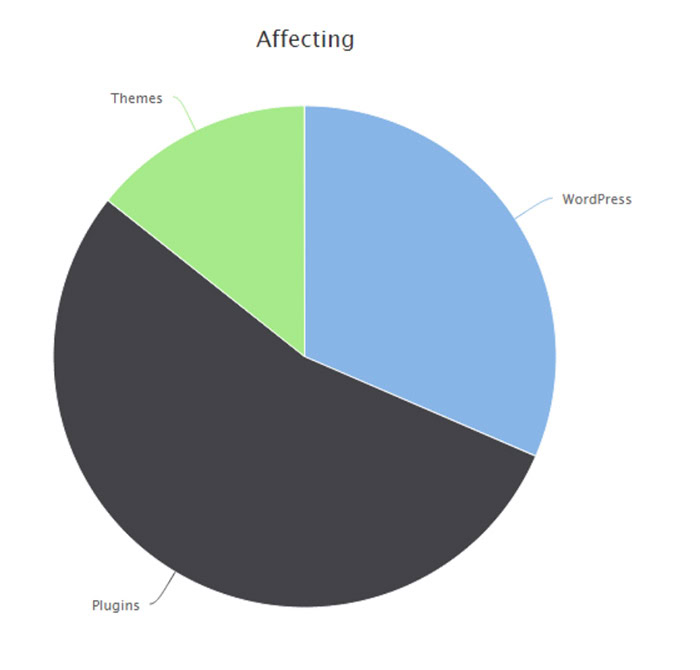
(Source: Melapress)
Having too many plugins can not only slow down performance but also open up your site to more potential attacks. Only install those plugins that are absolutely essential and remove those you aren’t using.
Consider setting up automatic updates where possible. However, always monitor your site after updates to ensure everything functions correctly. This is particularly important for major updates or for plugins that are crucial to your site’s functionality.
2. Use strong passwords and implement multi-factor authentication (MFA)
When creating passwords, aim for length and complexity. A strong password typically includes at least 12 characters, mixing uppercase and lowercase letters, numbers, and symbols. Steer clear of personal information or common words that could be easily guessed.
While strong passwords are a good start, Multi-Factor Authentication (MFA) adds an extra layer of protection. MFA requires two or more verification methods to access your account. These methods often include something you know (like a password), something you have (like a smartphone), or something you are (like a fingerprint).
Many WordPress security plugins offer MFA options. Common methods include SMS codes sent to your phone, authenticator apps that generate time-based codes, hardware tokens, and biometric verification. Consider enabling MFA not just for your WordPress admin account but for all users with access to your site, including contributors and editors.
3. Implement SSL/TLS encryption
Secure Sockets Layer (SSL) and Transport Layer Security (TLS) are protocols that encrypt data transmitted between a user’s browser and your website. This encryption helps protect sensitive information like login credentials, personal data, and payment details from potential eavesdroppers.
When SSL/TLS is implemented, your website URL changes from “http://” to “https://”, and most browsers display a padlock icon in the address bar. This visual cue reassures visitors that their connection to your site is secure.
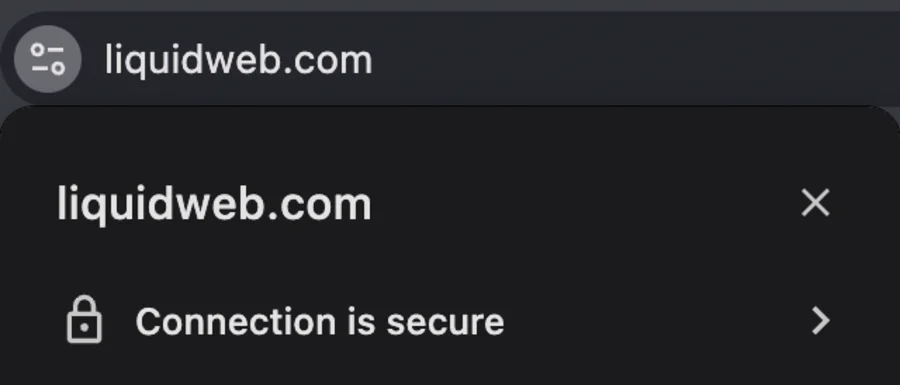
Beyond data protection, SSL/TLS certificates offer additional benefits:
- They verify your website’s identity, helping to build trust with visitors.
- Many search engines favor HTTPS sites, potentially boosting your SEO.
- Some browsers warn users about non-HTTPS sites, which could deter potential visitors.
Implementing SSL/TLS is relatively straightforward. Many hosting providers offer free SSL certificates through services like Let’s Encrypt. Alternatively, you can purchase certificates from trusted Certificate Authorities.
Once you’ve obtained an SSL certificate, ensure that all site elements (including images, scripts, and forms) use HTTPS. This prevents mixed content warnings and maintains a fully secure connection.
If you’re using WordPress, remember to update your site settings to use the new HTTPS URL, and consider implementing HSTS (HTTP Strict Transport Security) for even stronger security. Regular monitoring and renewal of your SSL certificate will help maintain continuous protection for your site and its visitors.
4. Install and configure a web application firewall (WAF)
A Web Application Firewall (WAF) adds an extra layer of protection to your website. Its benefits include:
- Threat Prevention: A WAF acts as a shield, blocking malicious traffic before it reaches your website. It’s designed to identify and stop common attack patterns, such as SQL injections, Cross-Site Scripting (XSS), and other known vulnerabilities.
- Real-Time Monitoring: WAFs provide continuous monitoring of your site’s traffic, allowing for quick detection and response to potential threats. This real-time protection helps in addressing security issues promptly.
- Customizable Rules: You can tailor your WAF’s settings to your specific needs. This flexibility allows you to create custom rules that address unique security requirements or known issues specific to your site.
- Performance Enhancement: Many WAFs include caching capabilities, which can help improve your site’s loading speed and overall performance. This combines enhanced security with improved user experience.
- DDoS Mitigation: WAFs are effective in countering Distributed Denial of Service (DDoS) attacks, helping to keep your site accessible during attempted attacks.
- Compliance Support: For businesses that need to meet specific security standards, a WAF can assist in achieving and maintaining compliance with regulations like GDPR or PCI DSS.
- Reputation Protection: By preventing successful attacks, a WAF helps safeguard your site’s and your brand’s reputation. It reduces the risk of data breaches or defacements that could affect your credibility.
5. Conduct regular security scans and monitoring
Regular security scans and monitoring help you stay ahead of potential threats and maintain the integrity of your site. Here’s why they’re so important:
- Identify vulnerabilities in your website’s core, themes, and plugins. This allows you to address potential weak points before they can be exploited.
- Detect any malware that might have found its way onto your site. Early detection can prevent further spread and minimize damage.
- Spot unusual behavior that might indicate a compromised account or an ongoing attack.
- Identify performance issues that might be signs of security problems, such as unauthorized resource usage or malicious scripts.
- Confirm that all your website components are up-to-date, ensuring you have the latest security patches.
While these general security checks cover a broad range of potential issues, there’s one specific type of monitoring that deserves special attention: file integrity monitoring. This process focuses on detecting unauthorized changes to your site’s files, providing an additional layer of security that complements your regular scans. Here’s what you need to know:
- Change Detection: This process involves creating a baseline of your website’s files and then regularly checking for any modifications. It can alert you to unexpected changes that might indicate a security breach.
- Core File Protection: It helps ensure that your website’s core files haven’t been tampered with, maintaining the stability and security of your site.
- Theme and Plugin Oversight: File integrity monitoring extends to your themes and plugins, helping you catch any unauthorized modifications to these components.
- Rapid Response: By quickly identifying file changes, you can respond promptly to potential security incidents, minimizing their impact.
- Compliance Support: For businesses subject to certain regulations, file integrity monitoring can help meet compliance requirements related to data security and change management.
6. Manage user permissions and access control
For managing user permissions, the principle of least privilege serves as a guiding concept. This principle suggests that users should only have access to the resources they need to perform their tasks, and nothing more.
Here’s how you can apply this principle to your WordPress site:
- Role-Based Access: WordPress offers several user roles with different levels of access. Assign roles based on what each user actually needs to do, not what they might potentially need in the future.
- Custom Roles: If the default WordPress roles don’t fit your needs, create custom roles with specific permissions tailored to your site’s requirements.
- Regular Audits: Periodically review user accounts and their permissions. Remove unnecessary accounts and adjust roles as needed.
- Temporary Privileges: When users need elevated privileges for specific tasks, grant them temporarily and revoke them once the task is complete.
- Admin Account Restrictions: Limit the number of administrator accounts to only those who absolutely need full access.
Another aspect of access control is limiting login attempts. This practice helps prevent brute force attacks by restricting the number of times a user can attempt to log in. Implementing this security measure often involves using WordPress plugins designed for this purpose. These tools typically lock out users after a certain number of failed attempts, with customizable settings allowing you to determine the number of attempts allowed and the duration of the lockout period.
Some solutions go a step further by blocking IP addresses that show suspicious behavior, adding an extra layer of protection. To stay informed about potential threats, you can set up alerts that notify you of repeated failed login attempts, allowing you to take quick action if needed.
For even stronger security, consider implementing alternative authentication methods such as two-factor authentication.
7. Secure your database
Database security involves several best practices that can significantly enhance your site’s overall security posture:
- Use strong, unique passwords for your database and database user accounts. Regularly update these passwords for added protection.
- Limit database user privileges, following the principle of least privilege discussed earlier.
- Regularly back up your database. Automated backups, scheduled to run at regular intervals, can make this process more reliable and less time-consuming.
- Validate and sanitize all user inputs before they reach your database to prevent SQL injection attacks.
- Use prepared statements in your database queries to separate SQL logic from data.
- Conduct regular security scans of your database to identify potential vulnerabilities or signs of compromise.
- Encrypt sensitive data stored in your database, especially if handling personal information subject to regulations like GDPR.
- Keep your website core, themes, and plugins up to date to patch security vulnerabilities.
Liquid Web offers a suite of database management and security features that can significantly enhance your site’s protection. Their services include automatic daily backups, ensuring your data is regularly saved and easily recoverable in case of any issues. This automated process takes the burden off you and provides peace of mind, knowing your data is consistently backed up.
8. Use secure hosting and server configuration
A reputable hosting provider offers more than just server space. They provide a secure infrastructure, regular updates, and proactive monitoring to protect against threats. When evaluating hosting options, consider providers that offer features like firewalls, intrusion detection systems, and regular security audits.
Liquid Web offers a secure hosting infrastructure specifically designed for WordPress sites. Their managed WordPress hosting includes automatic updates for WordPress core, and malware scanning and removal. These features act as a first line of defense against various types of attacks, including DDoS attempts.
Get fully managed WordPress hosting
Power your site with the industry’s most optimized WordPress hosting
Server configuration plays a role in maintaining a secure WordPress site. Liquid Web’s servers are optimized for WordPress, with configurations designed to enhance both performance and security.
An often overlooked aspect of server security is input validation. While client-side validation is useful, server-side input validation can’t be bypassed by malicious users. Liquid Web’s server configurations include measures to validate and sanitize inputs at the server level, providing an additional layer of protection against injection attacks and other security threats.
9. Implement regular and secure backups
Regular backups provide a safety net, allowing you to restore your site quickly in case of a security breach, data loss, or other issues.
Off-site, automated backups, in particular, offer several advantages. By storing backups away from your main server, you ensure that your data remains safe even if your primary hosting environment is compromised. Automation removes the risk of human error and ensures that backups are created consistently and reliably.
Liquid Web provides comprehensive backup solutions as part of its managed WordPress hosting. Their system creates daily automated backups of your entire WordPress installation, including your database and all files. These backups are stored securely off-site, adding an extra layer of protection.
Additionally, Liquid Web offers disaster recovery options. These include redundant systems and failover mechanisms that can keep your site online even if there’s a problem with the primary server.
10. Protect against common web attacks
Websites face various types of attacks. Understanding and protecting against these common threats is crucial for maintaining your site’s security.
- XSS prevention involves sanitizing user inputs and encoding output. WordPress has built-in functions to help with this, but it’s important to use them consistently, especially in custom code. Keeping themes and plugins updated also helps protect against XSS vulnerabilities.
- CSRF (Cross-Site Request Forgery) protection can be achieved by implementing nonces in forms and AJAX requests. WordPress provides nonce functions that you should use when creating forms or processing requests on the admin side.
- DDoS mitigation often requires a multi-layered approach. This can include using a WAF, implementing rate limiting on your server, and utilizing Content Delivery Networks (CDNs) to distribute traffic.
11. Secure your content management system (CMS)
Different content management systems have their own security considerations.
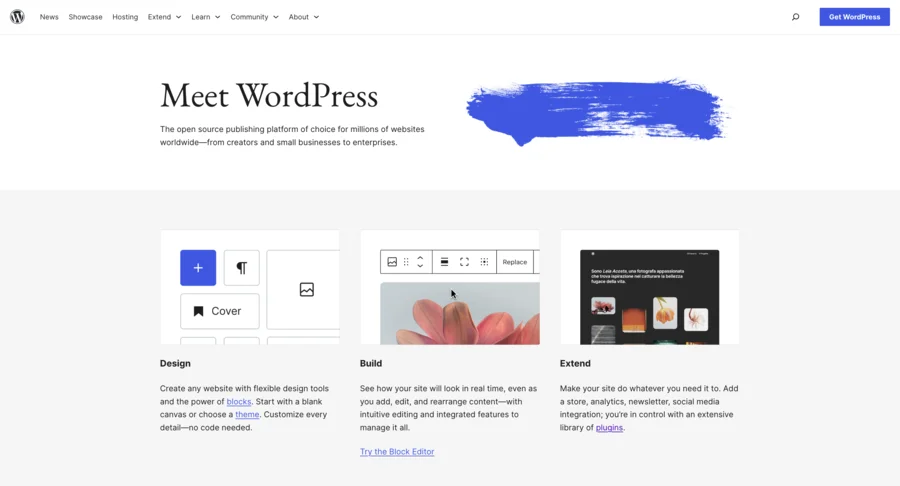
For WordPress, start by keeping core files, themes, and plugins updated. Enable automatic updates where possible. Use strong passwords and consider implementing two-factor authentication for all user accounts. Limit login attempts to prevent brute force attacks.
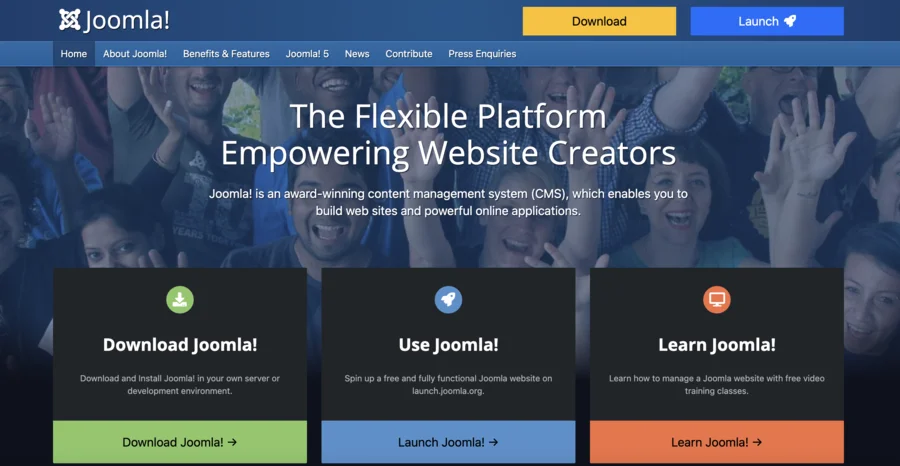
If you’re using Joomla, regularly update your core installation and extensions. Use Joomla’s built-in two-factor authentication and enable SSL for admin access. Regularly scan for malware and consider using Joomla’s security extensions for additional protection.
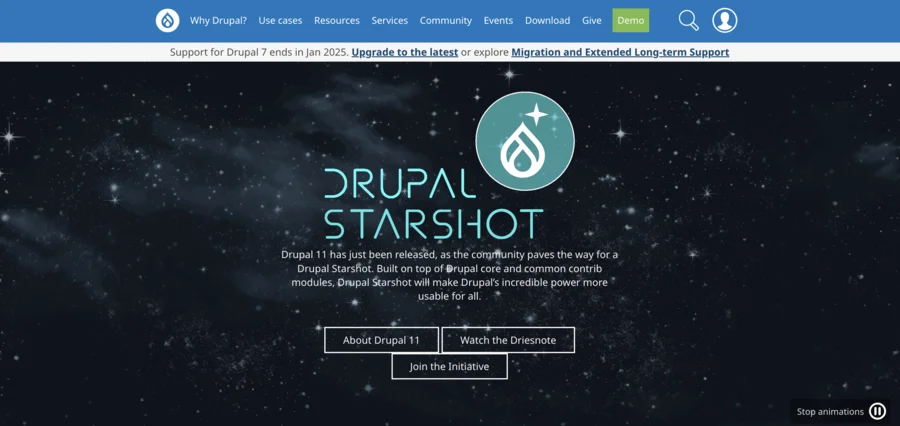
Drupal users should keep their core, modules, and themes updated. Use Drupal’s security modules like Security Kit and Password Policy. Implement Drupal’s built-in security features such as input filtering and output escaping.
Regardless of your CMS, disabling XML-RPC can enhance security if you’re not using it. XML-RPC can be a target for brute force attacks and is often unnecessary for many websites. In WordPress, you can disable this feature using plugins or by adding code to your functions.php file.
12. Implement security headers and content security policies
Security headers are HTTP response headers that your server can send to the browser to enhance website security. These headers instruct the browser on how to handle your site’s content, helping to prevent various types of attacks.
Some important security headers include:
- Strict-Transport-Security (HSTS): Forces browsers to use HTTPS connections.
- X-Frame-Options: Prevents clickjacking attacks by controlling whether your site can be embedded in iframes.
- X-XSS-Protection: Enables the browser’s built-in XSS filter.
- X-Content-Type-Options: Prevents MIME type sniffing.
These headers can typically be implemented at the server level or through your site’s configuration.
Content Security Policy (CSP) is a powerful security header that helps prevent cross-site scripting (XSS), clickjacking, and other code injection attacks. CSP allows you to specify which sources of content browsers are allowed to load on your site.
To set up a CSP:
- Start with a restrictive policy and gradually allow necessary resources.
- Use the ‘report-only’ mode initially to identify potential issues without breaking your site.
- Include directives for various resource types (scripts, styles, images, etc.).
- Use nonces or hashes for inline scripts and styles when necessary.
A basic CSP might look like this:
Content-Security-Policy: default-src 'self'; script-src 'self' https://trusted-cdn.com;Keep website security simple with Liquid Web
Securing your website can seem daunting, but it’s necessary for protecting your online presence. From strong passwords and multi-factor authentication to database security and protection against common web attacks, there’s a lot to consider. Add in regular updates, user management, secure backups, and security headers, and it’s easy to feel overwhelmed.
Liquid Web’s managed WordPress hosting solutions address many of these concerns. Their secure infrastructure, automated backups, malware scanning, and server-level security measures provide a solid foundation for WordPress site security.
Don’t leave your website security to chance. Explore Liquid Web’s managed hosting options and take the first step towards a more secure online presence!
Additional resources
To further enhance your website security knowledge and stay informed about the latest trends and threats, explore Liquid Web’s resources on protecting your website:
- Keeping Your Website Secure in 2024
- Best Practices: Protecting Your Website from Compromise
- A Complete Guide to Website Vulnerability Scanning
Note on the original publish date: This blog was originally published in August 2020. It has since been updated for accuracy and comprehensiveness.