 Todd Terwillegar
 Every website owner has one goal: drive conversions. And conversions start with visitors taking action.
If you’ve found this article, you probably want to create a call to action that delivers results. Whether you have an ecommerce website, a blog, or building a professional portfolio, calls to action are an effective way to build your online presence.
Keep reading to learn how to write a call action and get expert tips that work.
What is a call to action (CTA)?
A call to action (CTA) is a phrase that asks and motivates the visitor to convert. CTAs encourage visitors to take action — which can include anything from clicking buttons to signing up for newsletters to making purchases.
The goal is to guide visitors through a process that turns them into customers.
Knowing that you need to include calls to action in your marketing funnel is one thing, but writing effective calls to action is another.
Luckily, we have six tips to share with you that will help you write better calls to action for your website.
How to write a good call to action
Start by deciding what action you want your visitors to take. Some common examples include:
- Buy
- Download
- Subscribe
- Call
- Sign up
Once you’ve decided what action you want users to take, it’s time to start brainstorming what you want to say on the page.
Make the CTA action-oriented
A call to action must begin with an action verb. Skip the boring, generic overused options like get, click, submit, and download.
Instead, think verbs that align with the action you want visitors to take. Here are some examples:
- Claim your discount
- Explore our features
- Join our team
Make the CTA specific
The call to action needs to tell visitors exactly what to do and what will happen when they click. You can do this by incorporating a benefit or reward with the core action you want to them to take.
Here are a few examples of balancing benefits and action:
- Grab your free ebook
- Watch the exclusive webinar
- Move to a faster WordPress host
Don’t assume your visitors will know what you mean. It’s best to be clear and concise about the action you want them to take. Doing so will invite visitors to take the next logical step forward in the buyer journey.
Make the CTA relevant
An effective call to action needs to have a message that aligns with content that precedes it. If you’re promoting something like an ebook, use a CTA that references the ebook. If you’re selling products, use words like “buy” or “order.”
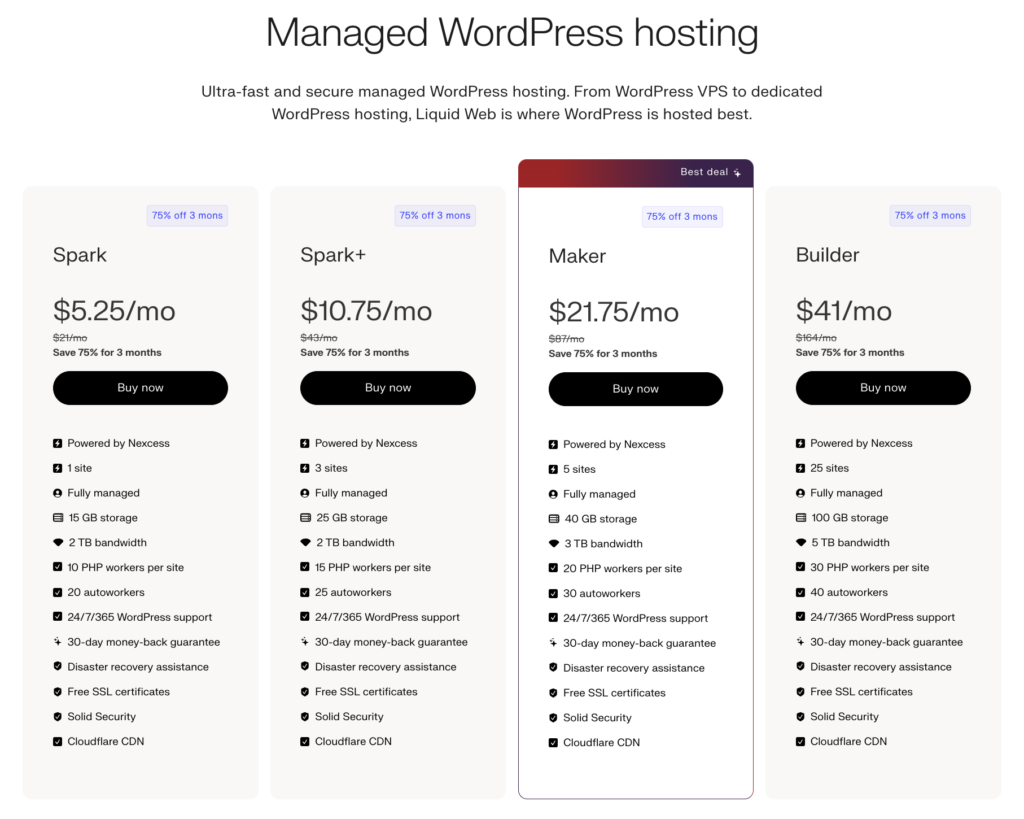
Here’s a quick example.
Create a sense of urgency
Urgency is a powerful motivator. Creating a sense of urgency in your CTA compels visitors to take action now before it’s too late.
Language like “now” or “before time runs out” can get a hesitant user off the fence.
Here are some examples of calls to action that use urgency:
- Reserve your spot before its gone
- Save $100 through April 15
- Get a free t-shirt — only 15 left
Write the CTA in first-person
When you write the call to action in first-person, you are making the CTA about the visitor and they are deciding to take action for themselves. An example of writing in the first person is: Discover my superpower.
This differs from a second-person style, where you are telling the visitor what to do in a command statement. An example of writing in the second person is: Discover your superpower.
Writing a CTA in the first person can increase engagement by creating a stronger sense of ownership and personal relevance for the reader.
Use persuasive words in the CTA
There are certain words that persuade people to take action more than others — words that naturally cultivate curiosity and interest. When writing a call to action, consider trying words that grab someone’s attention. Some examples are:
- Guarantee
- Free
- Bonus
- Results
- Save
- Instantly
- New
All of these words can be used to incite action on your webpages when used strategically.
Leverage social proof
Adding credibility to your CTA adds a level of trust that can encourage users to move forward. This is known as social proof. Here are a few examples:
- Join 10,000 happy customers
- Access tools trusted by Fortune 500 companies
- See our 12,500+ five-star reviews
Three questions to ask after writing your call to action
Once you write a call to action, review the content to ensure it’s following CTA best practices. Ask yourself:
- What is the desired action?
- Why should someone take that action?
- What will happen after they convert?
If your CTA clearly answers all three questions, you’ve got an effective call to action that’s ready to go on your website!
Quick tips to make your CTA stand out
A call to action on website can be more than a button. It can be a headline, a sentence in a paragraph, even an image.
Wherever your CTA may appear, it’s important to think about ways to make your CTAs prominent and noticeable.
Design considerations
To make a CTA stand out on a webpage, here are key design considerations that draw attention and encourage clicks:
- Contrasting colors
- White space around the CTA
- Bold, readable font
- CTAs above the fold
- Subtle cues like hover effects or color change
- Iconography, such as an arrow
Development considerations
Once you have your CTAs optimized on the webpage, it’s time to start thinking about what’s happening behind the scenes.
You can enhance accessibility by using aria-labels to describe the CTA’s purpose. For example, a button labeled visually as “Get Started” could have an aria-label="Get started with your free trial" to provide additional context for screen reader users.
You also want to make sure users can take action no matter how they are accessing your website. Using semantic HTML to ensure users can click the CTA without a mouse, and mobile site optimization ensures your CTAs are sized correctly.
And if you’re struggling to find an effective CTA, consider implementing an A/B testing platform such as Google Optimize, VWO, or CrazyEgg. These tools can help you refine your CTAs based on user behavior and preferences.
Once you write your CTA, consider WordPress hosting
Using a WordPress-specific web host can make a world of difference when it comes to speed and stability. Our managed WordPress hosting offers a comprehensive solution that goes beyond basic hosting services. With features like free page building plugins, automatic core WordPress and plugin updates, and nightly backups for data security, we provide a robust platform that takes care of the technical aspects of your website.
Learn more about our WordPress hosting solutions now.