
 Liquid Web
 Several businesses in the digital age are moving to the cloud to lower operational costs and overcome the limitations of on-premise storage.
You can’t blame them. The cloud infrastructure offers numerous attractive benefits that have contributed to its rapid adoption. However, this doesn’t mean it’s without challenges. In fact, as businesses migrate from on-premise solutions, cybercriminals are now shifting their focus to the cloud.
According to a recent report by Apple, at least 80% of data breaches in early 2023 targeted data stored in the cloud. As security breaches become a global concern, you can only safely store data in the cloud if you develop a data loss prevention strategy.
Keep reading to learn what cloud data loss prevention is, its key components, and how it can benefit your organization.
Key points
- Data loss prevention (DLP) protects an organization’s data from loss, theft, or misuse.
- The available types of data loss prevention include cloud DLP, network DLP, and endpoint DLP.
- Cloud DLP is an implementation of data loss prevention strategies in a cloud environment.
- To prevent data loss in your cloud infrastructure, classify your data and ensure regulatory compliance.
- Cloud data loss prevention has benefits like data access monitoring and usage and phishing scam protection.
- The five main components of cloud data loss prevention are discovery and classification, data protection, monitoring, policy enforcement, and reporting.
- When choosing a cloud data loss prevention tool, consider factors like cross-platform compatibility and vendor reputation.
- Data loss prevention: An overview
- Types of data loss prevention solutions
- How to prevent data loss in cloud computing
- The 5 main components of a cloud data loss prevention solution
- Benefits of cloud data loss prevention
- Considerations for choosing a cloud data loss prevention solution
- Final thoughts: Your guide to cloud data loss prevention
Data loss prevention: An overview
In an evolving digital landscape where data security is crucial to running a successful business, you need a solid cybersecurity strategy to fully protect your data and files.
Here is where data loss prevention (DLP) comes in. DLP is a security system that combines strategies, processes, and tools (software and hardware) to protect critical data from unauthorized access, modification, sharing, loss, or misuse.
Types of data loss prevention solutions
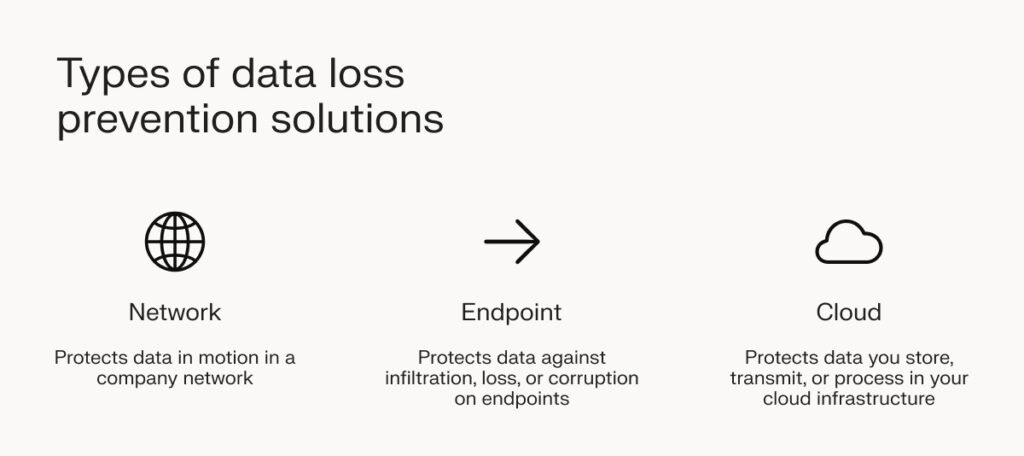
The need for a DLP solution can’t be overstated. Let’s familiarize you with the three available types so you can find an excellent fit for your organization.
Network data loss prevention
Network data loss prevention technology protects data in motion in your company network.
It tracks and analyzes emails, FTP transactions (downloads and uploads), and web applications to ensure compliance with your cloud information security policies.
Other functions of network DLP include:
- Encrypting data as it travels through the network.
- Notifying network administrators and users when network traffic violates organizational data security policies.
- Keeping a record of when sensitive data is accessed and the accessor’s details for accountability.
Endpoint data loss prevention
An endpoint is a remote device on a network that sends and receives data through the network. Remote devices include laptops and phones. You must protect these devices because they increase a network’s attack surface.
For instance, if an intruder accesses a phone with root privileges to a server on the network, you risk losing sensitive data through exfiltration.
Endpoint DLP monitors the following activities on protected data:
- Printing or copying and pasting.
- Creation, deletion, or renaming.
- Copying or moving to unallowed USB storage devices or through Bluetooth connections.
- Using unauthorized apps like browsers to access protected data.
Cloud data loss prevention
Data loss prevention in cloud computing aims to protect the data you store, transmit, or process in your cloud infrastructure. It protects everyday-use cloud applications like Office 365, Google Workspace, and Dropbox.
Cloud DLP solutions discover and classify sensitive data stored in the cloud. They also provide reporting capabilities to give your organization insight into data security, usage, and compliance with security policies.
How to prevent data loss in cloud computing
- Classify data through risk evaluation.
- Foster a data security culture in the workplace.
- Develop a disaster recovery strategy.
- Create a regular backup schedule.
- Encrypt your data and backups.
While it’s impossible to predict data loss events, the steps below ensure you never get caught unawares and lose your data.
Classify data through risk evaluation
Risk evaluation allows you to identify the sensitivity and risk associated with different data groups and create classification criteria.
For instance, a customer’s social security numbers or credit card information should belong to a different group than user preferences. That’s because they are more sensitive and are more likely to be targeted by hackers.
Further, data with broad sharing permissions is at a higher risk of abuse and insider threats than that with fewer permissions.
Data classification enables you to identify and prioritize data as needed. It also enables you to implement and assign security controls to different data classes depending on their sensitivity and priority level.
Foster a data security culture in the workplace
As cyberattacks become more prevalent, everyone on your team must be up to speed on cloud security best practices.
Simple actions like clicking unknown links and downloading files from unknown sources can result in costly data breaches. Offer training programs to help everyone on your team identify and avert security disasters.
Develop a disaster recovery strategy
If you want to minimize the impact of a data breach, developing a disaster recovery plan (DRP) is a great start. A DRP is a set of instructions that helps your cybersecurity team identify threats and recover from them. In this regard, it fits into your overall incident response strategy.
Liquid Web’s disaster recovery solution offers on-demand resiliency so you can quickly bounce back from disruptions and run your business smoothly.
Create a regular backup schedule
Regular backups help you recover lost data. The best part is you don’t have to do it manually — backup automation tools enable you to schedule frequent data backups, saving you time and effort.
Automated backups protect you against significant data loss because there’s a smaller time difference between a data loss event and the most recent backup.
Encrypt your data and backups
Encryption means scrambling data into unreadable formats. If an encrypted dataset falls into the wrong hands, it would be useless without the decryption key. Therefore, ensure you encrypt your databases and backup copies for added security in case of a breach.
Components of a cloud data loss prevention solution
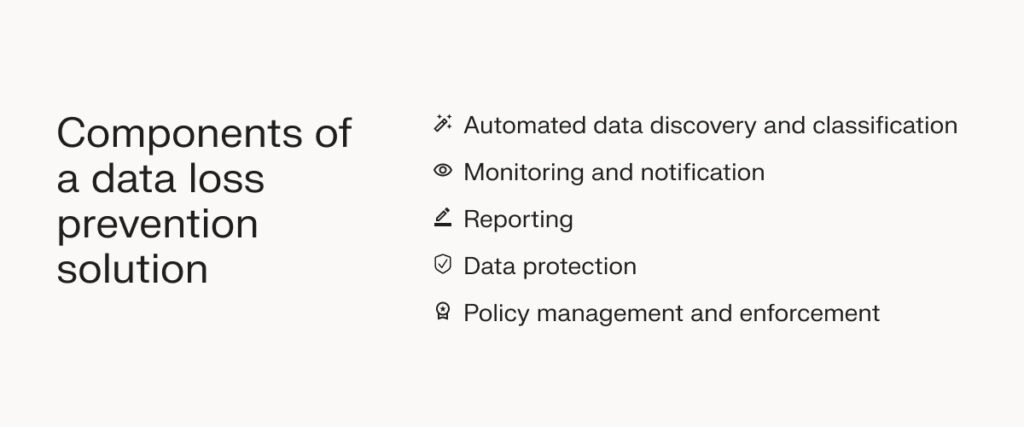
A complete cloud DLP solution is a group of smaller systems working harmoniously to secure your data in the cloud. It typically contains these main components:
Automated data discovery and classification
A cloud data loss prevention tool automatically discovers critical information across your entire organization without disrupting data flow. It achieves this by scanning cloud storage platforms and identifying sensitive data.
Sensitive data may include financial information, personally identifiable information (PII), or intellectual property.
Upon discovery, a classifier groups the data based on the sensitivity level. Classification helps to apply different levels of protection to different sensitivity levels.
Data protection
Cloud data loss prevention tools use the following methods to protect data:
- Masking: Masking allows you to obfuscate data by replacing characters in a data string with random characters to make it unreadable while retaining the original format. The original data can be unmasked using an algorithm.
- Tokenization: Tokenization replaces original data with random characters but doesn’t retain format. However, unlike masking, you can’t retrieve the original data. For this reason, it offers a higher security level than masking.
- Encryption: Encryption uses complex algorithms to scramble data, making it useless to individuals without a decryption key. It offers more security than masking and tokenization.
Monitoring and notification
Cloud data loss prevention systems inspect your company network round the clock. Upon finding any unusual activities, these tools will notify you in real time, helping you mitigate threats before they escalate.
Policy management and enforcement
The policy manager in a cloud data loss prevention tool lets you define access control policies, i.e., which data is accessible to whom, when, where, and how.
At the same time, the policy enforcement module ensures data is protected according to your company’s data security policies.
Reporting
Reporting allows you to see and monitor data in your cloud infrastructure. It lets you see how effectively your cloud DLP strategy works.
You can also identify any weaknesses your system might have and detect irregular user access patterns.
Benefits of cloud data loss prevention
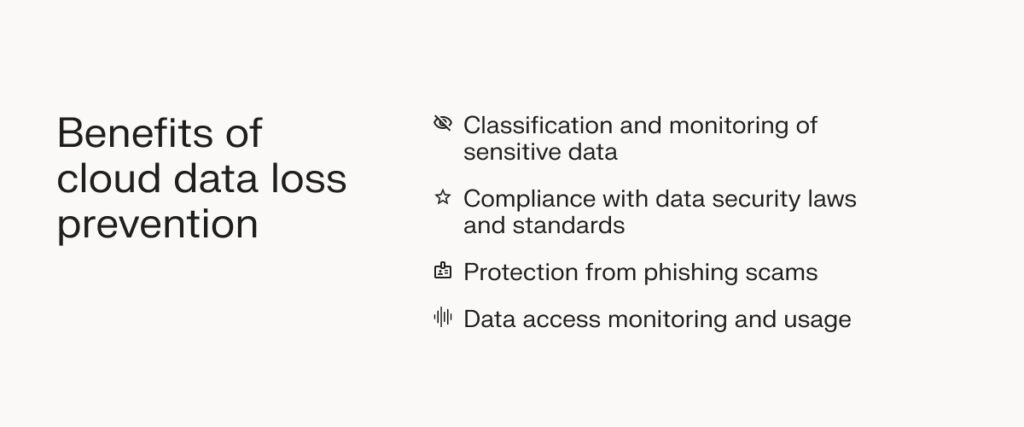
Data loss prevention in cloud computing gives you more control over your data security while scaling with your business. Still, it offers several other benefits over traditional methods.
Classification and monitoring of sensitive data
Classification is the first step to proper data loss prevention for the cloud. Identifying and acknowledging the appropriate data sensitivity greatly determines the security mechanisms you deploy to protect data.
After data classification, continuous monitoring is crucial for identifying and flagging suspicious activities, which helps to avert breaches before they occur.
Compliance with data security laws and standards
Different jurisdictions (and industries) have laws, standards, and regulations about how different data types should be processed and stored. Examples of these laws include GDPR, HIPAA, PCI DSS, and FISMA.
Protection from phishing scams
A phishing scam involves sending emails that appear to come from legitimate sources to unsuspecting employees to extract critical data like credit card numbers.
Data loss prevention in cloud computing detects and flags phishing emails, warding off hackers.
Data access monitoring and usage
One of the most important data protection steps is ensuring system users only have permission to access and modify the data they need to deliver on their mandate.
In light of this, cloud DLP effectively monitors user data access and usage. It flags suspicious activities by notifying system administrators.
Considerations for choosing a cloud data loss prevention solution
Every cloud DLP solution promises high performance and multi-layered security. However, you’ll need to analyze the features and capabilities of each tool to see how well it meets your needs.
To simplify your decision-making process, here are key questions to consider:
Is the tool easy to use?
Regardless of your technical expertise, you still need a cloud DLP tool that’s easy to use. That’s because usability enables your IT team to swiftly make policy changes, which helps to save time in the long run.
Plus, an easy-to-use tool presents reports in a way that’s easy to understand, further expediting decision-making.
Can it integrate with other security tools?
If you’re big on cloud security, you probably have other security tools installed. The right data loss prevention tool is one that seamlessly integrates with other security systems through APIs.
You also need to check if the tool works smoothly with different endpoint platforms, including Microsoft Windows, Linux, and Android.
How reputable is the vendor?
Vendor reputation is typically one of the first things to check when a DLP tool piques your interest. Do your research about the vendor.
If they offer 24/7 customer support through multiple channels, their DLP tools are worth a trial. Before you make a final decision, though, scout out unaffiliated reviews on online forums like Reddit.
Once you know what other users are saying about the vendor, you can decide whether or not to patronize them.
Does the pricing work for you?
At this stage, you should already have a budget. If the tool’s pricing suits your budget, it may be worth a try.
Check for a trial period, though. If the vendor offers a trial period, you’ll get to test out the tool before committing to a paid plan. If it offers a free plan, even better.
Final thoughts: Guide to cloud data loss prevention for enterprises
Cloud adoption goes beyond data storage in the cloud. It involves a combination of data loss prevention tools and a fool-proof incident response plan, which helps you strengthen your security stance.
Phishing scams are one of many tactics cybercriminals use to break into company networks. With the right data loss prevention solutions in the cloud, you can safeguard sensitive data at all times.
Protecting your cloud environment starts with choosing a secure hosting provider with built-in data loss prevention capabilities. Liquid Web is one such host. We offer a secure firewall, standard DDoS protection, and integrated Acronis backups to keep your data safe from both malware attacks and unauthorized access.
Enjoy iron-clad data security with Private Cloud Powered by VMware.