

◦ Comprehensive security
◦ 24/7 support
VPS → Best Cloud VPS Providers
Best cloud VPS providers for 2026 and how to choose
Key takeaways
- Top cloud VPS providers offer scalable resources, strong performance, server control, and clear support.
- Liquid Web fits businesses that want workload-specific plans, predictable costs, and managed or self-managed options.
- Providers vary in pricing, management, backups, security, locations, and admin tools.
- Compare the full cost of each plan instead of relying only on its lowest advertised price.
Cloud VPS hosting combines the control of a virtual private server with flexible cloud resources. It can support websites, ecommerce stores, applications, development environments, and other workloads that need more capacity or control than shared hosting provides.
The right provider depends on more than CPU, RAM, storage, and price. Consider how the server scales, who manages it, what support covers, and which backup and security services come with the plan.
Get premium Cloud VPS hosting
High-performance VPS hosting that delivers unrivaled power, the fastest speeds available, and 24/7 expert support
Best cloud VPS providers at a glance
Prices and features change frequently, so verify current plan details before purchasing.
| Provider | Best for | Management options | Main consideration |
| Liquid Web | Businesses that need support, predictable planning, and workload-specific resources | Managed and self-managed | Match the plan type and management tier to the workload |
| Hostinger | Beginners and budget-conscious users | Primarily self-managed | Compare promotional pricing, renewal costs, and support scope |
| DigitalOcean | Developers and custom deployments | Primarily self-managed | Additional services can increase the total cost |
| Kamatera | Precise resource configurations | Managed and self-managed | Flexible configurations require careful cost planning |
| Contabo | Resource-heavy workloads with limited budgets | Primarily self-managed | Evaluate support and performance alongside resource quantities |
| OVHcloud | Network-heavy workloads and global deployment | Primarily self-managed | Included support and recovery services vary |
What should top cloud VPS providers offer?
The best provider for one workload may not suit another. Still, strong cloud VPS providers usually offer several core capabilities.
Scalable CPU, RAM, and storage
Cloud VPS hosting should give you room to adjust resources as traffic and workload requirements change.
Some providers offer quick manual resizing, while others support APIs, automation, or additional server instances. This flexibility can help businesses respond to growth or changing demand without moving immediately to a different hosting environment.
Scalability doesn’t fix inefficient applications. Additional RAM may help a memory-constrained workload, but it won’t correct slow database queries or poorly configured software.
Root access and server control
Root access gives administrators control over the operating system, software, security settings, and server configuration. Many self-managed cloud VPS plans include root access. Managed providers may also allow it, but unsupported changes can affect the assistance they provide.
Reliable workload performance
CPU architecture, memory, storage type, network capacity, and virtualization all affect performance. Plan specifications don’t tell the full story. Resource contention, storage performance, bandwidth policies, regional latency, and the provider’s response to hardware problems can also affect the workload.
Security, backups, and recovery
Review DDoS protection, firewall tools, monitoring, backups, snapshots, and restoration support separately.
These services address different risks. A snapshot records the state of a server at a point in time. A backup preserves recoverable data. Redundancy can reduce disruptions caused by component failure, while disaster recovery defines how the business restores systems after a larger incident. Cloud VPS hosting doesn’t automatically include every protection.
How we evaluated cloud VPS providers
We compared each provider based on its cloud VPS offering, performance resources, scaling options, administrative access, security services, backups, support scope, locations, pricing structure, and workload fit.
We gave greater weight to cloud VPS products than to standard VPS plans. The providers below offer virtual servers within cloud-based environments, but their architectures, billing models, scaling methods, and service levels differ.
1. Liquid Web by Nexcess: best for support and workload-specific plans

Liquid Web offers cloud VPS options for businesses, developers, agencies, ecommerce stores, and applications that need more control than shared hosting provides. Its plan categories help customers match resources to the work the server performs:
- General Compute for balanced websites and applications
- Memory Optimized for workloads that need more RAM
- CPU Optimized for processing-heavy applications
This structure gives buyers a more useful starting point than choosing a server based only on price or total resource count.
Liquid Web offers managed and self-managed VPS hosting. Experienced administrators can retain server control, while teams with fewer internal resources can select a management level that reduces routine server work.
Control panel options include cPanel, Plesk, and InterWorx. Depending on the configuration, customers can also add backups and DDoS protection.
Why Liquid Web stands out
Liquid Web treats management and support as part of the hosting decision rather than secondary features. This suits businesses that want to know who will respond when the server develops a problem. It also gives customers a choice between hands-on server control and greater provider assistance.
Liquid Web considerations
Choose the plan category and management tier together. CPU, RAM, storage, control panels, backups, security services, and management all affect the complete configuration.
Management: Managed and self-managed options
Key value: Workload-specific configurations, predictable planning, and a choice of management levels
Get premium Cloud VPS hosting
High-performance VPS hosting that delivers unrivaled power, the fastest speeds available, and 24/7 expert support
2. Hostinger: for beginners on a budget

Hostinger offers KVM-based VPS hosting with NVMe storage, root access, Linux templates, and a custom management interface.
Its tools may make the platform more approachable for users starting with VPS hosting, but the customer still handles much of the server administration.
Compare promotional and renewal pricing, backup availability, control-panel costs, and support scope before selecting a plan.
3. DigitalOcean: for developers and custom deployments

DigitalOcean provides cloud virtual machines called Droplets, which developers can deploy through a control panel, API, command-line interface, or automation tools.
The platform also provides services such as storage, networking, load balancers, managed databases, and Kubernetes. This makes it useful for development teams, SaaS applications, testing environments, and custom deployments.
Most Droplet users manage their own operating systems and applications. Backups, monitoring, databases, and other services may add to the total cost.
4. Kamatera: for precise resource customization
Kamatera lets customers configure cloud servers with selected CPU, RAM, storage, operating systems, and supporting services.
It offers hourly and monthly pricing along with managed and self-managed options. Customers can also select from several global cloud locations.
This flexibility suits teams that know the exact resources they need. It can also make comparisons more difficult because the final price depends on the chosen compute, storage, software, network, and service options.
5. Contabo: for high resource allocations
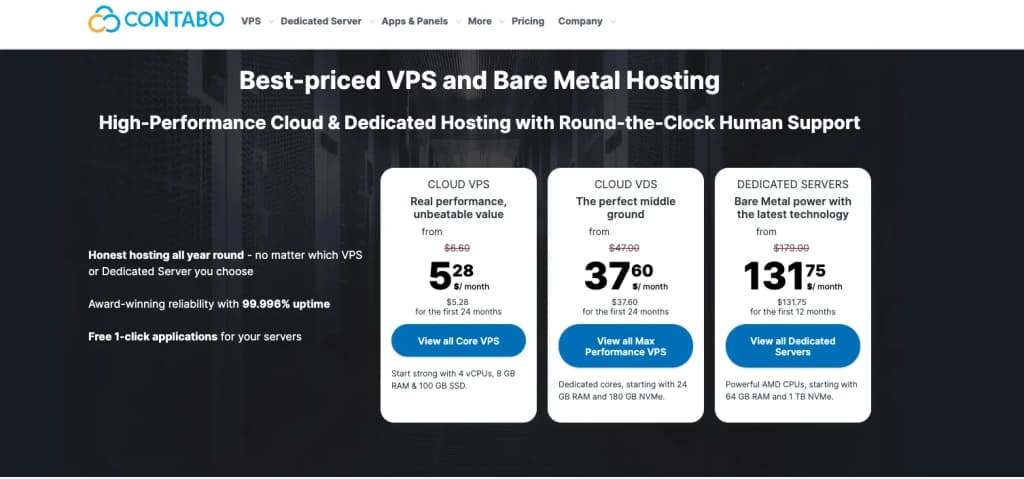
Contabo focuses on cloud VPS plans with relatively large CPU, RAM, and storage allocations for the advertised price.
This model may appeal to experienced users running development environments, game servers, storage-heavy systems, or other workloads that need considerable capacity.
Resource quantities don’t guarantee better performance for every application. Storage behavior, CPU performance, network limits, backups, regional availability, and support also affect the experience.
6. OVHcloud: for network-heavy workloads
OVHcloud offers cloud VPS plans with root access, operating system options, public bandwidth, and support for control panels such as cPanel and Plesk.
Its regional availability and traffic policies may suit experienced administrators running bandwidth-heavy or geographically distributed workloads.
Backup, monitoring, support, and recovery services vary by plan and location, so compare the selected configuration rather than relying on general platform descriptions.
When should you move to a cloud VPS?
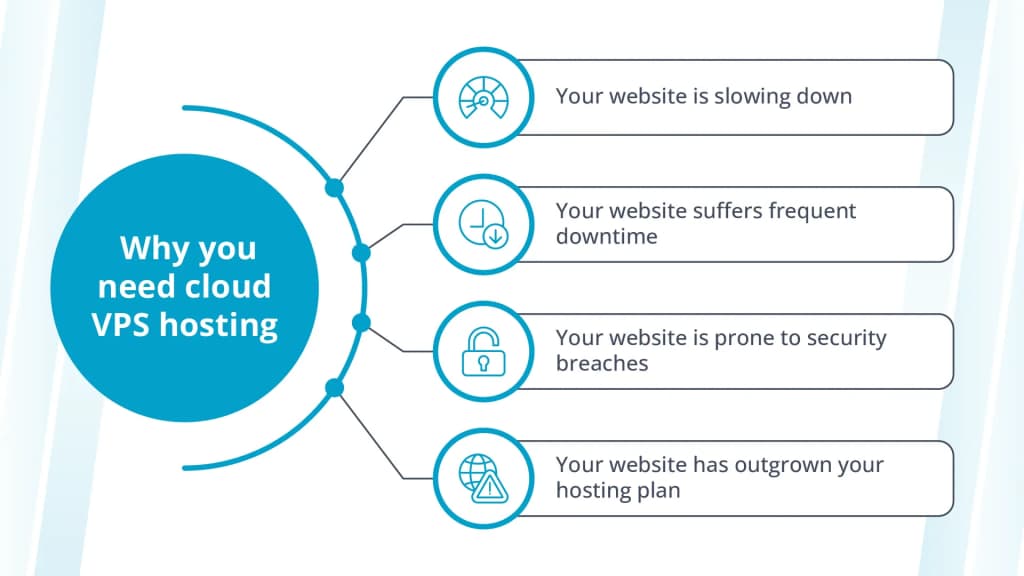
Shared hosting can support smaller websites with modest traffic and standard software requirements. A move to cloud VPS hosting makes more sense when the existing environment begins limiting the website or application.
Your website keeps hitting resource limits
Repeated CPU, memory, storage, process, or database limits can indicate that a shared hosting plan no longer fits.
A cloud VPS can provide assigned resources and more server control. Before moving, confirm that the hosting plan causes the issue. Inefficient code, plugins, database queries, or third-party services can create performance problems on any server.
Performance drops during traffic increases
A site may slow down when campaigns, seasonal demand, or new content bring more visitors.
Cloud VPS hosting can provide more room to increase resources, but buyers should understand how the provider handles resizing and whether changes require downtime.
Downtime affects revenue or operations
A site that supports transactions, customer accounts, bookings, or internal operations needs a hosting environment that reflects its value to the business.
Cloud VPS hosting can reduce some shared-hosting constraints, but the provider’s network, hardware, architecture, monitoring, and recovery processes still affect availability.
You need more server control
Cloud VPS hosting can provide access to server settings, operating systems, control panels, software, security configurations, and development tools that shared hosting does not allow.
Root access can help experienced administrators create a customized environment. It also gives them greater responsibility for keeping that environment secure and current.
Your team spends too much time managing servers
More server resources will not reduce administrative work by themselves.
A managed cloud VPS may help when operating system updates, monitoring, security, and troubleshooting consume time that the team needs for other work.
How to choose a cloud VPS provider
Match resources to the workload
Different applications use server resources differently.
A balanced business site may need a general-purpose configuration. A large database or cache may need more memory. Data processing, compiling, encoding, and other computational work may benefit from additional CPU capacity.
Consider storage performance and network needs alongside CPU and RAM.
Compare management responsibilities
Document who will handle operating system updates, security patches, monitoring, backups, control panels, server configuration, troubleshooting, and application maintenance.
A plan with a higher monthly price may cost the business less overall if it reduces the internal time needed to operate the server.
Review the total monthly cost
Costs may include the server, backups, control-panel licenses, management, bandwidth, security services, monitoring, load balancers, storage, and additional instances.
Compare what each plan includes before treating the lowest advertised price as the least expensive option.
Check how resources scale
Find out whether the provider supports vertical scaling, horizontal scaling, or both.
Vertical scaling adds resources to an existing server. Horizontal scaling adds server instances and distributes the workload among them.
Check whether scaling requires downtime, how quickly changes take effect, whether you can later reduce resources, and how changes affect billing.
Review uptime and recovery details
Read the provider’s service-level agreement and recovery documentation.
Check how the provider responds to physical hardware failure, restores backups, retains recovery points, and supports redundancy or disaster recovery.
Don’t assume that another virtual machine will immediately replace a failed server simply because the service uses cloud infrastructure.
Consider data center locations
A location closer to users can reduce network latency. Location can also affect data residency, compliance, backup planning, and disaster recovery.
Choose based on where the application’s users and data need to reside, not simply on the number of locations a provider advertises.
Confirm operating systems and management tools
Check which Linux distributions and Windows versions the provider supports. Also review control panels, APIs, command-line tools, templates, automation features, and monitoring dashboards. These tools affect how the team deploys and manages the server each day.
Cloud VPS pricing models
Cloud VPS providers use several billing approaches.
Fixed monthly pricing
Monthly pricing helps businesses forecast hosting costs. It often works well for production websites and applications that run continuously.
The monthly price may not include backups, software licenses, management, or security services.
Hourly or usage-based pricing
Hourly billing can suit development, testing, temporary projects, and workloads that don’t run continuously.
Usage-based services require closer cost monitoring, especially when the environment includes storage, outbound traffic, backups, databases, and other components.
Configurable pricing
Some providers calculate the price from the CPU, RAM, storage, operating system, network services, and management options selected.
This model gives teams more control over the configuration but makes direct provider comparisons harder.
Which cloud VPS provider is right for you?
| Need | Provider type to prioritize |
| Managed support and predictable planning | Provider with clear management tiers and published responsibilities |
| Developer tools and API deployment | Developer-focused cloud platform |
| Exact CPU and RAM configuration | Highly configurable cloud provider |
| High resource allocations at a low entry cost | Self-managed, resource-focused provider |
| Network-heavy workloads | Provider with clear bandwidth and traffic policies |
| Ecommerce or business-critical hosting | Provider with support, backups, security options, and workload-specific plans |
The best provider should match both the workload and the team responsible for operating it.
A developer may value APIs, automation, and hourly billing. A growing business may place more value on predictable costs and support. An agency may need migration assistance and enough resources to run dozens of sites.
Cloud VPS FAQs
Getting started with cloud VPS
The best cloud VPS provider matches your workload, technical resources, management needs, scaling requirements, and budget.
Start by documenting your current CPU, RAM, storage, bandwidth, traffic, backup, security, and management needs before comparing plans.
Liquid Web offers General Compute, Memory Optimized, and CPU Optimized cloud VPS options with managed and self-managed choices. Explore Liquid Web cloud VPS hosting to compare current configurations and find an option that fits your business.

Jake Wright has been immersed in computers for a majority of his career and is still fascinated in learning new technology. He’s provided support in many IT related fields, including: end user support, networking, hardware, server and system administration, web hosting and training (just to name a few). He greatly enjoys outdoor activities with family and friends when he is not at the keyboard.
Get premium Cloud VPS hosting
High-performance VPS hosting that delivers unrivaled power, the fastest speeds available, and 24/7 expert support
Additional resources
VPS: A Beginner’s Guide →
A complete beginner’s guide to virtual private servers
Plesk VPS benefits →
9 key benefits that a Plesk control panel can bring to your VPS server
What is managed VPS hosting? →
Benefits, use cases, and how to decide if it’s right for you