


 Liquid Web
 Cart abandonment has a lot of causes, but shipping is one of the most fixable. Surprise costs at checkout, vague delivery windows, and missing shipping options send shoppers to a different tab before they ever hit “buy.”
WooCommerce’s built-in shipping tools work for a store shipping locally with one or two rate options. They fall short once you need live carrier rates, automated labels, multi-carrier comparisons, or rules based on weight, destination, or product category — the stuff that actually moves volume.
This guide compares the WooCommerce shipping plugins worth using in 2026, based on carrier support, automation, rule flexibility, and how well each one scales past your first thousand orders.
What is a WooCommerce shipping plugin?
A WooCommerce shipping plugin extends the default WooCommerce shipping functionality by connecting your online store with shipping carriers and automating the shipping process.
Instead of manually calculating shipping charges, creating labels, and updating tracking numbers, these plugins automate the entire fulfillment workflow.
A modern WooCommerce shipping plugin typically allows you to:
- Display real-time shipping rates during checkout
- Automatically generate shipping labels
- Print labels individually or in bulk
- Share tracking information with customers
- Schedule carrier pickups
- Support domestic and international shipping
- Compare shipping rates across multiple carriers
- Create advanced shipping rules
- Calculate shipping based on weight, dimensions, quantity, or destination
- Reduce manual shipping errors
For growing WooCommerce stores, shipping automation not only improves operational efficiency but also creates a faster, more reliable checkout experience that can increase conversions.
Why WooCommerce’s default shipping isn’t always enough
WooCommerce offers built-in shipping methods like Flat Rate, Free Shipping, Local Pickup, and WooCommerce Shipping, which supports live rates for selected carriers in supported regions. While these features are suitable for small stores, growing businesses often need more advanced shipping capabilities.
- Limited Carrier Support: WooCommerce Shipping supports only a limited number of carriers and regions. Businesses working with carriers like FedEx, UPS, USPS, and Canada Post or multiple shipping providers require dedicated shipping integrations.
- Missing Advanced Carrier Features: Many carrier-specific features, such as negotiated rates, bulk label printing, pickup requests, freight services, return labels, customs documentation, and shipping insurance, are not available through WooCommerce’s default shipping functionality.
- Limited Shipping Rules: Businesses often need custom shipping rules based on weight, cart value, product category, shipping class, destination, or postal code. WooCommerce’s built-in options provide only basic shipping configurations.
- Difficult to Scale: As order volumes increase, manually managing labels, tracking, and shipments across multiple carrier portals becomes time-consuming. Dedicated WooCommerce shipping plugins automate these tasks, helping merchants save time, reduce errors, and streamline order fulfillment.
How we evaluated the best WooCommerce shipping plugins
We evaluated each solution using criteria that matter to real WooCommerce businesses.
- Shipping Automation: The best plugins reduce manual work by automatically calculating rates, generating shipping labels, updating tracking details, and streamlining order fulfillment.
- Carrier Support: We prioritized solutions that integrate with leading shipping carriers such as FedEx, UPS, USPS, Canada Post, DHL, Australia Post, Royal Mail, and others.
- Live Shipping Rates: Displaying accurate, real-time shipping rates at checkout helps improve pricing transparency and reduce cart abandonment.
- Advanced Shipping Rules: We looked for support for features like weight-based shipping, product categories, volumetric weight, and more.
- Ease of Use: A shipping plugin should simplify fulfillment, not complicate it. We evaluated installation, configuration, documentation, and ongoing usability.
- Scalability: Whether you’re processing 20 orders a month or 20,000, the right shipping solution should grow with your business.
Which WooCommerce shipping solution is right for you?
Choosing the right shipping plugin depends on how your business ships orders.
- If you work with one carrier, a dedicated carrier plugin (such as FedEx, UPS, USPS, or Canada Post) provides deep integration with that carrier’s services.
- If you use multiple carriers, a multi-carrier shipping solution lets you compare rates, automate fulfillment, and manage shipments from a single dashboard.
- If your priority is custom shipping charges, a table-rate shipping plugin offers advanced rule-based pricing without requiring carrier integrations.
- If you want an all-in-one shipping platform, choose a solution like WooCommerce Shipping Services that combines live rates, shipping labels, tracking, and support for multiple carriers in a single platform.
In the next section, we’ll review each PluginHive Shipping solution in detail, highlighting their key features, ideal use cases, advantages, and potential limitations to help you choose the best fit for your WooCommerce store.
| Plugin | Carrier Support | Live Rates | Label Printing | Starting Price |
| WooCommerce Shipping Services | 80+ global & regional carriers | Yes | Yes, incl. bulk | $9/month |
| PH Table Rate Shipping Pro | N/A — rules-based, not carrier-connected | No | No | $99/year |
| ShipStation for WooCommerce | Major carriers + marketplaces | Yes | Yes, bulk batch | Free plugin + paid ShipStation plan |
| ShippingEasy for WooCommerce | Major carriers (discounted USPS/UPS) | Yes | Yes, bulk batch | Free (25 shipments/mo), then $19.99/month |
| Shippo for WooCommerce | Multiple carriers, international-friendly | Yes | Yes, bulk | Free plugin + paid Shippo plan |
1. WooCommerce Shipping Services (Best Overall)

Best For: Growing businesses and enterprises looking for an all-in-one shipping solution with multiple carrier integrations.
WooCommerce Shipping Services is PluginHive’s comprehensive shipping solution for WooCommerce, integrating with 80+ global and regional carriers, including FedEx, UPS, USPS, Canada Post, DHL Express, Australia Post, Royal Mail, Aramex, Blue Dart, and more. It enables merchants to display live shipping rates, generate shipping labels, track shipments, and automate order fulfillment directly from the WooCommerce dashboard. Whether you ship locally or internationally, it simplifies your entire shipping workflow from checkout to delivery.
Key Features
- Supports 50+ domestic and international shipping carriers.
- Generate and print shipping labels directly from WooCommerce.
- Real-time shipment tracking with automated customer notifications.
- Bulk shipment processing and label generation.
- Marketplace compatibility with Dokan, WCFM, and MultiVendorX.
Pricing: Starts from $9/month with flexible subscription plans based on your shipping needs. A free trial is also available for new users.
Why Choose It?
If your business ships through multiple carriers and wants complete shipping automation from a single dashboard, WooCommerce Shipping Services is the most comprehensive solution.
Pros
- Complete end-to-end shipping automation.
- Supports multiple carriers worldwide.
- Ideal for scaling WooCommerce stores.
Cons
- Subscription-based pricing.
- Some advanced features depend on the selected plan.
2. PH Table Rate Shipping Pro for WooCommerce
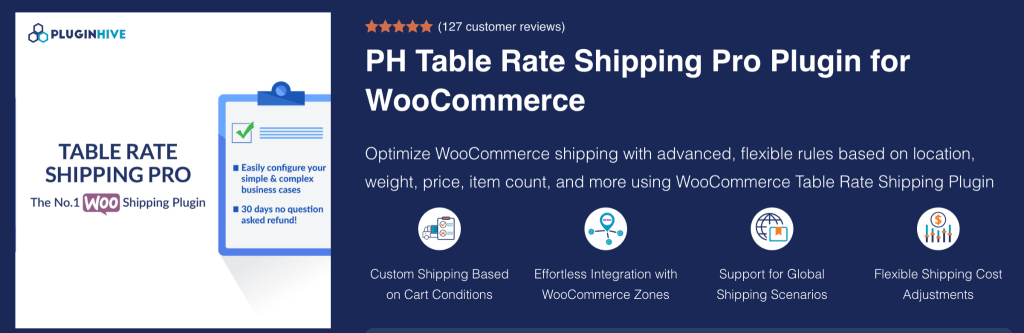
Best For: WooCommerce stores that need flexible shipping rules based on weight, price, quantity, destination, product categories, and shipping classes.
PH Table Rate Shipping Pro is an advanced shipping plugin that lets merchants create unlimited table rate shipping rules for virtually any shipping scenario. It calculates shipping costs automatically based on multiple conditions such as cart weight, subtotal, item quantity, shipping zones, countries, states, cities, ZIP codes, product categories, and shipping classes. With CSV import/export, wildcard ZIP support, and WooCommerce Shipping Zone integration, it’s ideal for businesses with complex shipping requirements.
Key Features
- Create unlimited table rate shipping rules.
- Calculate shipping by weight, price, quantity, or shipping class.
- Set location-based rates using shipping zones, countries, states, cities, and ZIP codes.
- Support wildcard ZIP/postal code matching for easier rule management.
- Bulk import/export shipping rules using CSV.
- Compatible with WooCommerce Shipping Zones, HPOS, and WPML.
Pricing: Available from $99/year, including updates and support.
Why Choose It?
PH Table Rate Shipping Pro is designed for WooCommerce merchants who need complete control over shipping costs. Whether you offer weight-based, zone-based, category-based, or destination-specific shipping, the plugin provides the flexibility to automate even the most complex shipping scenarios without custom development.
Pros
- Supports advanced shipping rules with unlimited conditions.
- Easy CSV import/export for managing large shipping tables.
- Compatible with HPOS, WPML, and WooCommerce Shipping Zones.
Cons
- Focused on rule-based shipping and does not provide live carrier rates or label printing.
- Requires a premium license for continued updates and support.
3. ShipStation for WooCommerce

Best For: WooCommerce store owners who sell across multiple sales channels and need a centralized platform for shipping and order fulfillment.
ShipStation for WooCommerce connects your WooCommerce store to the ShipStation platform, allowing merchants to automate shipping, import orders, print shipping labels in bulk, compare carrier rates, and manage shipments from a single dashboard. It integrates with major shipping carriers and online marketplaces, making it an excellent choice for businesses handling large order volumes and multi-channel sales.
Key Features
- Automatically imports WooCommerce orders into ShipStation.
- Batch generates and prints shipping labels.
- Compares shipping rates across multiple carriers.
- Automates shipping workflows with custom rules.
- Sends branded tracking emails and updates order status.
- Supports returns management and multi-channel fulfillment.
Pricing: The WooCommerce extension is free to install, but an active ShipStation subscription is required. A 30-day free trial is available for new users.
Why Choose It?
If you manage orders from WooCommerce and multiple online marketplaces, ShipStation helps streamline fulfillment by centralizing order management, automating shipping workflows, reducing manual tasks, and speeding up label generation.
Pros
- Supports multiple carriers and sales channels.
- Powerful batch label printing and shipping automation.
- Centralized dashboard for faster order fulfillment.
Cons
- Requires a separate ShipStation subscription.
- Advanced features are only available with paid plans.
4. ShippingEasy for WooCommerce

Best For: WooCommerce merchants who want to automate shipping, access discounted carrier rates, and manage orders from multiple sales channels.
ShippingEasy for WooCommerce integrates your WooCommerce store with the ShippingEasy platform to automatically import orders, streamline shipping workflows, print labels in bulk, and sync tracking information back to your store. It also includes built-in email marketing tools and supports multi-channel order management, making it a great choice for growing eCommerce businesses.
Key Features
- Automatically imports WooCommerce orders.
- Batch prints shipping labels with automation rules.
- Syncs tracking information back to WooCommerce automatically.
- Supports all major shipping carriers and multiple sales channels.
- Accesses discounted USPS and UPS shipping rates.
- Includes built-in email marketing and customer retention tools.
Pricing: Free Starter plan for up to 25 shipments per month. Paid plans start at $19.99/month, and all plans include a 30-day free trial.
Why Choose It?
ShippingEasy is ideal for WooCommerce businesses looking to simplify shipping while improving operational efficiency. It combines shipping automation, discounted carrier rates, multi-channel order management, and email marketing in a single platform, helping merchants save time and increase customer retention.
Pros
- Automates shipping with batch label printing and workflow rules.
- Supports multiple sales channels and major shipping carriers.
- Built-in email marketing helps drive repeat purchases.
Cons
- Requires a ShippingEasy account to use the integration.
- Advanced features and higher shipment limits require a paid subscription.
5. Shippo for WooCommerce

Best For: WooCommerce merchants looking for discounted shipping rates, shipping automation, and an easy-to-use multi-carrier shipping platform.
Shippo for WooCommerce connects your WooCommerce store to the Shippo platform, allowing you to automatically import orders, compare real-time shipping rates, print labels in bulk, manage returns, and sync tracking information back to your store. The platform also automates international shipping paperwork and provides branded tracking, making it an excellent choice for businesses that ship domestically and internationally.
Key Features
- Automatically imports WooCommerce orders into Shippo.
- Compare real-time rates from multiple shipping carriers.
- Save up to 90% on retail shipping rates from supported carriers.
- Bulk purchase and print shipping labels.
- Automatically syncs tracking numbers and customer notifications.
- Supports international shipping documentation and return labels.
Pricing: The WooCommerce integration is free to install and requires a free Shippo account. Advanced features and higher shipping volumes are available through paid Shippo plans.
Why Choose It?
Shippo is a great option for WooCommerce businesses that want to reduce shipping costs while simplifying fulfillment. With discounted carrier rates, bulk label printing, automated shipping workflows, international shipping support, and branded tracking, it helps merchants save both time and money as their business grows.
Pros
- Save up to 90% on shipping rates with supported carriers.
- Supports multiple carriers, international shipping, and returns.
- Easy setup with automated order import and tracking sync.
Cons
- Advanced features require a paid Shippo subscription.
- Carrier availability and discounts vary by country and shipping service.
Getting started with the best WooCommerce shipping plugin
Selecting the right WooCommerce shipping solution depends on your business model, shipping volume, and preferred carriers. Businesses looking for complete automation should consider WooCommerce Shipping Services, while merchants with specialized needs can choose dedicated FedEx, UPS, USPS, Canada Post, or Table Rate solutions. By automating shipping, stores can improve customer experience, reduce operational costs, and scale more efficiently.