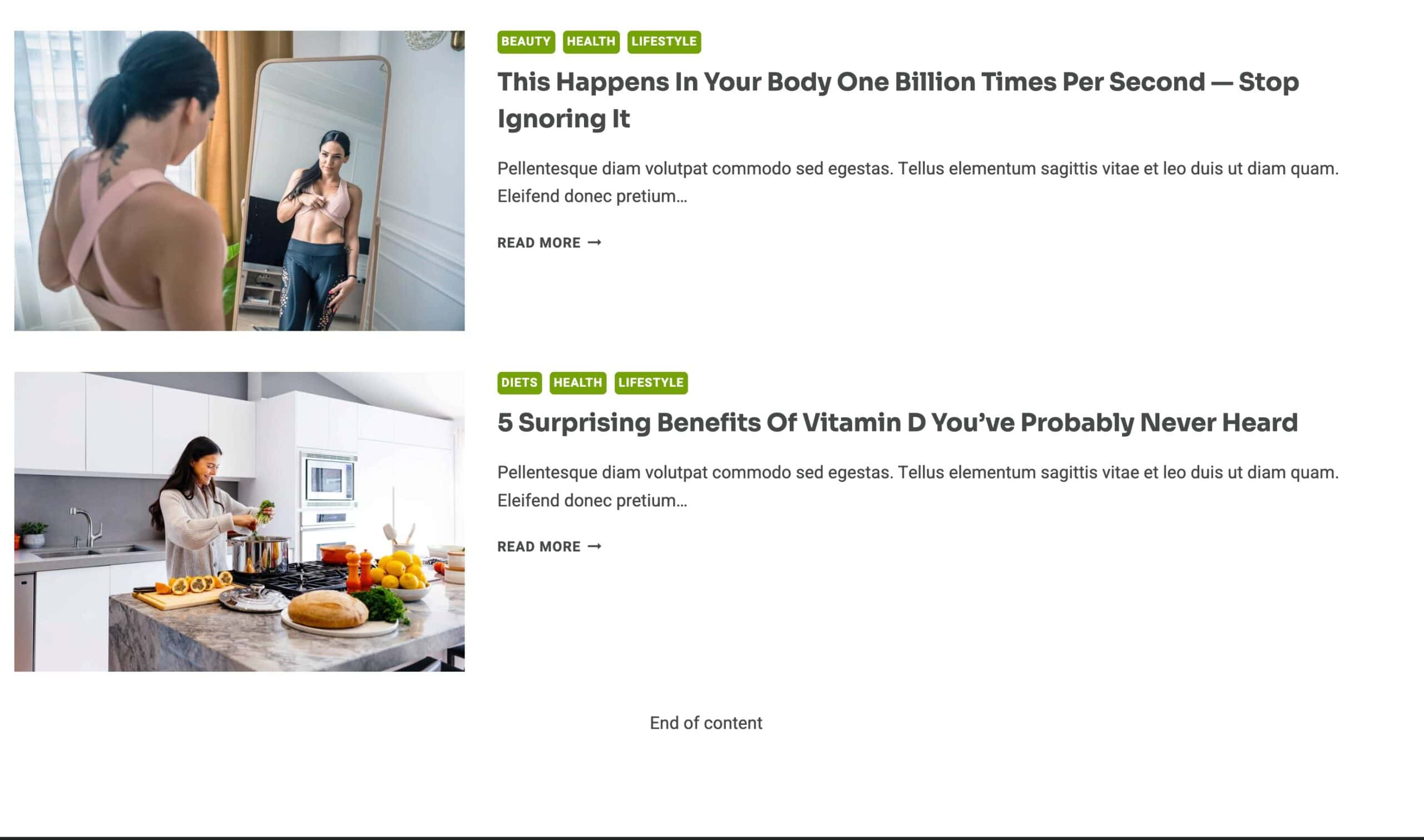
Kadence Infinite Scroll
The Kadence Infinite Scroll feature is a powerful feature within Kadence Theme Kit Pro, designed to enhance the user experience on your archive pages (like your blog, search results, or shop). It dynamically loads new posts as the user scrolls, eliminating the need to click standard pagination links.

The Infinite Scroll feature is available in Kadence Theme Kit Pro. This plugin must be active on the website to access this feature. Click here to learn about activating Theme Kit Pro.
1. Enabling Infinite Scroll
Once Kadence Theme Kit Pro is active on the website, navigate to the Dashboard -> Appearance -> Kadence Page and enable the Infinite Scroll Box.
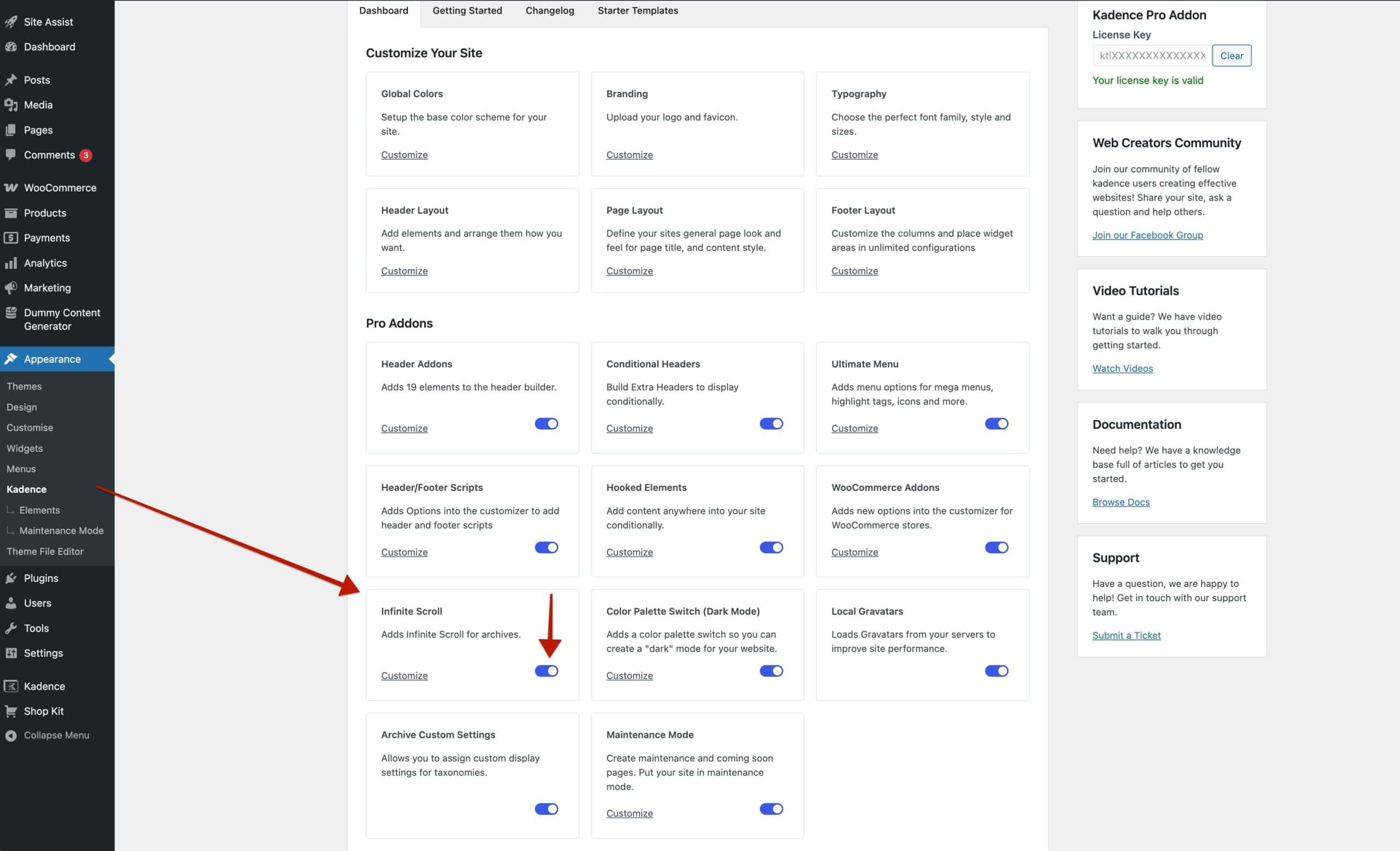
- After enabling, you can click the Customize link to be taken directly to the settings.
- Alternatively, you can navigate manually via the WordPress Customizer: Appearance > Customize > General > Infinite Scroll.
Learn more about the configurable Infinite Scroll settings below.
2. Configuring Infinite Scroll Settings
From the Appearance > Customize > General > Infinite Scroll settings, you will be able to configure how Infinite Scroll works on your website. This consists of toggleable settings and the option to set an end-of-content text. Use the toggles to enable/disable Infinite Scroll on different post types.
Infinite Scroll for Blog: Enable this option to use Infinite Scroll on all post archives.
(The default WordPress post type)
Infinite Scroll for Search: Enable this option to use Infinite Scroll on search results archives.
Infinite Scroll for Products: Enable this option to use Infinite Scroll on Products.
Infinite Scroll for Custom Post Types: Enable this option for Infinite Scroll to work on all custom post type archives.
End of Content Text: This setting allows you to set a message for when the end of the archive content is met.

Once finished, the Infinite Scroll function will be added to the appropriate Post Type Archive Pages.
Additionally, at the end of the content, the end-of-content text will appear.