How to Force Reindex Advanced Queries
Sometimes when you’re using an Advanced Query Block, things like taxonomies or custom fields might not show up the way you expect. Normally, Kadence takes care of this automatically in the background. But if your query results or filtering aren’t working quite right, reindexing is a good first step to try.
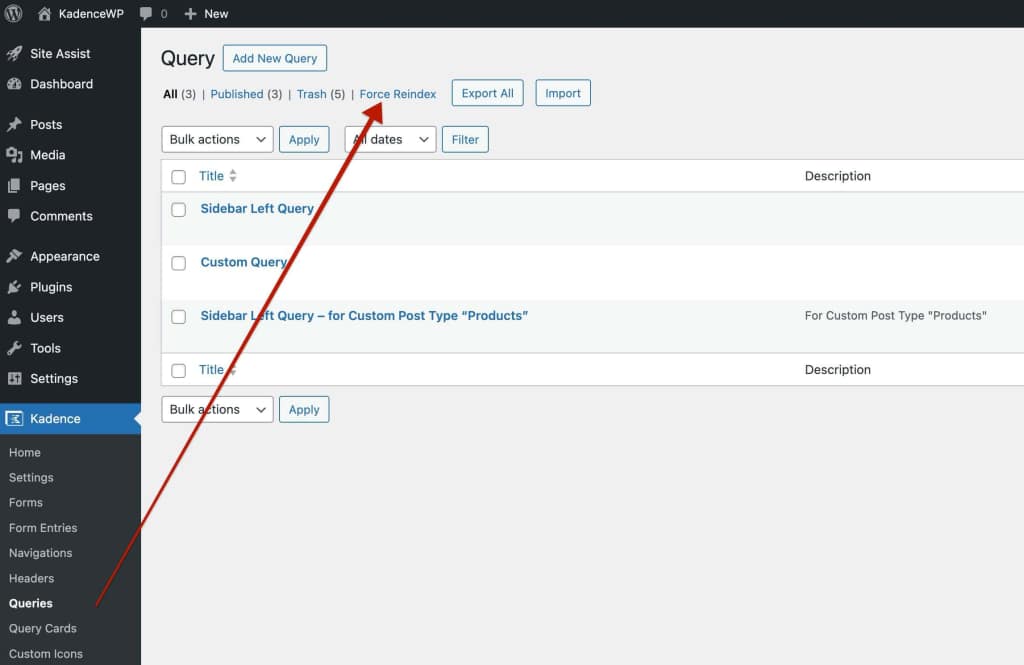
To do that, head to your WordPress Dashboard → Kadence → Queries, then click Force Reindex at the top of the page.