

Accepting Donations with Stripe and Plaid
Accepting donations with Stripe and Plaid is best with the GiveWP Stripe add-on. This document walks you through how to set that up.
Connecting Stripe and Plaid with GiveWP
In order to use Plaid and Stripe with GiveWP, you’ll need to have an account at both dashboard.stripe.com as well as dashboard.plaid.com, and then follow these steps:
- Set up ACH at Stripe
- Integrate Stripe and Plaid
- Get your API Keys and enter them into GiveWP settings.
Set up ACH at Stripe
While logged into Stripe, head to their ACH guide, and ensure that you have set up ACH correctly. If you see this notice, you’ll need to enable ACH following the steps there.

Integrate Stripe and Plaid
Next, log into Plaid and head to their integrations page. From there you should see an option to Connect to Stripe:
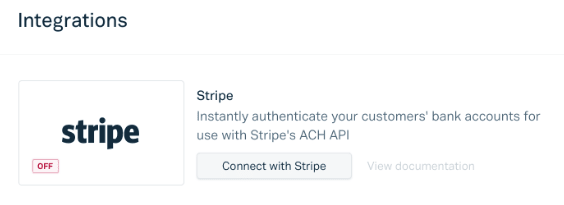
Clicking that will open a dialogue to connect the two services. Keep in mind, you may need to refresh the page to see the connection.
Connecting the two services to GiveWP
Now you’ve got Plaid and Stripe connected. Lastly, connect both services to GiveWP. To do that, you’ll need your API keys from the Plaid dashboard API keys section.
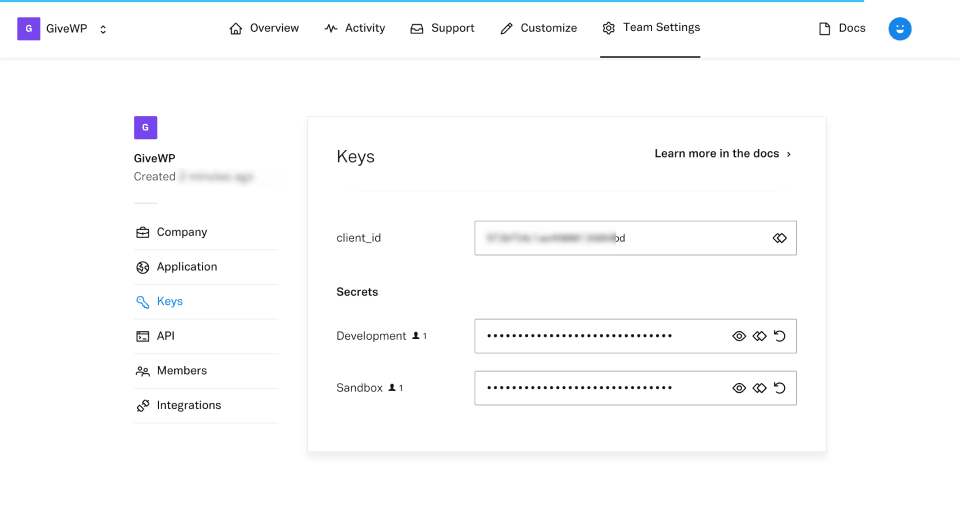
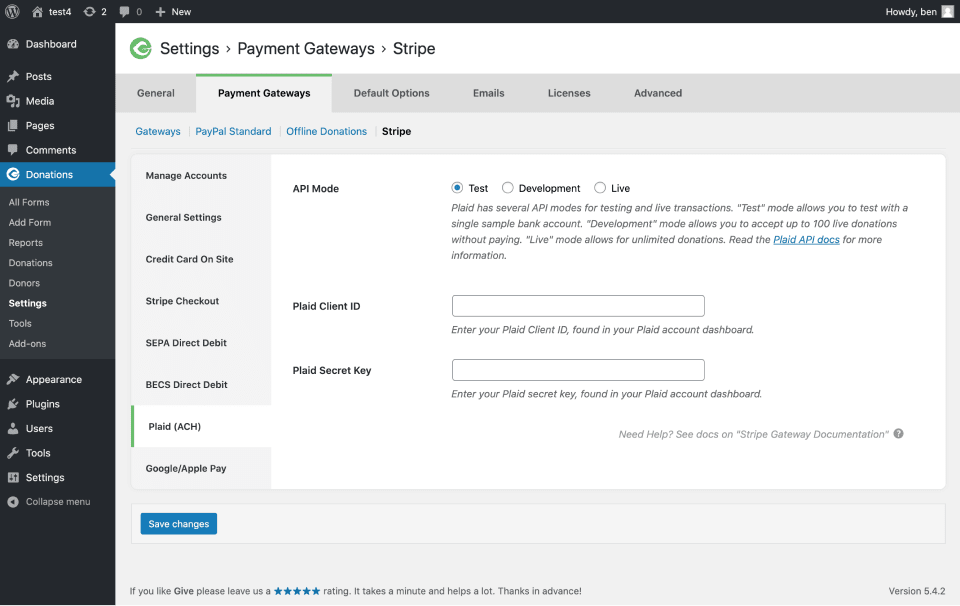
Get those keys, and paste them into the appropriate spots on GiveWP’s side at Donations > Settings > Payment Gateways (tab) > Stripe > Plaid(ACH) (section).
Testing Stripe + Plaid
When you first set up your Plaid account, you’ll want to set the mode to “Test in Sandbox”, put GiveWP in Test Mode, and select “Test” on the Stripe + Plaid settings within GiveWP.
Make sure to enable the Plaid gateway by checking it at “Donations > Settings > Payment Gateways (tab)”. Next, submit a test donation to the Bank Account gateway on the front end. Select your bank, then confirm that the test credentials display properly along the bottom of the page. They are user_good and pass_good.
If you get an error, it most often means that the Stripe account connected to Plaid does not match your GiveWP Stripe account. Another option is that either the site or Plaid is not in test mode. Triple check that, and contact priority support if you run into issues.
Going Live with Plaid
Development mode allows you to receive donations from up to 100 donors. Once you reach that many donors/account integrations, you need a live Plaid account. You can initiate that process from the front page of your Plaid dashboard.
Enabling Recurring Donations for ACH on Stripe
To accept recurring donations using Stripe’s ACH setting, you will need to follow the steps below:
- In your Stripe Dashboard, go to the invoices page.
- Scroll down to the bottom of the page and click the “Manage” link in the “Payment Methods” section.
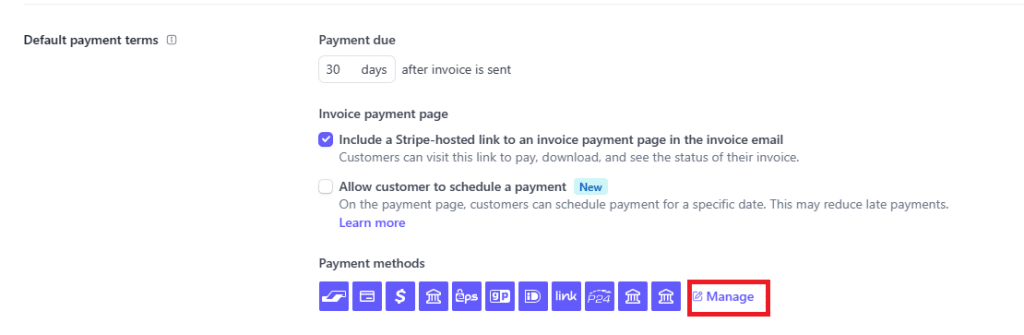
In the “Update Payment Methods” window that pops up, make sure that the “ACH Direct Debit” option is enabled, and then click the “Save” button.