

Installing the Kadence Theme
The following steps provide details on installing the Kadence theme on your WordPress site. The Kadence Theme is free and can be used without a premium purchase. You can extend the Kadence Theme functionality using the premium Kadence Pro (Theme add-on) plugin. You can click here to learn more.
Note: These instructions are for self-hosted WordPress installs and do not apply if you use wordpress.com.
Built-in WordPress Installation
You can install the Kadence Theme directly from your WordPress Dashboard. Below are instructions on how you can do this.
In the WordPress Dashboard, go to Appearance -> Themes and click the Add New Theme button at the top of the page.
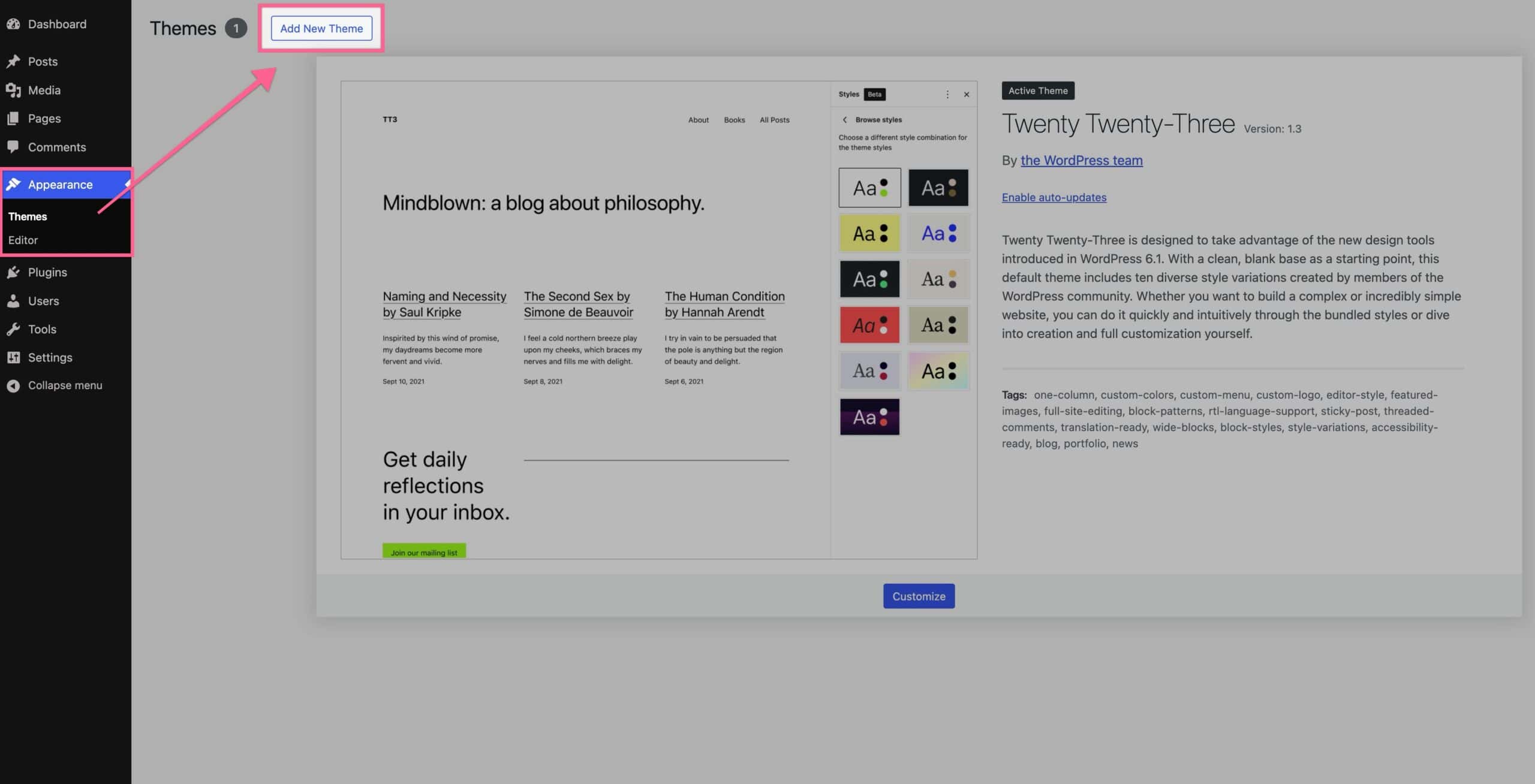
Then, you will see a Search Bar at the top right of the page. Search for Kadence. The Kadence theme will appear in the search results. You can install the Kadence Theme by clicking on the blue Install button.
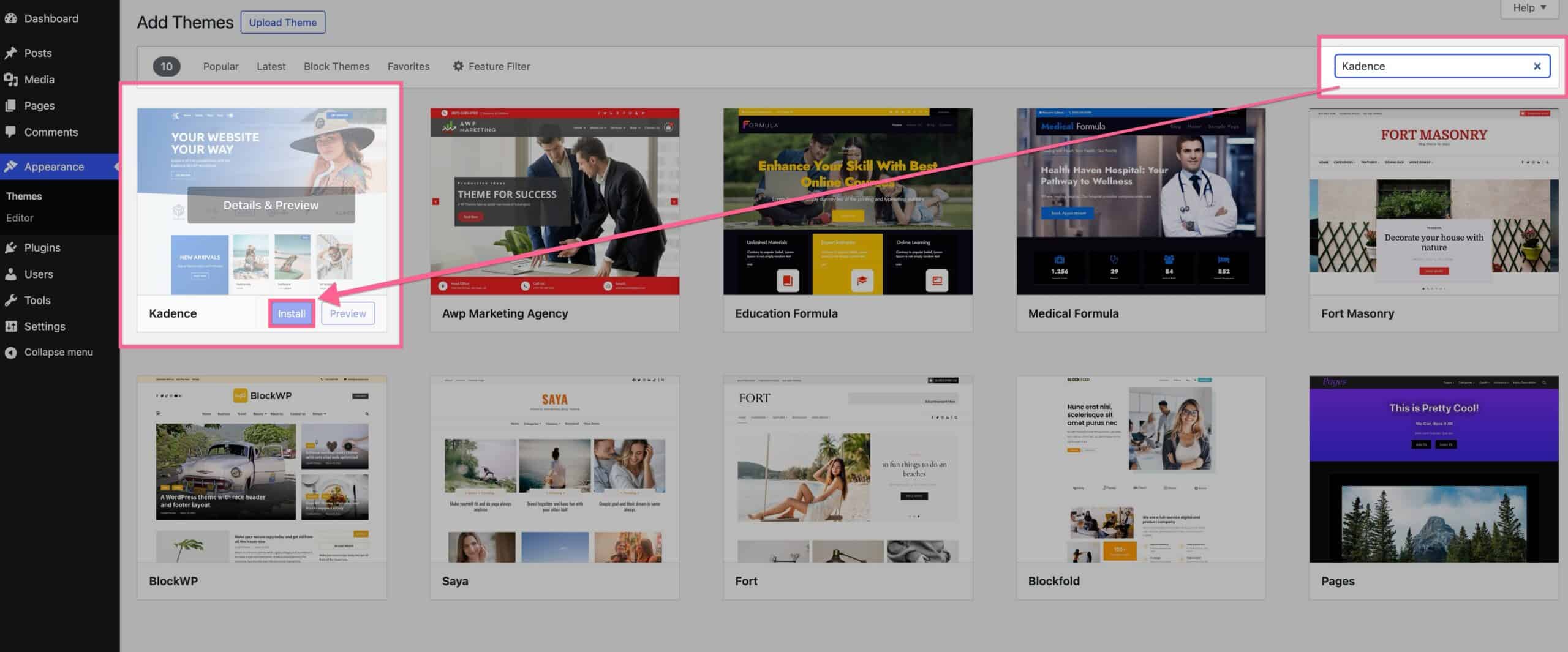
Then, once you have finished installing the theme, click on the blue Activate button to activate it.
Congratulations! You have successfully installed and activated the Kadence theme.
Manual Installation
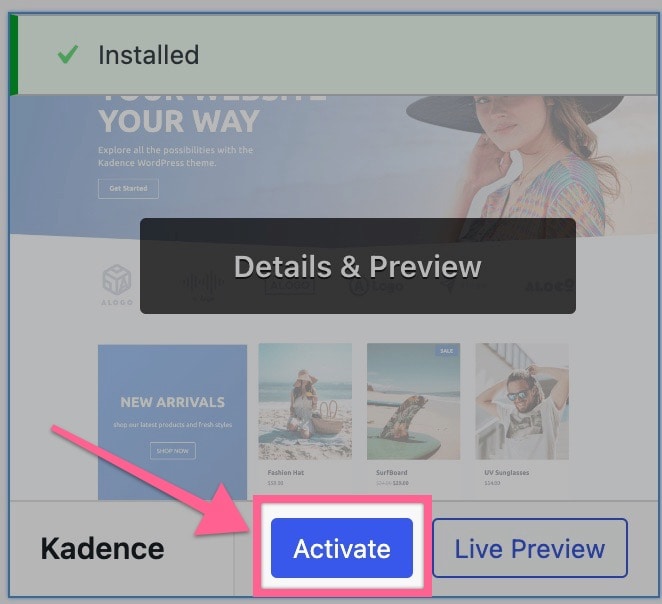
You can install the Kadence Theme manually by downloading it here from WordPress.org and uploading it to your WordPress Themes. Below are instructions on how you can do this.
First, download the Kadence Theme by clicking here. Ensure you keep this file in the ZIP format, as it needs to be uploaded in this compressed format. (Do not extract)
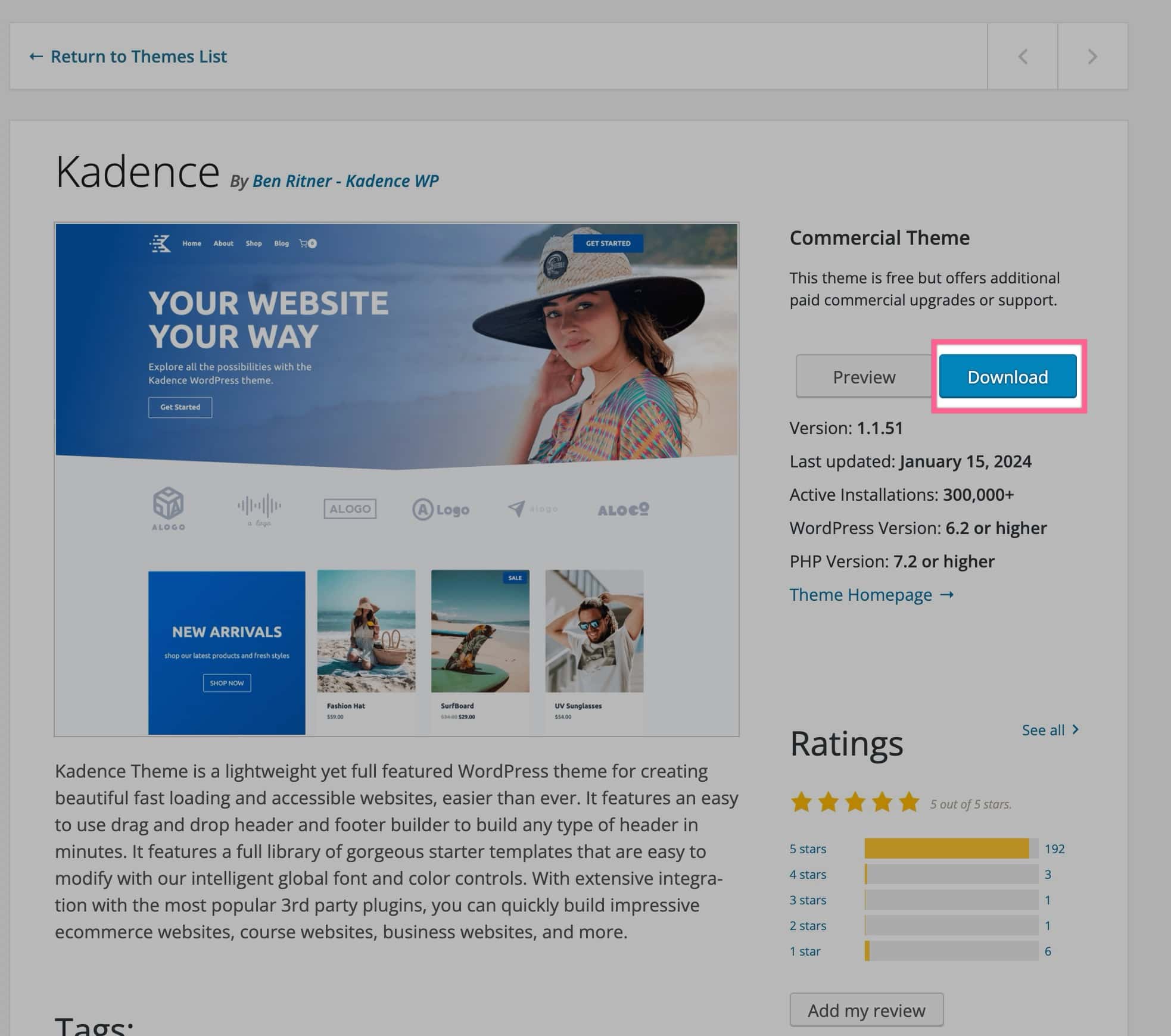
Once downloaded, go to your WordPress Dashboard and navigate to Appearance -> Themes. Then, click the Add New Theme button.
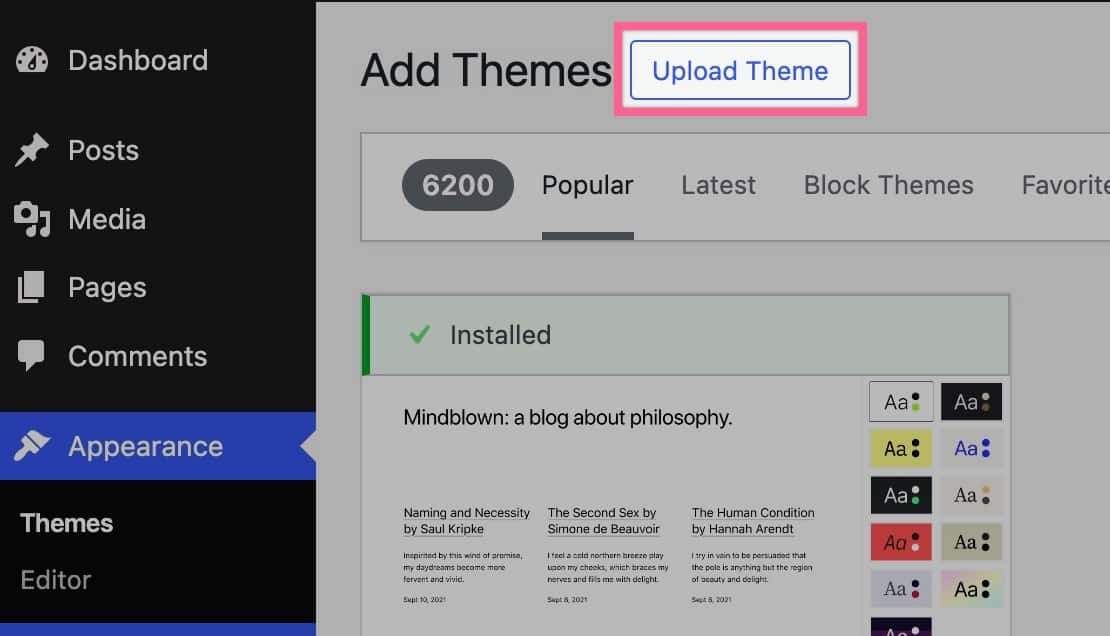
At the top of the page, you will now see an Upload Theme button. Click on it to upload your ZIP file. You can click the Choose File button and choose the Kadence ZIP file you downloaded.
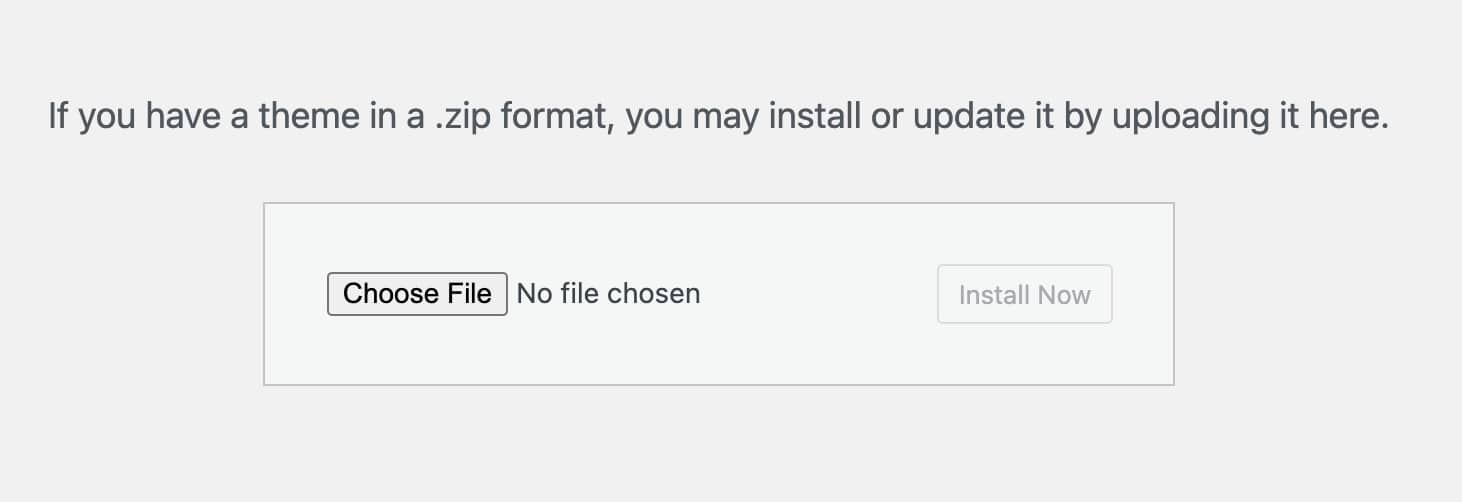
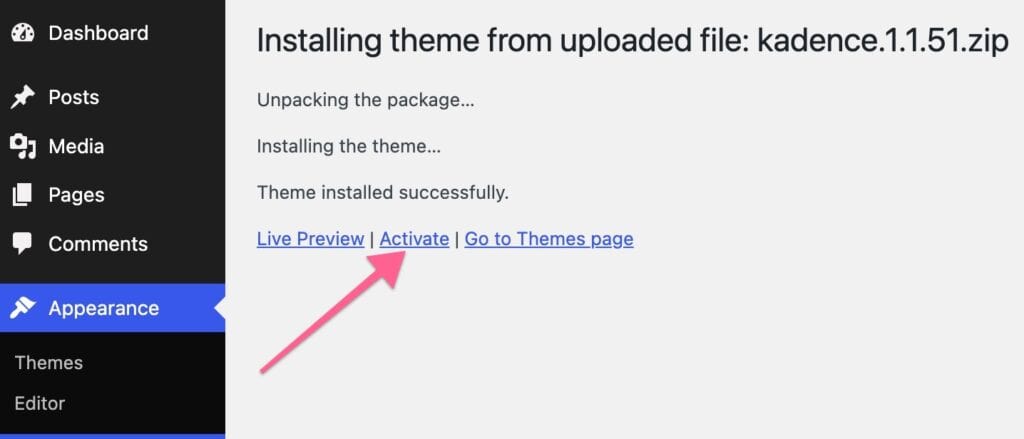
Once the Theme File is uploaded, click the Install Now button. Then click on the blue Activate link text to activate the Kadence Theme.
Congratulations! You have successfully installed and activated the Kadence theme.
Video hidden as it it outdated.