

How to Add ‘Frequently Bought Together’ Products
If you’re looking to add a ‘Frequently Bought Together’ section to your product pages, you can do so with Iconic Sales Booster for WooCommerce.
‘Frequently Bought Together’ is a section on your WooCommerce product pages, which shows products that are often bought together at the same time. It’s a popular cross-sell technique, also used by ecommerce giants such as Amazon.

To set this up on your store, take the following steps:
- From your WordPress dashboard, go to Products > All Products and click to edit the product you want to add the Frequently Bought Together section to.
- Scroll down the edit product page until you reach the Product data section.
- Then click on the Sales Booster tab.
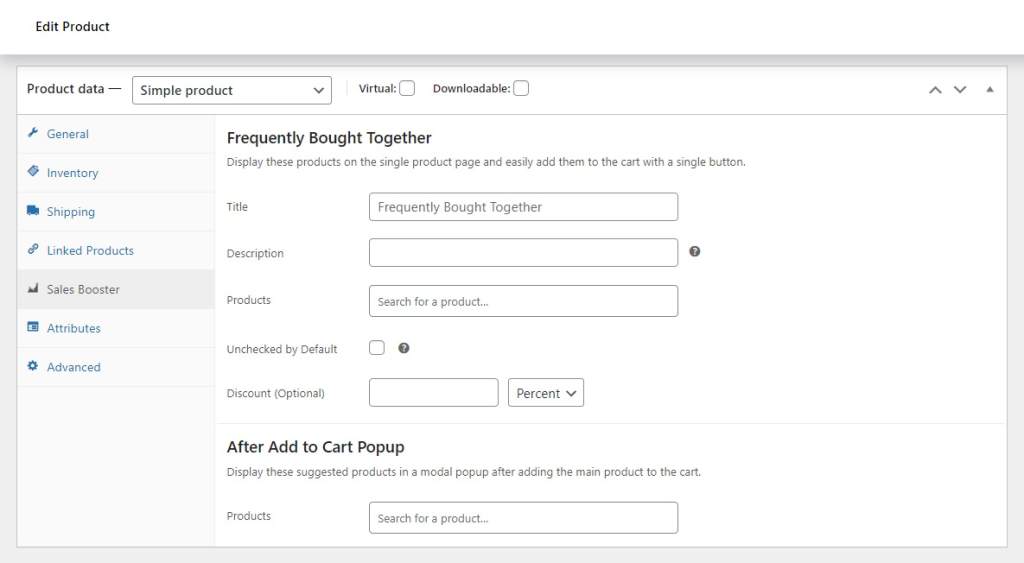
- Start by giving your Frequently Bought Together widget a title and description.
- Then, in the Products field, start typing the name, SKU, or ID of a product you want to offer as a cross-sell.
- Once your product appears, click it or press enter to add it.
- At this point you can select if you want to leave the products in the Frequently Bought Together section unchecked and you can add either a percentage or fixed discount.
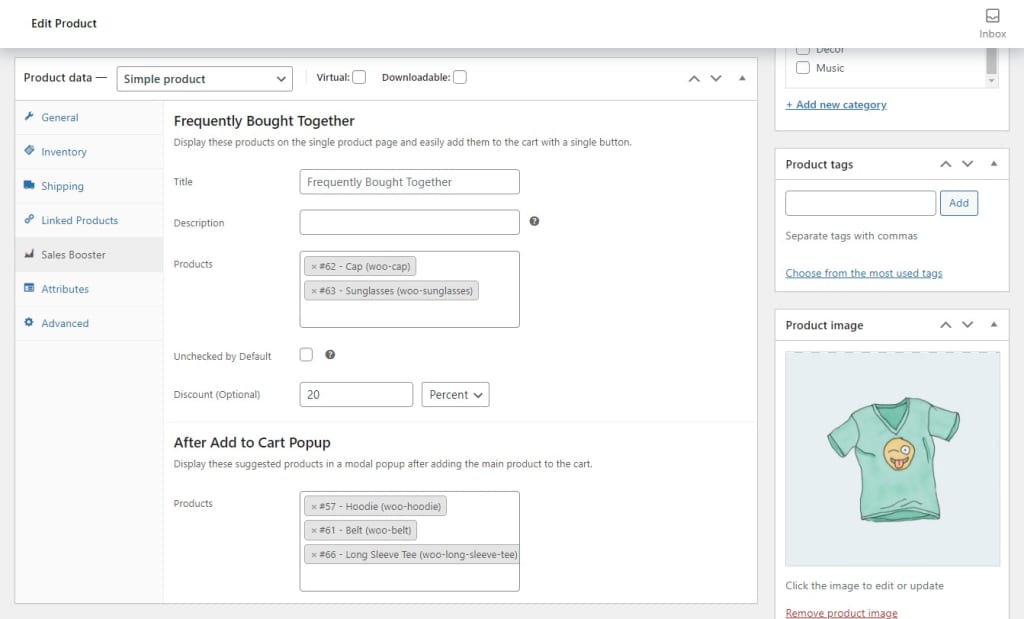
- Then, once you’re happy with your selection, scroll up to the Publish section and click the blue Update button.
Note: If a product you add as a cross-sell is already in the customer’s cart, the product will not appear in the ‘Frequently Bought Together’ section.