

Instructor Role Color Schemes

Instructor Role gives Administrators the ability to set color schemes for their Instructor Dashboard.
The color schemes provide a list of basic presets along with a custom preset giving an option to choose your own colors for certain instructor dashboard areas and elements.
Once you visit the page, you can scroll andTogglethe Color Schemes to enable them
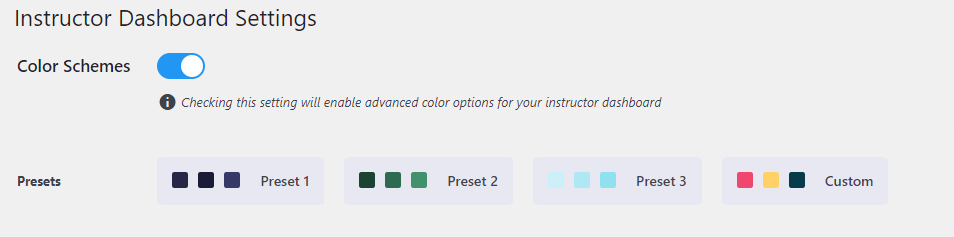
- Select a preset for your instructor dashboard and click on Save.
- Or, Choose your own colors by making use of the custom preset and then set the colors for the different sections and elements on the instructor dashboard.

Header Settings
Configure whether or not to display your logo or some text on the instructor dashboard from the header settings section. You have various options to either set the Logo as an Image or Text.
Setting Image Logo
Select Image as the header type and upload your Logo image


- Toggle the Color Schemes to enable them

- Select a preset for your instructor dashboard and click on save.
- Choose your own colors by making use of the custom preset and then setting the colors for the different sections and elements on the instructor dashboard.
