

What is a dev site?

Changes to your website are inevitable. Whether refreshing your theme or applying a critical security update, sites are living environments that can react unpredictably to well-intentioned changes. Any change, small or significant, can disrupt or even break your site when carelessly applied. Such disruptions torpedo both your sales and your customers’ trust. Properly executing these changes can be the difference between an unnoticeable hiccup and a prolonged outage. That’s where a dev site comes in. What is a dev site? What is it used for? And who uses them? Learn the answers to these questions and more in this blog.
Get fast, reliable hosting for WordPress
Power your site with the industry’s fastest, most optimized WordPress hosting
What is a dev site?
A dev site, otherwise known as a development site, is a version of your entire website that has been replicated for development and testing purposes. A dev site lives on your server and is hidden from view. This privacy makes it ideal for testing code and new features. Overall, dev sites give developers a less risky way to test changes to a website.
One common scenario is the discovery a critical security vulnerability in your CMS (Magento, WordPress, Drupal, what-have-you). A patch is quickly released, and every minute you delay applying makes you a bigger target for attack. Pressed for time, you immediately apply the patch to your production (live) site. The patch breaks your site. Worse, the lack of preparation makes reversion painful, and the outage extends into hours. You lose time, money, and customers. As usual, the best solution is prevention. Making changes to your live site is, at best, a roll of the dice. Don’t hope your site functions after a patch or major update – know it by testing changes before making them live.
Dev sites — they’re not just for developers
It’s not uncommon to hear “dev” and “staging” used interchangeably. This is fine, provided your developer knows the difference. Even if you have no need of a developer, a functioning dev or staging site acts as a buffer between uncertainty and reliability. In the traditional model of web development (dev > staging > production), dev servers are essentially a web developer’s sandbox. They often live on local machines, rather than servers. This is where developers experiment with new features and code, or other changes that aren’t ready to glimpse light of day. Sometimes, they function as approximate, non-public copies of your production site, while other times they bear little resemblance at all. Staging acts as the bridge between dev and production, and is usually a private copy of your live site. It is hosted on a server and likely mirrors the resources and hardware used by your production site. As such, it will keep you from breaking your site by updates to:
- Code
- Themes
- Plugins
- Security patches
- Features
- Store inventory
- Applications
- Quality assurance
- User experience
Better with backups
If your site breaks, having a current backup makes it much easier to revert. Full backups take considerable time and space, but these are usually required only when your team is uncertain of the changes’ scope. Patches and upgrades fit this bill. Small changes, such as those that edit a single file, may require only the backing up of a single file. Regardless of scope, these backups will accelerate any and all recovery attempts down the road. As detailed in our Backup Policy, we provide automatic 30-day backups, but urge our clients to maintain a deeper and more current history. Redundant backups are the ultimate fail-safe.
Flexible dev sites with Liquid Web
For minimal cost, Liquid Web Cloud clients can create a dev site at the touch of a button. We designed our dev site functionality to be flexible enough to meet the needs of any client or development process. Liquid Web Cloud dev sites mirror your production site and environment, including your database. The dev site-creation process replaces personally identifiable information (PII) with placeholders, which means you can hand off development work to agencies without having to worry about the security of your customer’s data.
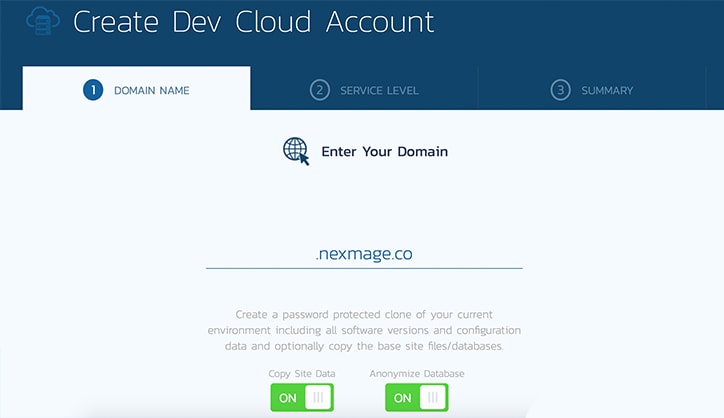
Create dev sites in the Liquid Web Cloud
One of the many great things about Liquid Web Cloud Services is the ability to deploy Magento and WordPress dev sites at the click of a button for a small additional cost. For more details, see How to create dev sites.
For help matching a hosting solution to your needs, please contact our sales team between 9 a.m. and 5 p.m. eastern time (ET), Monday – Friday.
Related content
- The 11 questions you should be asking your WooCommerce developer
- Top 10 questions to ask a cloud hosting provider
- Why website performance matters more than ever
Additional resources
8 best WordPress hosting providers compared →
Find the best managed WordPress hosting for speed and reliability.
5 must-have WordPress theme development tools →
Use WordPress theme development tools to build and customize themes.
What is a WordPress staging site and how to create one →
Utilize a WordPress staging site to test updates safely.