

Upgrade MySQL 5.x in Plesk for Windows
Servers that are managed with the Plesk Control Panel should only be modified or upgraded from within the control panel. Because the Plesk Control Panel interacts with the software on the server, it keeps files related to the configuration and functionality of the software. Changing or updating the software outside of Plesk will cause significant issues with the server’s operation and is not recommended or supported.
If you want to upgrade MySQL in Plesk from 5.x, the Plesk Control Panel makes this a simple process.
Upgrading MySQL in Plesk for Windows
- Log in to the Plesk control panel as the administrator (the username is “admin” by default). If you need help getting logged in, see Logging into Plesk.
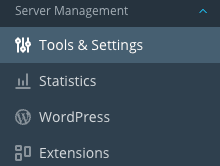
- Click on Tools and Settings in the left navigation bar.
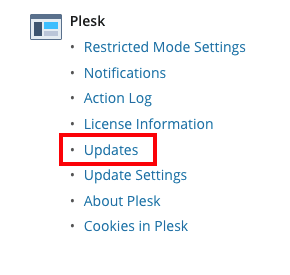
- Click on Updates. This will launch a new window in a new tab.
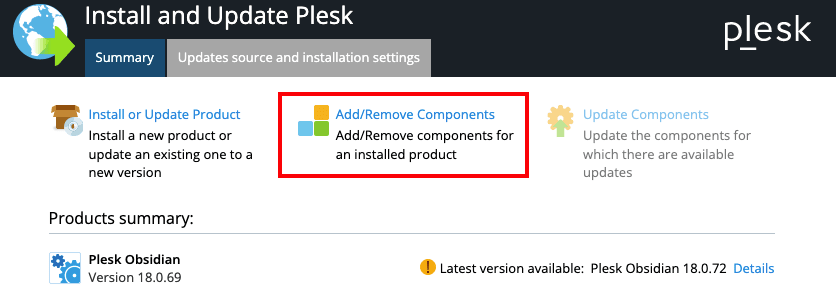
- In the new window, click Add/Remove Components.
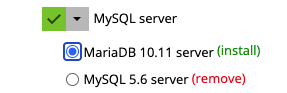
- Scroll down the list to MySQL Server. In Plesk Obsidian, the only option to upgrade from MySQL 5.x is to upgrade to MariaDB. The current available version is MariaDB 10.11. Select MariaDB to remove MySQL 5.x and upgrade to the current version of MariaDB.
- Scroll to the bottom of the list and click the Continue button to proceed with the upgrade.