

Change Email Passwords via Plesk
Strong password security is vital for protecting your server and all the services Plesk helps you manage. If you use your server for email, you want to make sure your email passwords are secure and hard to guess (see Best Practice: Creating a Secure Password). Sometimes, however, your security policy or a compromise may necessitate an email password change. Fortunately, Plesk makes it straightforward to update these credentials directly through its intuitive interface.
- Log into Plesk.
- In Power User view, click on Mail in the left navigation menu. In Service Provider view, click on Domains in the left navigation, then click on the domain you need. Now, click on the Mail icon.
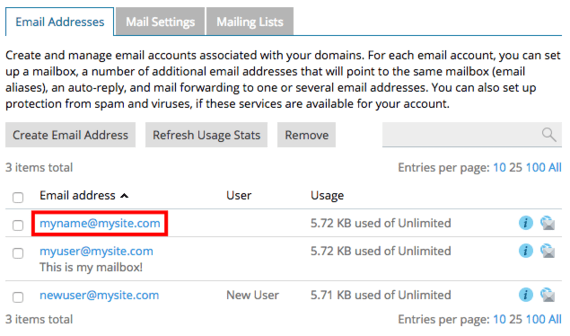
- Click on the email address where you will be changing the password.
- Enter and confirm a new password, then click OK to save your settings.
