

Server Settings
The Server Details area of your Liquid Web account includes a Settings tab. The Settings tab displays important information and options for your server. This information is divided into General, Server add-ons, and Monitoring services.
General settings
General settings include server details, your server hostname, and ability to destroy your server.
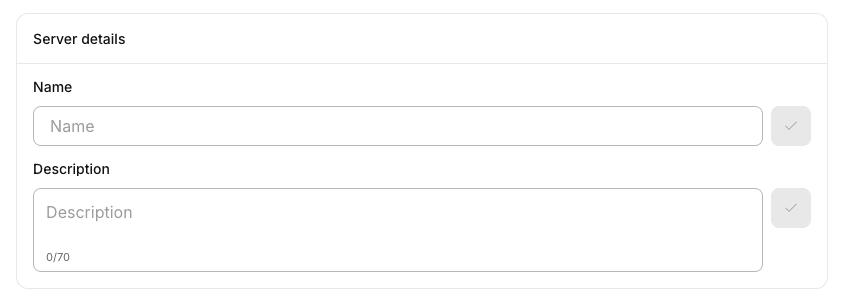
The server details block allows you to name and add a description for the server. This is purely for organizational purposes and will not impact the functionality of the server in any way. You can think of it as a “nickname” for the server to help identify its purpose in your organization.
If you need to change your server hostname, you can do this in the Edit hostname block. Note: this functionality is included in the “Danger Area” portion of the General settings as changing the hostname of the server can impact logging, email delivery and a number of other important systems.

Also in the Danger Area is the Destroy server button. Clicking this will destroy your server and any associated add-ons (like backups, DDOS protection, etc.) This is irreversible and will result in data loss if you don’t have separate backups of your system. Please be careful when choosing to destroy a server.

Server add-ons
The Server add-ons block of the Settings tab displays various tools that are installed on your server or that you can purchase to add additional functionality to your server, including DDOS protection and various threat protection tools (the specific items displayed may vary depending on your server configuration). You can add any of these services by clicking Add to server from the add-ons page.
Monitored services
You can control which of the standard ports on your server on monitored by our team by clicking the Monitored Services tab. You can add, remove, enable, or disable monitoring for any of these standard services through Monitored services block. For more information about controlling which services are monitored, see Server Monitoring Services.