Welcome to your Daily Tech Habits Tracker! .
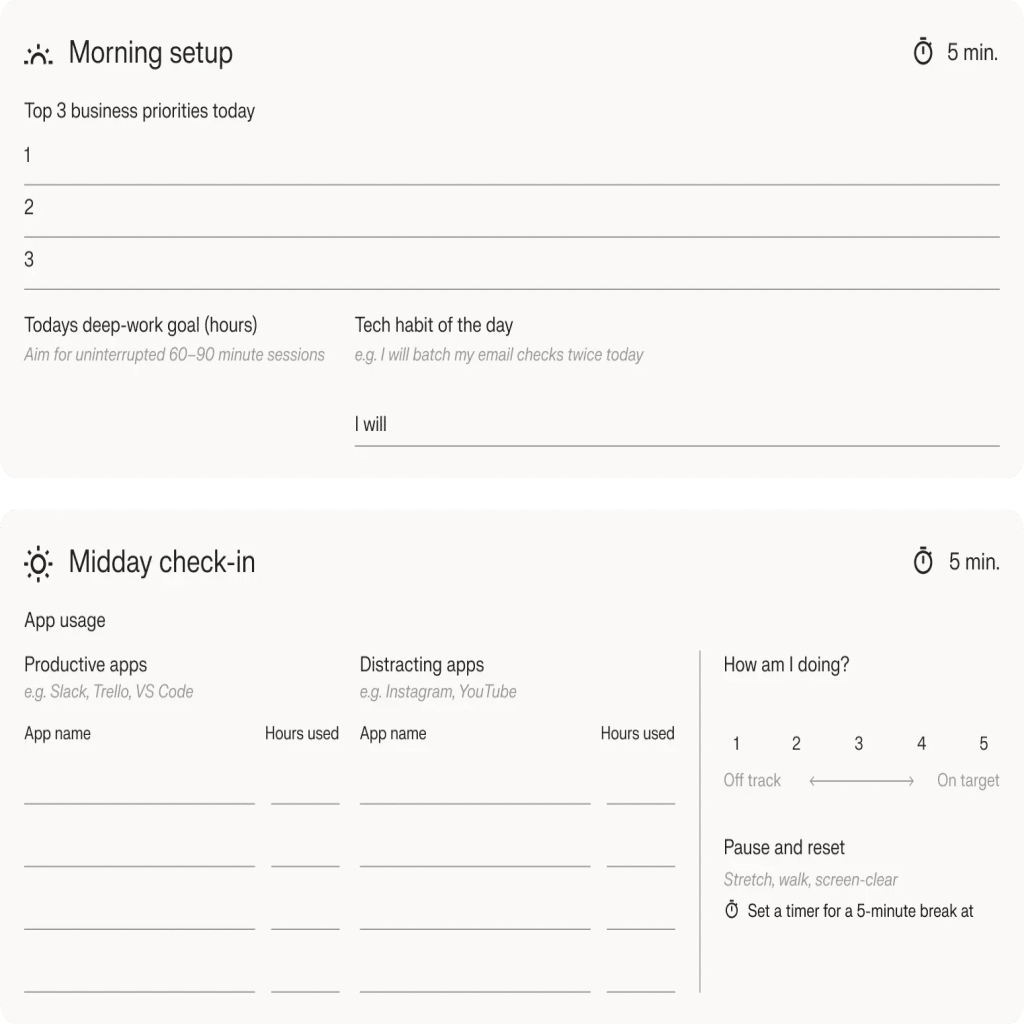
Consistency is the cornerstone of focus and productivity. Download and use this interactive workbook each day to record screen time, set deep-work goals, and reflect on wins and hurdles. Over time, you’ll spot patterns, eliminate distractions, and strengthen habits that fuel business success.
Plan and track every day of your workweek

Top 6 productivity and balance tools
Optimize your workflow. Stay balanced. Drive bottom-line results.

Focus & deep work
Leverage scientifically-backed music or gamified tree-planting sessions to minimize distractions. Set up 60–90 minute focus blocks to zero in on critical tasks, no email or Slack pings allowed.

Screen time & digital well-being
Monitor and cap your daily usage for social and entertainment apps. Establish a “wind-down” hour each evening to dim blue light and prepare for restful sleep.

Task & project management
Organize tasks in swimlanes or columns—‘Backlog,’ ‘In Progress,’ ‘Review,’ ‘Done.’ Use due dates and labels to keep priorities visible.

Quick health check-Ins
Leverage scientifically-backed music or gamified tree-planting sessions to minimize distractions. Set up 60–90 minute focus blocks to zero in on critical tasks, no email or Slack pings allowed.

Collaboration & shared tasks
Centralize project requirements, meeting notes, and task lists in one workspace. Tag colleagues, assign tasks, and track progress in real time.

Automation & repetition reduction
Automate repetitive tasks—e.g., add new form entries to a Google Sheet, send Slack reminders for overdue Trello cards, or auto-post blog updates to social channels.
Implementing just one of these tools can free up hours each week, giving you brainspace for strategy, creativity, and growth.