

◦ Comprehensive security
◦ 24/7 support
WordPress Guide → Plugins → Sticky Menu
Best free sticky menu plugins for WordPress

Want your menu to stay visible as users scroll down your site? A sticky menu does exactly that—keeping key navigation links pinned to the top (or side) of the screen so users can easily explore your content. Whether you’re building a blog, portfolio, or online store, a sticky menu can improve user experience and help boost engagement.
Let’s look at the best free sticky menu plugins that work seamlessly with popular themes and builders, no coding required.
Get fast, reliable hosting for WordPress
Power your site with the industry’s fastest, most optimized WordPress hosting
Why use a sticky menu in WordPress?
Sticky menus improve usability by keeping navigation accessible at all times. Instead of scrolling back up, users can stay focused and click through key links on the fly.
- Great for mobile and long-scroll pages.
- Helps highlight CTAs or important navigation.
- Increases time on site and reduces bounce rates.
- Adds a modern, interactive feel to your layout.
Features to look for in a sticky menu plugin
Not every sticky menu plugin works the same. These are the features that make the best ones stand out:
- Responsive design so it works well on mobile and desktop.
- Visibility controls to show or hide the menu on certain pages.
- Sticky position options (top, bottom, or side).
- Animation and transition effects for a smooth user experience.
- Lightweight code that won’t slow down your site.
1. F12 Floating Menu
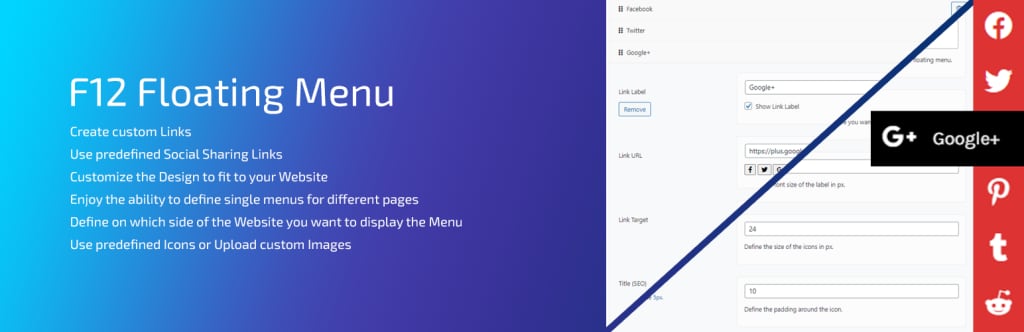
F12 Floating Menu is a versatile plugin that lets you add multiple floating or sticky menus to any WordPress page. It’s ideal for adding side menus, action buttons, or navigation panels that stay visible while scrolling. You can choose icons, customize styles, and limit menu visibility to specific post types or pages.
It’s especially useful for one-page sites, portfolios, and mobile-friendly navigation patterns. The admin interface is beginner-friendly but includes advanced options for developers.
Key features:
- Add multiple floating menus.
- Show or hide on specific pages or devices.
- Customize menu style, position, and icons.
- Lightweight and responsive.
3. myStickymenu

myStickymenu is a highly rated plugin focused on adding sticky functionality to your header, menu, or any other element. It’s fast, simple, and doesn’t require you to modify your theme’s files. You can also apply the sticky effect only after a specific scroll point.
It’s especially popular among blog owners and ecommerce users who want a sticky menu without bloated features. A Pro version is available, but the free version covers most common use cases.
Key features:
- Stick any element, not just menus.
- Set a custom scroll trigger point.
- Mobile-optimized and fast loading.
- Compatible with most themes and builders.
4. Sticky Menu & Sticky Header by WebFactory Ltd
Previously known as “Sticky Menu (or Anything!) on Scroll,” this plugin lets you apply sticky behavior to any element—not just your menu. You can choose the sticky position, enable or disable it based on scroll position, and add optional effects like fade-ins or slide-ins.
Its standout feature is flexibility: it’s not limited to navigation elements and works on any class or ID in your HTML.
Key features:
- Make any element sticky with ease.
- Custom scroll point offset.
- Simple class/ID targeting.
- Lightweight and theme-compatible.
5. WP Sticky Sidebar
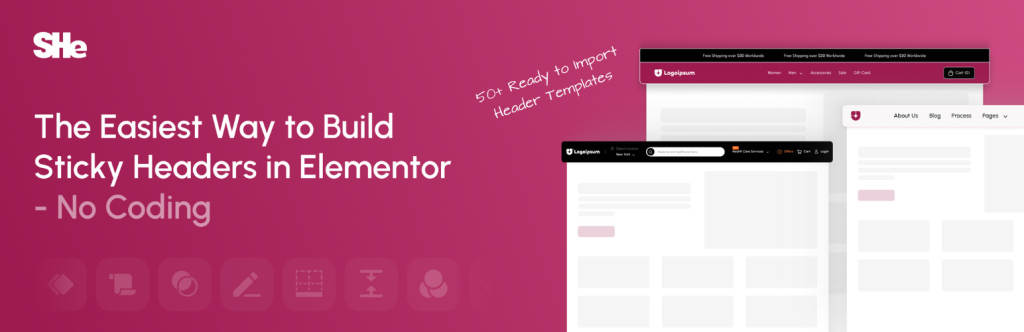
Although WP Sticky Sidebar is primarily used to keep sidebars visible, you can also apply it to menu widgets or vertical navigation areas. It adapts dynamically to scrolling, ensuring your sticky element doesn’t overlap or hide content.
This is a good choice for bloggers and content-heavy sites using side navigation or menus in widgetized areas.
Key features:
- Supports sticky sidebar and widget areas.
- Smart height and spacing adjustments.
- Mobile-compatible sticky behavior.
- Works with most modern themes.
6. Elementor (Sticky Scrolling)
If you’re already using Elementor, you don’t need an extra plugin. The page builder includes sticky scrolling settings that let you fix any section—including menus—to the top of the screen. You can adjust when it becomes sticky, set offsets, and apply entrance animations.
This is ideal for custom headers or floating CTA menus built directly in the Elementor interface.
Key features:
- Built-in sticky behavior for any section.
- No additional plugin required.
- Entrance animations and offsets.
- Great for custom header layouts.
7. Max Mega Menu

Max Mega Menu is known for creating advanced dropdown and mega menus, but it also supports sticky functionality. Once enabled, your entire navigation bar will stay fixed at the top as users scroll. You can combine this with submenus, icons, and animations for a feature-rich user experience.
Ideal for large sites with complex navigation structures, especially ecommerce stores and magazines.
Key features:
- Sticky menu support included.
- Drag-and-drop menu builder.
- Advanced styling and animation tools.
- WooCommerce-compatible.
How to make a sticky menu without a plugin
Don’t want to install another plugin? You can create a sticky menu using just CSS.
Here’s a sample code snippet:
.site-header {
  position: sticky;
  top: 0;
  z-index: 999;
  background: white;
}
This works well for themes that already assign a .site-header class to the main navigation bar. Just add it to your Customizer’s “Additional CSS” panel. Keep in mind that browser support and header height can impact performance.
Getting started with sticky menu plugins for WordPress
Sticky menus are one of the easiest ways to improve site navigation and user experience. With the right plugin, you can set it up in minutes—no coding required.
If you’re a beginner, go with myStickymenu or Catch Sticky Menu—they work out of the box and don’t require customization. Want more layout control? Try WP Floating Menu or F12 Floating Menu.
Ready to upgrade your WordPress experience? Professional hosting improves speeds, security, and reliability for a website and a brand that people find engaging and trustworthy. Liquid Web’s WordPress hosting options configure business-class servers and support plans specifically for WordPress websites.
Don’t want to deal with server management and maintenance? Our fully managed hosting for WordPress is the best in the industry. Our team are not only server IT experts, but WordPress hosting experts as well. Your server couldn’t be in better hands.
Click below to explore options or start a chat with one of our WordPress hosting experts now to get answers to your questions and further guidance.
Additional resources
What is a WordPress plugin? →
A complete beginner’s guide to WordPress plugins and how to manage them
Easy SEO for WordPress →
7 SEO tasks anyone can do, to set your WordPress site up for success in organic search.
How to check if a plugin is safe →
Simple steps to evaluating a plugin before you install and activate it

Leslie Bowman is an Organic SEO Manager at Liquid Web and expert wordsmith. She specializes in driving revenue through organic and paid channels with SEO and CRO. When she’s not bending search algorithms to her will, she’s most likely spending time with animals, reading nonfiction, or marveling at nature’s beauty.