

◦ Comprehensive security
◦ 24/7 support
WordPress Guide → Post → Vs Page Vs Post Vs Custom Post Type
WordPress page vs post vs custom post type
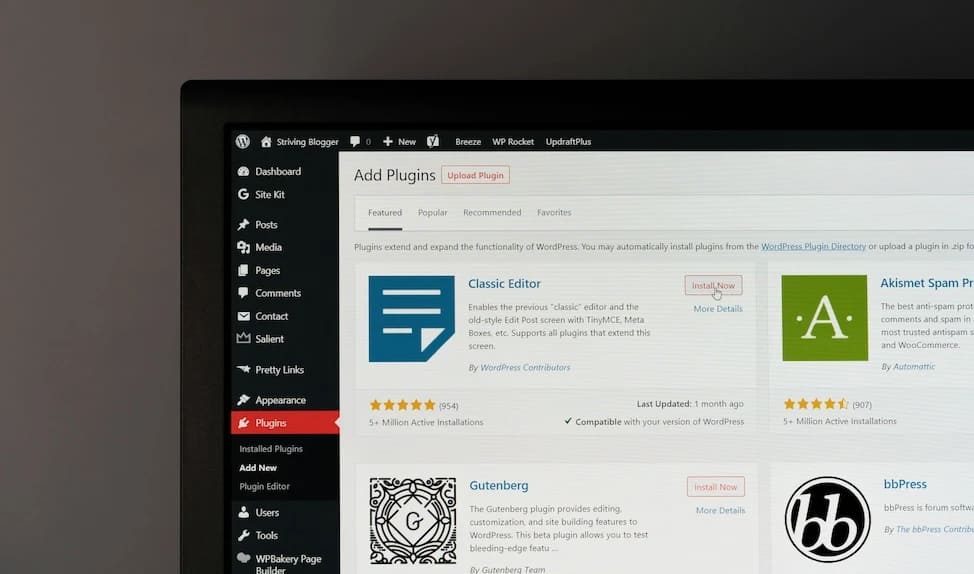
If you’re building a WordPress site and feeling confused about pages, posts, and custom post types, you’re not alone. These are the foundation of how content is organized—but they serve very different purposes.
Let’s walk through what makes each content type unique, how they work together, and how to choose the right one for your next project.
Get fast, reliable hosting for WordPress
Power your site with the industry’s fastest, most optimized WordPress hosting
Pages in WordPress: static and timeless content
WordPress pages are used for content that doesn’t change often and isn’t part of a time-based series. They’re perfect for the core structure of your site.
When to use a page
Use a page for evergreen information that visitors will want to find easily from your main menu. Common examples include:
- About Us
- Contact
- Privacy Policy
- Services or Pricing
Key features of pages
Pages are ideal for content you want to highlight long-term, not rotate out of view.
- Timeless: No publish date displayed and no chronological sorting.
- Hierarchical: You can nest pages inside other pages (parent/child relationships).
- No taxonomy: Pages don’t use tags or categories.
- Not in blog feeds: They don’t show up in RSS or post archives.
- Navigation-friendly: Pages are usually added to menus and headers.
Posts in WordPress: dynamic, time-sensitive content
Posts are the original blogging feature in WordPress, designed for news, updates, and regularly published content.
When to use a post
Use a post when you’re publishing content that’s part of a series or needs to show up in date-based archives. Great use cases include:
- Blog articles
- Product updates
- Company announcements
- Industry news
Key features of posts
Posts help keep your site fresh and are great for SEO, especially when you’re targeting long-tail keywords.
- Chronological order: Automatically sorted by publish date.
- Taxonomies: Organized using tags and categories for better browsing.
- Included in feeds: Show up in blog pages, RSS feeds, and post loops.
- Comments: Usually allow user interaction through comments.
- Archive-ready: Easily grouped by month, category, or tag.
Custom post types: flexible structures for unique content
Custom post types (CPTs) are the most powerful way to expand WordPress beyond basic blogs and pages. They let you create fully separate content areas for things like portfolios, events, or products.
When to use a custom post type
Choose a CPT when your content doesn’t logically belong in pages or posts, and when it needs its own set of features. Common examples include:
- Real estate listings
- Team member bios
- Product catalogs
- Testimonials
- Courses
- Recipes
Key features of custom post types
CPTs are perfect for sites that need structure beyond what WordPress offers out of the box.
- Custom fields: Add extra input areas using plugins like ACF (Advanced Custom Fields).
- Custom templates: Use theme files to display them differently than posts or pages.
- Custom taxonomies: Create new categories or tags just for that CPT.
- Menu placement: Can be shown or hidden from the admin dashboard.
- Flexible display: Control how they’re shown using template hierarchy or page builders.
Pages vs posts vs custom post types: quick comparison
Here’s a side-by-side look at how they differ:
| Feature | Page | Post | Custom Post Type |
|---|---|---|---|
| Use Case | Static content | Blog/news | Specialized content (e.g., products) |
| Hierarchy Support | Yes (Parent/Child) | No | Optional |
| Categories/Tags | No | Yes | Optional/custom |
| RSS Feed | No | Yes | Optional |
| Comments | Usually disabled | Usually enabled | Optional |
| Chronological Order | No | Yes | Optional |
How to create and manage custom post types
You can create CPTs with code or with plugins, depending on your comfort level.
Method 1: Use a plugin
If you’re not a developer, plugins make it easy to create CPTs with no coding at all.
- Custom Post Type UI: Popular and beginner-friendly with support for taxonomies.
- Pods: Includes built-in support for custom fields and relationships between CPTs.
Both options let you set menu names, slugs, and archive behavior with just a few clicks.
Method 2: Add CPTs manually with functions.php
For advanced users or developers, add a register_post_type() function to your theme’s functions.php or a custom plugin. Here’s a simplified example:
function register_portfolio_post_type() {
  register_post_type('portfolio', [
    'labels' => ['name' => 'Portfolios'],
    'public' => true,
    'has_archive' => true,
    'supports' => ['title', 'editor', 'thumbnail']
  ]);
}
add_action('init', 'register_portfolio_post_type');
This gives you full control over behavior and integration with theme files.
Enhancing CPTs with custom fields and taxonomies
For richer data, pair CPTs with:
- ACF (Advanced Custom Fields): Add fields like images, links, ratings, and more.
- register_taxonomy() function: Create custom filtering options like “Event Type” or “Course Level.”
These tools help you make the WordPress admin more intuitive for clients or team members.
SEO and performance impact of each content type
The way you structure content affects how it ranks in search engines and how efficiently your site loads.
Pages often perform well for core navigation and branded search terms, like “Your Company + Contact.” These static pages are typically short and focused, which helps avoid thin content penalties—but they don’t benefit from freshness signals since they aren’t regularly updated.
Posts are ideal for SEO strategies that rely on content marketing. Because they’re chronological and frequently updated, posts benefit from Google’s preference for fresh content. They also allow for detailed keyword targeting, internal linking through tags and categories, and appear in RSS feeds—all of which help boost visibility.
Custom post types offer strong SEO potential when structured properly. You can define custom slugs, enable archives, and use schema markup to optimize them for search. However, CPTs can also introduce performance issues if they’re overused or created with bloated plugins. To maintain performance, it’s essential to use clean code, enable caching, and manage queries efficiently.
Choosing the right content type for your website goals
Not sure which one to use? Answer these questions to narrow it down:
- Is the content time-sensitive or regularly updated?
→ If yes, use a post. - Is this an evergreen resource or navigation page?
→ If yes, use a page. - Do you need custom fields, sorting, or archives for this content?
→ If yes, use a custom post type. - Does this content type need its own layout or user experience?
→ Custom post type is likely the best fit.
Next steps for understanding WordPress content types
Understanding the difference between pages, posts, and custom post types is the key to building a scalable, SEO-friendly WordPress site. Each serves a specific role—and using them correctly keeps your site clean and efficient.
If you’re just starting out, focus on mastering posts and pages. Once you’ve got a handle on your content needs, you can explore custom post types to take your site structure to the next level.
Ready to upgrade your WordPress experience? Professional hosting improves speeds, security, and reliability for a website and a brand that people find engaging and trustworthy.
Don’t want to deal with server management and maintenance? Our fully managed hosting for WordPress is the best in the industry. Our team are not only server IT experts, but WordPress hosting experts as well. Your server couldn’t be in better hands.
Click through below to explore all of our hosting for WordPress options, or chat with a WordPress expert right now to get answers and advice.
Additional resources
What is WordPress? →
A complete beginner’s guide to WordPress.org
How to embed a Twitter thread in WordPress posts →
Learn how to recover or recreate deleted WordPress categories to restore site organization.
Beginner’s Guide to WordPress themes →
Learn how they work, what to look for, how to choose, and more