

◦ Comprehensive security
◦ 24/7 support
WordPress Guide → Build → Disable Google Fonts
How to disable Google Fonts on WordPress
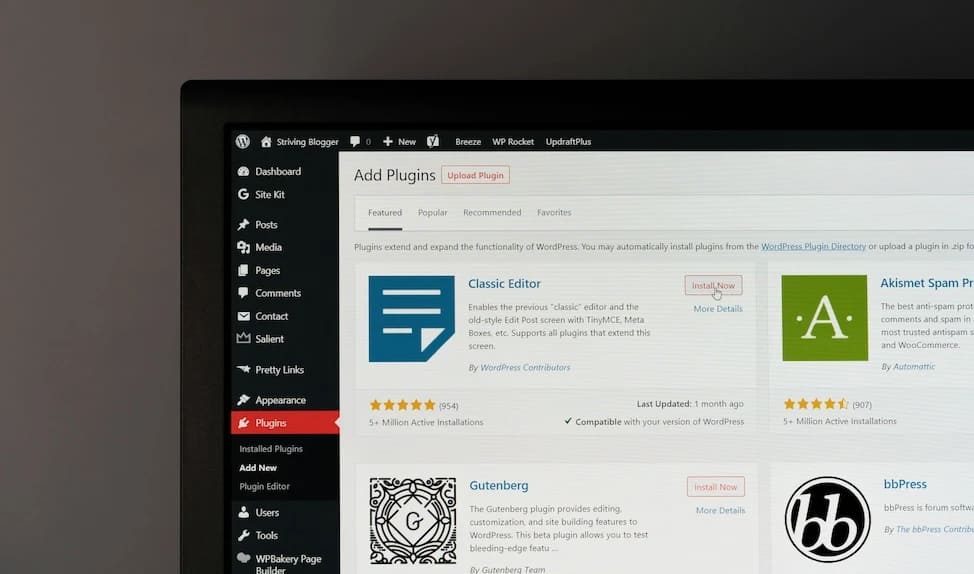
Google Fonts are widely used in WordPress themes and plugins—but they’re not always the right choice. Whether you’re aiming for better performance, GDPR compliance, or just prefer system fonts, there are several ways to remove Google Fonts from your site.
Let’s walk through each one.
Get fast, reliable hosting for WordPress
Power your site with the industry’s fastest, most optimized WordPress hosting
1. Use a plugin to disable Google Fonts
The easiest way to disable Google Fonts—especially if you’re not comfortable with code—is to use a plugin like Disable and Remove Google Fonts.
- Go to Plugins > Add New.
- Search for “Disable and Remove Google Fonts.”
- Install and activate the plugin.
After activation, clear your site and browser cache.Then, check your front end to confirm fonts now default to system fonts.
2. Disable Google Fonts using your theme’s settings
Some themes offer built-in options to turn off Google Fonts without editing code.
How to check your theme:
- Go to Appearance > Customize.
- Navigate to Typography, Fonts, or similar.
- Look for a setting to use System Fonts, Disable Google Fonts, or switch font sources.
- Save changes and clear the cache.
Examples of popular themes with this setting:
- Astra: Appearance > Customize > Global > Typography > Set fonts to “System Default.”
- GeneratePress: Appearance > Customize > Typography > Set each font family to “System Stack.”
- Neve: Appearance > Customize > Typography > Choose “Default” under font options.
3. Disable Google Fonts in plugin settings
Many popular plugins include their own typography options and may load Google Fonts regardless of your theme settings. If your site still loads fonts from Google after using a plugin or modifying your theme, it’s likely that one of your plugins is adding them.
In most cases, disabling these fonts involves opening the plugin’s settings and looking for an option related to typography, assets, or performance. You might see a checkbox to prevent loading of Google Fonts or an advanced setting that lets you use system fonts instead.
If you can’t find the setting, check the plugin’s documentation or support forum for font-related options. Some advanced users choose to disable fonts with a custom filter, often added using a plugin like WPCode.
4. Remove Google Fonts using functions.php (advanced users)
For more control—or if your theme doesn’t include a built-in option—you can manually remove Google Fonts by editing your theme’s functions.php file. This approach requires a bit of code, but it works reliably if you know what to target.
- Create a child theme to avoid losing changes on updates.
- Inside the child theme, create or edit functions.php.
- Add a function like this:
function remove_google_fonts() {
    wp_dequeue_style( 'astra-google-fonts' );
}
add_action( 'wp_enqueue_scripts', 'remove_google_fonts', 999 );- Replace ‘astra-google-fonts’ with the correct handle used by your theme (check source code or docs).
- Save, upload, and clear your site cache.
Troubleshooting: Google Fonts still loading?
Even after disabling them, you might still see Google Fonts in your site’s code. Here’s what you can look at first:
- Open your browser’s developer tools (usually with F12 or right-click > Inspect) and check the Network tab. Reload your page and look for requests to fonts.googleapis.com or fonts.gstatic.com. This can help identify where the fonts are being loaded from.
- Disable each plugin one by one to identify the culprit. If you find that a specific plugin is still loading Google Fonts and there’s no setting to turn it off, consider reaching out to the plugin developer or checking their support forum for alternatives.
- Use a tool like Fonts Ninja or WhatFont to identify font sources.
- Contact the theme or plugin support team if no clear option is available. In some cases, Google Fonts are hardcoded into template files or loaded via JavaScript, which requires deeper customization or a developer’s help to remove.
Optional: Replace Google Fonts with system fonts
Once you’ve disabled Google Fonts, it’s a good idea to define a consistent system font stack so your site still looks clean and professional. System fonts load instantly, don’t rely on third-party servers, and help keep your site fast and privacy-friendly.
Here’s a commonly used stack:
font-family: -apple-system, BlinkMacSystemFont, "Segoe UI", Roboto, "Helvetica Neue", Arial, sans-serif;You can apply this stack:
- Through your theme’s Customizer, if it supports custom fonts
- Using a custom CSS plugin or via style.css in a child theme.
Next steps for disabling Google Fonts on WordPress
Turning off Google Fonts can speed up your site, improve privacy compliance, and reduce external dependencies. It’s a smart move for many WordPress users.
If you’re not sure where Google Fonts are coming from, start by using a plugin. Then, work through your theme and plugin settings one by one.
Ready to upgrade your WordPress experience? Professional hosting improves speeds, security, and reliability for a website and a brand that people find engaging and trustworthy.
Don’t want to deal with server management and maintenance? Our fully managed hosting for WordPress is the best in the industry. Our team are not only server IT experts, but WordPress hosting experts as well. Your server couldn’t be in better hands.
Click through below to explore all of our hosting for WordPress options, or chat with a WordPress expert right now to get answers and advice.
Additional resources
How to build a WordPress site →
A complete beginner’s guide that covers 9 key steps to a successful launch
Give your website the dark mode treatment (WordPress) →
Learn how to enable dark mode on your WordPress website to enhance user experience and reduce eye strain.
How to use WordPress Gutenberg blocks →
A complete beginner’s guide to Gutenberg blocks