

◦ Comprehensive security
◦ 24/7 support
WordPress Guide → Security → Supply Chain
Does supply chain impact WordPress sites? (Yes, and here’s what you should do)
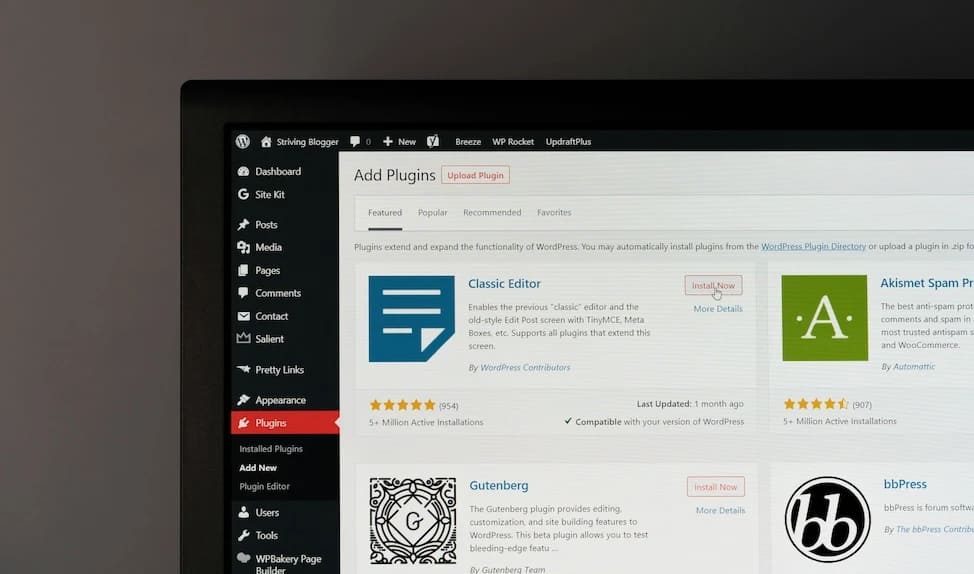
Most WordPress site owners don’t think twice about installing a plugin, downloading a theme, or connecting a third-party service. But each of those actions relies on a supply chain—and that chain can be exploited.
A supply chain attack doesn’t target your website directly. Instead, it targets the software or services your site depends on. And if any part of that chain is compromised, your site could be, too.
What is a supply chain attack in WordPress?
In WordPress, your supply chain includes more than just core files. It also includes:
- Themes and plugins you install
- Content delivery networks (CDNs) you use for performance
- External services you connect to (like Stripe or Google Fonts)
- Software libraries and APIs those tools rely on
A supply chain attack happens when an attacker compromises one of those pieces, which then compromises your website indirectly. It might be a plugin update with malicious code, a third-party script hosted on a hacked CDN, or even a form plugin that now leaks data.
This type of attack is particularly dangerous because it’s sneaky—it comes from “trusted” tools.
How attackers target WordPress supply chains
Supply chain threats come in many forms, but most fall into these categories:
Plugin and theme contamination
Attackers might hack a developer’s account or inject malicious code into the update process. When site owners install or update the plugin, the contaminated code activates.
For example, in 2021, attackers gained access to the Fancy Product Designer plugin and used it to upload malware to thousands of WordPress sites. Even legitimate-looking tools can be compromised.
Backdoor installation
A backdoor is a hidden entry point that allows attackers to bypass normal login and security measures. Some malicious plugins or themes quietly install backdoors when activated.
Attackers can use this access to control your site, modify settings, or steal data without your knowledge.
Malware injection
Once attackers get in, they often inject malware—scripts that steal data, create spam pages, or redirect your visitors to scam sites.
This can hurt your SEO rankings, get your domain blacklisted, and destroy your visitors’ trust.
Cryptomining and resource hijacking
Some attackers don’t want your data, they want your server power. By injecting a cryptomining script, they can silently mine cryptocurrency using your hosting resources.
You might not notice anything until your site slows down or your host flags your CPU usage.
Why plugin and theme trustworthiness matters
Most WordPress vulnerabilities come from third-party plugins and themes. That’s why you should only download them from:
- The official WordPress Plugin Repository
- Well-known developers with active support and positive reviews
- Reputable marketplaces like ThemeForest or CodeCanyon
You can add multiple deny from lines to block several IPs.
Avoid “nulled” or pirated versions of premium themes and plugins. They’re often intentionally injected with malware or backdoors.
Before installing any new plugin:
- Check the number of active installs (10,000+ is a good sign)
- Read recent reviews and look for unresolved support tickets
- Make sure it’s been updated within the last 3–6 months
Learn more: “How to check if a WordPress plugin is safe (and common red flags)” →
Key strategies to mitigate supply chain threats
These steps will help you reduce risk and respond quickly if your WordPress supply chain is ever compromised.
1. Vet your sources carefully
Before installing any plugin or theme:
- Search the plugin on WordPress.org and check its update history.
- Look at the author’s other plugins. Are they active and maintained?
- Google “[plugin name] vulnerability” to see if there are past issues.
Stick to plugins that are actively developed and supported. If something hasn’t been updated in over a year, it may no longer be safe to use, even if it still “works.”
2. Keep everything updated
WordPress core, plugins, and themes are updated regularly to patch vulnerabilities. If you skip updates, your site may be left open to known attacks.
To stay current:
- Enable auto-updates for trusted plugins and themes in your WordPress dashboard.
- Use a management tool like ManageWP or MainWP to monitor multiple sites.
- Set a reminder to manually review and update plugins that you don’t auto-update.
After updating, check your site’s functionality to make sure everything still works properly. Breakages can also be a sign of tampering.
3. Add layered security
Security plugins add extra protection to your site by blocking suspicious activity and notifying you of threats.
Recommended tools:
- Solid Security (formerly iThemes Security) – Offers file integrity monitoring, brute-force protection, and 2FA.
- Wordfence – Includes a Web Application Firewall (WAF), malware scanner, and real-time threat alerts.
- Sucuri Security – Adds blacklist monitoring and hardening features.
Turn on:
- 2FA for all admin users (via plugin or host)
- File change monitoring so you’re notified of any modified core/plugin files
- Login attempt limits to stop brute-force password guessing
4. Perform penetration testing
Penetration testing simulates attacks on your site to uncover weaknesses before real attackers do.
You can:
- Use a tool like WPScan (by Automattic) to test for plugin vulnerabilities
- Hire a professional security firm to perform scheduled tests
- Scan your server and codebase with developer tools like Burp Suite or Nikto (if you’re comfortable with CLI tools)
Even if you’re not technical, running WPScan monthly can catch common plugin issues.
5. Backup frequently and store offsite
Backups are your safety net. If your site gets hacked, restoring a clean backup is often the fastest way to recover.
To do it right:
- Schedule daily automatic backups with a plugin like Jetpack Backup or UpdraftPlus.
- Store backups offsite (e.g., Dropbox, Google Drive, or Amazon S3) so they’re safe even if your host is compromised.
- Keep at least 7–30 days of backup history, depending on how often your site changes.
Test your backup restore process at least once every few months so you know it works when it counts.
6. Prepare an incident response plan
If your site is compromised, time is critical. You need a plan in place.Here’s what your incident response plan should include:
- Who to contact (developer, hosting provider, security expert)
- Where to find backups
- Steps to put the site into maintenance mode
- Checklist to scan, clean, and restore
Even a basic Google Doc shared with your team is better than nothing. Practice a mock recovery scenario annually to stay prepared.
The ripple effect of third-party service issues
Your WordPress site also relies on services outside your direct control—like email gateways, analytics platforms, and CDNs.
Here’s how these third-party service issues can affect your site:
- Form plugin stops sending email because Mailgun or SendGrid is offline.
- Page speed drops because your CDN provider (like Cloudflare) is misconfigured or under attack.
- Google Fonts fails to load because of a region-specific block or CDN outage.
- A compromised JavaScript library hosted on a CDN injects malicious code across all pages that use it.
To reduce risk:
- Self-host key scripts (like jQuery) when possible.
- Use monitoring tools to track performance and uptime.
- Minimize dependencies when they’re not necessary.
How to monitor your site for suspicious activity
Monitoring is essential to catch threats before they cause major damage.
Start with these tools:
- WP Activity Log – Tracks user logins, setting changes, file edits, and more.
- Sucuri SiteCheck – Free online scanner to detect malware and blocklists.
- Wordfence Live Traffic – Shows real-time access logs and flagged IPs.
Look out for:
- Unknown admin accounts
- Plugins or themes you didn’t install
- Login attempts from foreign countries
- Sudden changes to your .htaccess or wp-config.php files
Set up email notifications for critical changes so you can act fast.
Next steps for protecting your WordPress supply chain
The WordPress ecosystem makes website building easy—but that convenience also creates risks. Any part of your plugin, theme, or service chain can become a vulnerability if it’s not properly maintained or monitored.
Now’s a good time to:
- Audit your plugins and themes
- Set up automated backups and alerts
- Create a basic incident response plan
Ready to upgrade your WordPress experience? Professional hosting improves speeds, security, and reliability for a website and a brand that people find engaging and trustworthy.
Don’t want to deal with server management and maintenance? Our fully managed hosting for WordPress is the best in the industry. Our team are not only server IT experts, but WordPress hosting experts as well. Your server couldn’t be in better hands.
Click through below to explore all of our hosting for WordPress options, or chat with a WordPress expert right now to get answers and advice.
Additional resources
Comprehensive guide to securing WordPress with ModSecurity
→
This guide provides a comprehensive overview of how to use ModSecurity to enhance the security of your WordPress site.
How to prevent content sniffing in WordPress →
Protect your WordPress site from MIME-type attacks by preventing content sniffing in browsers.
Why security matters for WordPress enterprise hosting
→
Use the blog as your guide to attacks to watch out for, security best practices, and steps to improve the WordPress protection you already have.