

◦ Comprehensive security
◦ 24/7 support
WordPress Guide → Plugins → Countdown Timer
WordPress Countdown Timer: Top 7 Plugins

Need a simple way to boost conversions or build excitement before a big launch? A countdown timer can help you do both—without needing complex tools.
Let’s explore the best WordPress countdown plugins you can use to display urgency, run sales, or tease a launch on your site.
Get fast, reliable hosting for WordPress
Power your site with the industry’s fastest, most optimized WordPress hosting
WordPress countdown timer plugins, side-by-side
Here’s how the top plugins compare on features, use cases, and price.
| Feature | Countdown Timer Ultimate | Countdown Builder | OptinMonster | WP Maintenance Mode & Coming Soon | HurryTimer | SeedProd |
|---|---|---|---|---|---|---|
| Visual drag-and-drop builder | No | Yes | Yes | No | Yes | Yes |
| Evergreen countdowns | No | Yes | Yes | No | Yes | Yes |
| WooCommerce integration | No | Yes | Yes | No | Yes | Yes |
| Multiple timer styles | Basic | Extensive | Moderate | Basic | Moderate | Extensive |
| Email marketing integration | No | No | Yes | No | No | Yes |
| Starting price (USD) | Free | Free | $9/mo | Free | Free | $39.50/yr |
1. Countdown Timer Ultimate

Countdown Timer Ultimate is a straightforward plugin that lets you create animated circular countdowns. It’s ideal for those who want a no-fuss setup and a clean, simple look on their site. The timers are built with CSS3 and HTML5, so they load fast and look sharp across devices.
You can easily place timers using shortcodes and customize colors, animation effects, and labels. While it doesn’t support evergreen or WooCommerce-specific timers, it’s perfect for static campaigns with a hard deadline.
Key features:
- Drag-and-drop form builder with unlimited custom fields
- Stripe, PayPal, and Authorize.net integrations
- Google Maps and location-based search
- Directory themes and templates for faster setup
Best for: Simple launch countdowns or event promotions
Starting at: Free
2. Countdown Builder
Countdown Builder offers multiple timer styles including circular, flip clock, and text-based options—all with a drag-and-drop builder. It’s one of the most flexible plugins in terms of visual layout and timer types, with advanced scheduling and expiration actions available in the pro version.
It also supports evergreen countdowns, WooCommerce integration, and recurring timers, making it a solid all-around tool for sales and event-based marketing.
Key features:
- Drag-and-drop editor
- Multiple countdown types
- Recurring and evergreen timers
- WooCommerce support
Best for: Ecommerce sales and custom-styled timers
Starting at: Free
3. OptinMonster

OptinMonster isn’t a dedicated countdown plugin, but it includes powerful countdown timers as part of its lead generation toolkit. You can add timers to popups, floating bars, and inline forms—great for exit-intent campaigns or flash sales.
It supports both fixed-date and evergreen timers and includes built-in integration with email marketing platforms.
Key features:
- Countdown timers in popups
- Exit-intent and geo-targeting
- Evergreen or fixed-date options
- Built-in analytics and A/B testing
Best for: Conversion-focused marketing campaigns
Starting at: $9/month
4. WP Maintenance Mode & Coming Soon

WP Maintenance Mode & Coming Soon includes a basic countdown feature that’s perfect for temporarily disabling your site while keeping visitors informed. You can show a countdown while updating, building, or launching a site.
It’s not a sales or conversion tool, but a lightweight solution that gets the job done for coming-soon pages and under-maintenance notices.
Key features:
- Built-in countdown timer
- Simple setup with page templates
- GDPR-compliant contact form
- Works with multisite installs
Best for: Site maintenance and coming-soon pages
Starting at: Free
5. HurryTimer
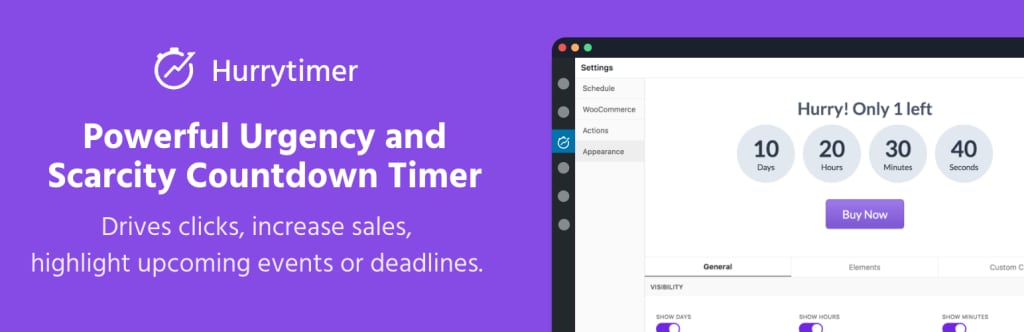
HurryTimer is designed for urgency and scarcity marketing. It supports fixed, recurring, and evergreen countdowns, and works seamlessly with WooCommerce flash sales. You can show countdowns until stock runs out or until a scheduled deadline.
It’s also one of the few free plugins that supports evergreen timers with cookie and IP tracking.
Key features:
- Fixed-date, recurring, and evergreen modes
- WooCommerce-ready
- Cookie/IP-based countdowns
- Multiple display styles
Best for: Sales urgency in ecommerce stores
Starting at: Free
6. SeedProd

SeedProd is a full-featured landing page builder that includes customizable countdown timers as one of its blocks. It’s especially useful if you want to launch landing pages with integrated timers, opt-in forms, and calls to action.
It supports fixed and evergreen countdowns and offers deep integration with marketing platforms like Mailchimp, ConvertKit, and Zapier.
Key features:
- Drag-and-drop landing page builder
- Countdown blocks with styling options
- Evergreen and fixed timers
- Marketing and CRM integrations
Best for: Marketing landing pages with built-in countdowns
Starting at: $39.50/year
How to use a WordPress countdown timer
Countdown timers aren’t just for decoration—they drive urgency and encourage action. Here are smart ways to use them on your WordPress site.
Common use cases for countdown timers
- Product launches: Build hype before a new release with a clear deadline.
- Flash sales: Increase urgency for limited-time discounts in WooCommerce.
- Event registrations: Encourage signups with a clear closing window.
- Maintenance and coming soon pages: Let users know when your site will go live.
- Lead generation funnels: Use evergreen timers to nudge users into opting in or purchasing.
Next steps for using a WordPress countdown timer
Countdown timers can add urgency, boost conversions, and improve the user experience when used strategically.
Choose a plugin that fits your needs—whether it’s for ecommerce sales, evergreen funnels, or launch teasers—and try adding a countdown to a high-converting page.
Ready to upgrade your WordPress experience? Professional hosting improves speeds, security, and reliability for a website and a brand that people find engaging and trustworthy.
Don’t want to deal with server management and maintenance either? Our fully managed hosting for WordPress is the best in the industry. Our team are not only server IT experts, but WordPress hosting experts as well. Your server couldn’t be in better hands.
Click through below to explore all of our hosting for WordPress options, or chat with a WordPress expert right now to get answers and advice.
Additional resources
What is a WordPress plugin? →
A complete beginner’s guide to WordPress plugins and how to manage them
6 best WordPress directory plugins →
Discover the best WordPress directory plugins to create powerful, customizable business listings, classified ads, and membership directories.
How to check if a plugin is safe →
Simple steps to evaluating a plugin before you install and activate it