

◦ Comprehensive security
◦ 24/7 support
WordPress Guide → Plugins → SMTP
5 best WordPress SMTP plugins [updated]

If your WordPress emails are landing in spam—or not arriving at all—you’re not alone. By default, WordPress uses PHP mail, which isn’t reliable or secure. The fix? Use SMTP (Simple Mail Transfer Protocol) with a plugin designed to handle email properly.
| Plugin | Email Provider Support | Authentication | Email Logging | Free Version | Premium Features |
|---|---|---|---|---|---|
| WP Mail SMTP | Gmail, SMTP.com, Sendinblue, Mailgun, more | Yes | Yes | Yes | Email controls, logs, support |
| Easy WP SMTP | Any SMTP server | Yes | No (add-on) | Yes | Minimalist, no upsells |
| Post SMTP | Gmail, Mailgun, SendGrid, more | Yes | Yes | Yes | Slack alerts, fallback SMTP |
| FluentSMTP | Amazon SES, Outlook, Gmail, more | Yes | Yes | Yes | Fully free and open-source |
| Gmail SMTP | Gmail/G Suite only | Yes | No | Yes | Focused, simple setup |
Get fast, reliable hosting for WordPress
Power your site with the industry’s fastest, most optimized WordPress hosting
1. WP Mail SMTP by WPForms

WP Mail SMTP is the most popular SMTP plugin on the WordPress repository, and for good reason. It makes email setup simple, with built-in integrations for providers like Sendinblue, SMTP.com, Mailgun, and Gmail. The plugin is backed by the same team behind WPForms, so it’s reliable, well-maintained, and user-friendly. It includes helpful features like email logging and detailed error messages if your messages fail to send. If you’re looking for a plug-and-play SMTP tool with solid support, this is the one to beat.
Pros:
- Guided setup wizard
- Email log viewer and failure alerts
- Works with all major SMTP services
- Trusted and well-supported
Challenges:
- Some features (like email logs) are locked behind the pro plan
- Can be overkill for simple SMTP needs
Price: Free; premium starts at $49/year
2. Easy WP SMTP

Easy WP SMTP lives up to its name. It’s a lightweight plugin that handles basic SMTP needs without clutter. You can connect to any SMTP server by entering the credentials manually, and it gets out of the way once configured. This is a good choice if you don’t need provider-specific integrations or premium features and just want something fast and reliable.
Pros:
- Very lightweight and easy to use
- No branding or upsell nags
- Works with any SMTP service
Challenges:
- No built-in email logging
- Lacks integrations with popular email APIs
Price: Free
3. Post SMTP
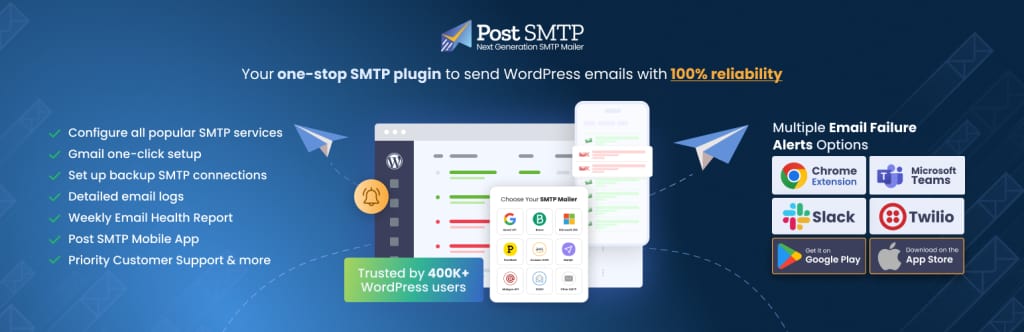
Post SMTP is a full-featured plugin with some clever extras under the hood. It offers built-in support for Gmail, SendGrid, Mailgun, and other transactional email services. You get a robust email log, fallback SMTP support if your main server goes down, and even Slack or email alerts if something breaks. It’s more technical than others, but the advanced features are worth it if you need extra reliability.
Pros:
- Detailed logs and error tracking
- Fallback SMTP servers
- Alerts via Slack or email
- REST API support
Challenges:
- Interface feels more developer-focused
- Can be overwhelming for beginners
Price: Free
4. FluentSMTP
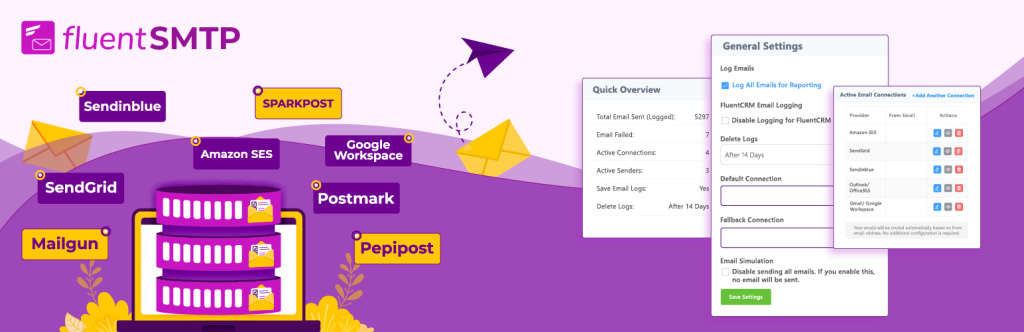
FluentSMTP is one of the newer options on this list, but it’s become a favorite among developers. It’s fast, free, and fully open-source—with no paid version or feature restrictions. It supports a wide range of providers including Amazon SES, Gmail, Outlook, and more. The UI is clean, and setup is straightforward with OAuth support for secure connections. You also get full email logs and delivery reports.
Pros:
- 100% free, no upsells
- Actively developed and well-documented
- Supports all major providers
- Modern interface and email logging
Challenges:
- No premium support available
- Still maturing compared to older plugins
Price: Free
5. Gmail SMTP

Gmail SMTP is a focused tool that helps you send emails via your Gmail or Google Workspace account. It uses OAuth 2.0 for secure, password-free authentication, which makes it a safer choice than entering SMTP credentials directly. It doesn’t support other email services, but if Gmail is all you need, this plugin does the job well.
Pros:
- Secure OAuth 2.0 authentication
- Works seamlessly with Gmail and G Suite
- Minimal configuration needed
Challenges:
- Gmail-only; no support for other SMTP providers
- No built-in logging or advanced features
Price: Free
What is SMTP?
SMTP (Simple Mail Transfer Protocol) is the standard way to send emails over the internet. Unlike the default PHP mail() function in WordPress, SMTP uses authentication and encryption to reliably deliver messages. Email providers like Google, Amazon SES, and Mailgun require SMTP or API-based sending to prevent abuse and improve deliverability.
Using SMTP makes your emails more trustworthy and less likely to end up in a spam folder.
Benefits of using a WordPress SMTP plugin
WordPress SMTP plugins solve the core problem of email deliverability. Here’s why you should use one:
- Avoid spam folders: Authenticated SMTP connections make your emails look legitimate.
- Fix email sending errors: If WordPress emails aren’t sending at all, SMTP fixes that.
- Better visibility: Many plugins include logging so you can see what’s working—and what’s not.
- Works with transactional providers: SMTP connects you to services designed for sending high-volume or secure emails.
Getting started with WordPress SMTP
If you’re having trouble with contact form notifications, WooCommerce order emails, or password reset links, an SMTP plugin is the fix.
Start by installing one of the plugins above. Then, connect it to your preferred provider using the guided setup.
Ready to upgrade your WordPress experience? Professional hosting improves speeds, security, and reliability for a website and a brand that people find engaging and trustworthy. Liquid Web’s WordPress hosting options configure business-class servers and support plans specifically for WordPress websites.
Don’t want to deal with server management and maintenance? Our fully managed hosting for WordPress is the best in the industry. Our team are not only server IT experts, but WordPress hosting experts as well. Your server couldn’t be in better hands.
Click through below to explore all of our hosting for WordPress options, or chat with a WordPress expert right now to get answers and advice.
Additional resources
What is a WordPress plugin? →
A complete beginner’s guide to WordPress plugins and how to manage them
WordPress tips: How to find slow plugins →
Identify and address slow WordPress plugins to enhance your website’s performance and user experience.
How to check if a plugin is safe →
Simple steps to evaluating a plugin before you install and activate it