

◦ Comprehensive security
◦ 24/7 support
WordPress Guide → Plugins → Media Library
7 best WordPress media library Plugins

Managing media files on WordPress can become challenging as your site grows. The right media library plugins can simplify this task. Explore the 7 best media library plugins for WordPress that can streamline your workflow, enhance website performance, and provide an intuitive way to organize media assets. These tools are designed to improve file management, making it easier to upload, edit, and display images, videos, and other media types. Discover how these essential plugins can elevate your WordPress site and simplify content management.
Get fast, reliable hosting for WordPress
Power your site with the industry’s fastest, most optimized WordPress hosting
Best media library plugins for WordPress
Having the right media library plugin is crucial for managing media on your WordPress site. With numerous options available, selecting a plugin that meets your needs and enhances your workflow is essential. Here’s an overview of key features offered by popular media library plugins:
| Plugin | Drag & Drop Uploads | Folder Management | Image Optimization | Media Cleaning |
|---|---|---|---|---|
| WP Media Folder | Yes | Yes | No | No |
| FileBird | Yes | Yes | No | No |
| Enhanced Media Library | No | Yes | No | No |
| Media Library Assistant | No | Yes | No | No |
| Imagify | No | No | Yes | No |
| Media Cleaner | No | No | No | Yes |
| Smush | No | No | Yes | No |
While each plugin has unique strengths, selecting one with robust folder management and drag-and-drop functionality can significantly enhance your site’s performance. A well-chosen media library plugin saves time and improves your website’s efficiency and user experience.
1. WP Media Folder

WP Media Folder offers a revolutionary approach to media management by allowing users to organize their files into folders. This plugin streamlines the media library, making it easier to locate and manage files. With its seamless integration with cloud services, you can effortlessly sync your media across different platforms.
Additionally, the plugin enhances your workflow by providing an intuitive user experience that caters to both beginners and advanced users. The ability to categorize media files in a structured manner enhances productivity, making it a valuable tool for anyone managing a large volume of images and videos.
Pros:
- Superior folder management
- Intuitive user experience
- Integrates seamlessly with cloud services
Challenges:
- Higher cost for premium featuresOnly works with WooCommerce
Price: Begins at $29/year
2. FileBird

FileBird revolutionizes the way users handle media files by providing a straightforward and efficient folder organization system. With its drag-and-drop functionality, users can easily rearrange their media files, making the process intuitive and enjoyable. This feature significantly reduces the time spent searching for specific files within the media library.
Moreover, FileBird is designed with user-friendliness in mind, allowing users of all experience levels to manage their media effectively. Its features cater to both casual users and professionals, ensuring that everyone can benefit from enhanced media management capabilities without a steep learning curve.
Pros:
- User-friendly folder organization
- Drag-and-drop functionality
- Effective media management
Challenges:
- Some capabilities are available only in the pro version
Price: Free version available; Pro starts at $39/year
3. Enhanced Media Library
The Enhanced Media Library plugin simplifies the categorization of media files, allowing users to create a more organized media library. With robust filtering options, users can quickly find images, videos, and other files based on various criteria. This functionality is essential for managing large libraries effectively.
In addition to its organizational capabilities, this plugin supports multiple taxonomies, enabling users to create a tailored media management experience. While some users may find the interface a bit outdated, the powerful features offered make it a worthy addition to any WordPress setup.
Pros:
- Simple categorization
- Robust filtering options
- Supports various taxonomies
Challenges:
- Some users may find the interface a bit outdated
Price: Free (premium version offered)
4. Media Library Assistant

Media Library Assistant provides an extensive set of tools for detailed media management, making it an excellent choice for users with complex media needs. The plugin supports custom fields, allowing for greater flexibility in how media items are categorized and displayed. This feature is particularly beneficial for developers and users who require a high level of customization.
While the comprehensive nature of the plugin may present a learning curve for newcomers, the depth of functionality it offers makes it a powerful asset for those willing to invest the time. Users can benefit from its highly customizable options to suit their specific media management requirements.
Pros:
- Detailed media management
- Supports custom fields
- Highly customizable
Challenges:
- May present a learning curve for newcomers
Price: Free
5. Imagify
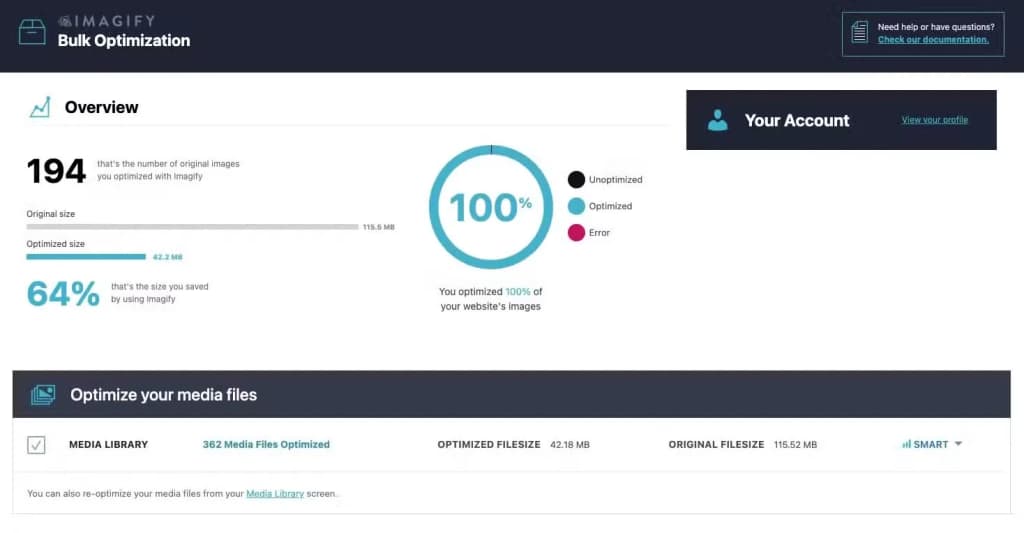
Imagify stands out as a leading image optimization tool, designed to enhance website performance by reducing image file sizes without sacrificing quality. This plugin is user-friendly, making it easy for anyone to optimize their images efficiently. With automatic image resizing, users can streamline their workflow and ensure their media is always optimized.
Although the free plan has limited features, the optimization results are impressive, often leading to faster loading times and improved SEO performance. For those looking for more advanced features, the premium version offers additional capabilities to further enhance image management.
Pros:
- Outstanding image optimization
- User-friendly
- Automatic image resizing
Challenges:
- Limited features in the free plan
Price: Free (premium version offered)
6. Media Cleaner

Media Cleaner is an essential tool for those looking to declutter their media library by removing unused files. This plugin effectively identifies and eliminates unnecessary media, helping maintain an organized and efficient library. It supports various media types, ensuring comprehensive cleaning across all file formats.
However, users should exercise caution when using this plugin, as it requires careful selection to prevent unintentional deletions. With proper use, Media Cleaner can enhance website performance by reducing clutter and improving load times.
Pros:
- Effective media cleaning
- Eliminates unused files
- Accommodates various media types
Challenges:
- Requires caution to prevent unintentional deletions
Price: Free (premium version offered)
7. Smush
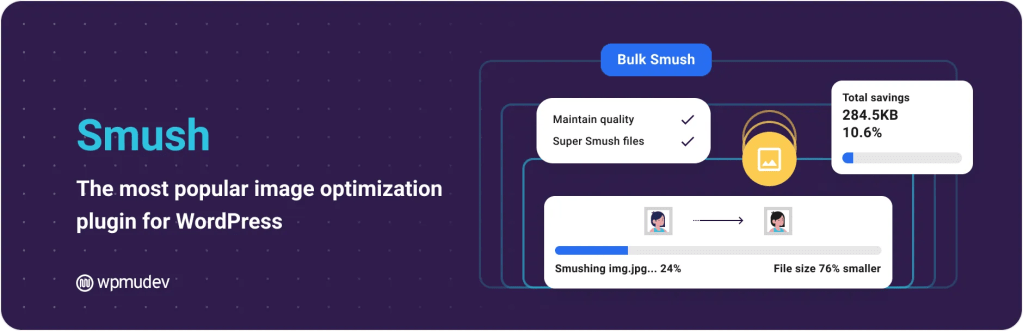
Smush is a robust image compression plugin that specializes in optimizing images for faster loading times. It offers powerful bulk optimization capabilities, allowing users to compress multiple images at once, which is a significant time-saver for websites with extensive media libraries. The integration with WordPress is seamless, making it easy to implement.
While the free version provides substantial benefits, some advanced features, such as lazy loading and enhanced compression, are only available in the pro version. Nevertheless, Smush remains a popular choice for users looking to improve their website’s performance through effective image optimization.
Pros:
- Powerful image compression
- Bulk optimization
- Integrates smoothly with WordPress
Challenges:
- Some advanced features are accessible only in the pro version
Price: Free (premium version offered)
Benefits of using a media library plugin
Utilizing a media library plugin can greatly enhance content management and website performance. Key benefits include:
- Improved Organization: Categorize and tag media files for easy retrieval, saving time and maintaining a clutter-free workspace.
- Enhanced Functionality: Features like bulk uploading, drag-and-drop capabilities, and advanced search options streamline workflow and simplify managing large media volumes.
- Optimized Performance: Image and media file optimization improve website loading speeds, crucial for maintaining user engagement and SEO rankings.
- Seamless Integration: Many plugins integrate with other WordPress tools and themes, providing a cohesive user experience.
How to choose
Selecting the right media library plugin is essential for effective digital asset management. Key considerations include:
- Functionality: Identify needed features, such as bulk upload, automatic image resizing, and handling various file formats, to enhance workflow and streamline content management.
- Compatibility: Ensure the plugin works with your current theme and other plugins to prevent conflicts and maintain performance.
- User Interface: Choose a plugin with an intuitive and user-friendly interface to save time and reduce frustration.
- Support and Updates: Opt for plugins that offer regular updates and responsive customer support to address any issues.
- Performance: Consider the plugin’s impact on site speed. A lightweight plugin can significantly improve loading times, essential for user experience and SEO.
Next steps for getting a media library plugin for WordPress
To acquire a media library plugin, start by identifying your specific needs. Consider the features most important for your site, such as seamless integration with existing themes or superior image management tools. Once you’ve pinpointed your requirements, explore the curated selection of media library plugins available. These offerings are designed with user-friendliness and performance in mind, ensuring a smooth experience for both you and your visitors.
From there, easily install your chosen plugin and begin leveraging its capabilities to enhance your WordPress site. With top-notch support available, you can rest assured that you’re making a wise investment in your website’s future.
Ready to upgrade your WordPress experience? Professional hosting improves speeds, security, and reliability for a website and a brand that people find engaging and trustworthy. Liquid Web’s WordPress hosting options configure business-class servers and support plans specifically for WordPress websites.
Don’t want to deal with server management and maintenance? Our fully managed hosting for WordPress is the best in the industry. Our team are not only server IT experts, but WordPress hosting experts as well. Your server couldn’t be in better hands.
Click through below to explore all of our hosting for WordPress options, or chat with a WordPress expert right now to get answers and advice.
Additional resources
What is a WordPress plugin? →
A complete beginner’s guide to WordPress plugins and how to manage them
7 best WordPress slider plugins →
Discover the best slider plugins for WordPress to create engaging and dynamic image displays.
How to check if a plugin is safe →
Simple steps to evaluating a plugin before you install and activate it