

◦ Comprehensive security
◦ 24/7 support
WordPress Guide → Plugins → Audio
Best firewall plugin for WordPress: Top 7

As we advance into 2025, safeguarding your WordPress site is increasingly vital. With cyber threats continuously changing, a dependable firewall plugin is essential for any WordPress security strategy. The ideal firewall plugin not only shields your site from harmful attacks but also enhances performance. In this overview, we will explore the leading firewall plugins for WordPress in 2025, highlighting their distinct features and why they are crucial for protecting your online presence. Whether you operate a small business, manage a blog, or run an eCommerce site, selecting the right firewall plugin is key to maintaining your site’s integrity and reliability.
Get fast, reliable hosting for WordPress
Power your site with the industry’s fastest, most optimized WordPress hosting
Protecting your WordPress site has never been more urgent. Firewalls are instrumental in defending your website from malicious attacks, unauthorized access, and data breaches. By serving as a barrier between your site and potential threats, firewalls greatly improve your website’s security, allowing you to concentrate on your content and business with peace of mind.
When choosing the top firewall plugins for WordPress in 2025, several options stand out due to their features and reliability. Below is a comparison of seven notable firewall plugins, showcasing their key attributes to help you make an informed choice.
| Plugin | Real-time Threat Detection | Firewall Protection | Malware Scanning | Brute Force Protection | Performance Optimization |
|---|---|---|---|---|---|
| MalCare | Yes | Yes | Daily | Yes | Yes |
| Wordfence Security | Yes | Yes | Daily | Yes | Yes |
| Sucuri Security | Yes | Yes | Daily | Yes | No |
| All-In-One Security (AIOS) | Yes | Yes | Weekly | Yes | No |
| NinjaFirewall (WP Edition) | Yes | Yes | Daily | Yes | No |
| iThemes Security Pro | Yes | Yes | Daily | Yes | No |
| Jetpack Security | Yes | Yes | Daily | Yes | Yes |
Choosing the appropriate firewall plugin can profoundly affect your site’s security and overall performance. Each of the options listed above presents a unique combination of features, ensuring you can find the ideal fit for your WordPress site.
Ensuring your WordPress site is secure has never been more crucial, and selecting the right firewall plugin can significantly impact your site’s safety. Here are some of the best firewall plugins for WordPress in 2025 that can effectively help you protect your website.
MalCare
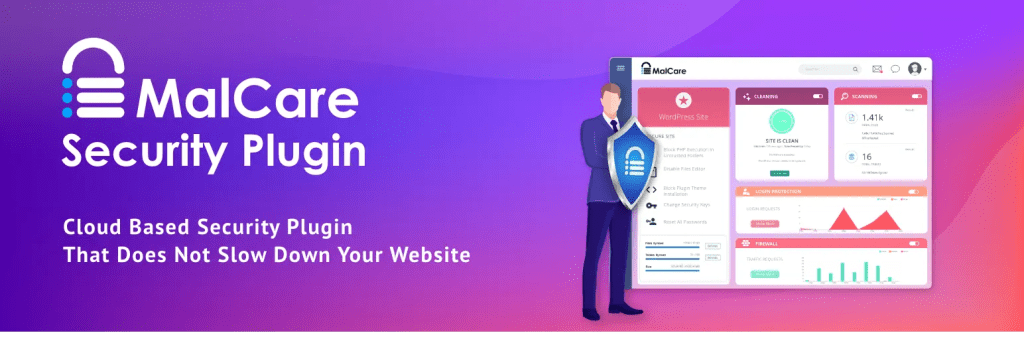
MalCare is a comprehensive security solution designed specifically for WordPress websites, offering a multifaceted defense strategy to protect your online assets. It features a sophisticated firewall that actively blocks harmful traffic, a thorough malware scanning system that identifies vulnerabilities, and a highly efficient one-click malware removal tool that simplifies the cleanup process. With a cloud-based infrastructure, MalCare not only boosts your website’s security but also maintains performance levels, ensuring quick load times without compromising on safety. The user interface is thoughtfully designed to prioritize user experience, making it approachable for beginners while providing advanced options for experienced developers.
Strengths:
- Provides a comprehensive suite of security features that effectively tackle various online threats, ensuring robust protection.
- Utilizes cloud-based performance optimization to minimize potential impacts on site speed, allowing for a seamless user experience.
- Designed with an intuitive, user-friendly interface that simplifies navigation, making it accessible for users of all skill levels.
Challenges:
- The advanced features may require additional configuration and understanding to fully utilize their capabilities.
- The pricing structure may exceed that of basic security alternatives available on the market, which could be a consideration for some.
Pricing: Begins at $99 per year for a single site, offering substantial value given the robust security features included.
Wordfence Security

Wordfence Security is regarded as one of the top plugins in the WordPress security field, providing a thorough array of features designed to protect websites from a wide range of threats. With its built-in firewall that blocks harmful traffic, a comprehensive malware scanner that regularly checks for vulnerabilities, and enhanced login security measures, Wordfence allows for real-time threat intelligence. Detailed activity logs enable users to track and analyze potential vulnerabilities, creating a well-monitored environment that not only secures but also educates the user about their site’s security status.
Strengths:
- Offers real-time threat detection, enabling users to take immediate action against potential attacks, enhancing overall site safety.
- Includes detailed activity logging that provides users visibility into user actions and uncovers potential security weaknesses.
- Regular updates and dedicated support ensure that the plugin adapts and evolves in response to new and emerging security threats.
Challenges:
- Can be resource-intensive, especially in shared hosting environments, which may lead to performance issues if not managed properly.
- Some advanced features are limited in the free version, necessitating an upgrade to unlock the full suite of protections.
Pricing: A free version is available; however, the premium version starts at $99 per year, offering enhanced features and dedicated support.
Sucuri Security
Sucuri Security sets itself apart with its advanced firewall capabilities and comprehensive website monitoring features. This plugin is designed to deliver real-time threat detection and remediation, ensuring continuous protection from a wide variety of cyber threats. In addition to its security features, Sucuri includes optimization tools that enhance website performance, making it an attractive choice for users who want to ensure their online presence is both secure and fast. Its proactive approach to security helps mitigate risks before they escalate into significant issues.
Strengths:
- Robust firewall and monitoring systems work together to provide a formidable defense against numerous threats, effectively safeguarding your website.
- Incorporates performance optimization capabilities that not only enhance site speed but also maintain strict security measures.
- Offers continuous 24/7 security monitoring, ensuring that any potential threats are promptly detected and addressed before causing harm.
Challenges:
- The setup process may be more intricate compared to other plugins, requiring some technical knowledge to navigate effectively.
- Pricing may be on the higher side compared to some competitors, which could deter users with limited budgets.
Pricing: Plans start at $199.99 per year, reflecting the extensive range of security features provided.
All-In-One Security (AIOS)

All-In-One Security (AIOS) delivers a comprehensive set of security features tailored specifically for WordPress users. This plugin incorporates essential elements such as firewall protection, user activity logging, and vulnerability scanning to effectively safeguard your site from various threats. AIOS emphasizes user-friendliness, ensuring that even those new to website security can navigate its features with ease. Its straightforward design makes it an excellent choice for users seeking a reliable and accessible security solution.
Strengths:
- Offers a full suite of security features that address a wide range of potential threats, ensuring comprehensive protection for WordPress sites.
- Designed with beginners in mind, providing a straightforward approach that simplifies the complexities of website security.
- Active community support is available, providing users with resources and assistance to enhance their security knowledge.
Challenges:
- Advanced users may find that the plugin offers limited options for customization and advanced features that they seek.
- Users may need to add additional plugins to achieve full functionality, which could complicate the overall setup process.
Pricing: A free version is available; the premium version starts at $59 per year, making it an accessible option for users focused on security.
NinjaFirewall (WP Edition)

NinjaFirewall (WP Edition) is a sophisticated web application firewall that operates at the server level, adding an extra layer of protection against various types of attacks. Its advanced filtering capabilities allow for granular control over incoming traffic, significantly enhancing your website’s overall security posture. This plugin is particularly beneficial for users seeking a powerful security solution that offers extensive customization options, enabling them to tailor their security settings to meet their specific needs.
Strengths:
- Delivers server-level protection, which is often more effective than many plugin-based firewalls, providing a robust defense against threats.
- Includes advanced filtering options that offer precise control over traffic and security configurations, catering to advanced users.
- Proven effectiveness against various attack types ensures a comprehensive and well-rounded security strategy.
Challenges:
- Optimal configuration requires a certain level of technical knowledge, which may pose a barrier for some less experienced users.
- There is potential for conflicts with certain hosting environments, which could lead to compatibility issues that need to be addressed.
Pricing: Begins at $49 for a single site license, offering a cost-effective solution for enhanced website security.
iThemes Security Pro

iThemes Security Pro seamlessly integrates a powerful firewall with a variety of additional security features, including two-factor authentication and strong password enforcement. This plugin serves as a holistic security solution for WordPress sites, providing a high level of protection while maintaining user-friendliness. The combination of features offered by iThemes Security Pro makes it a popular choice among users seeking comprehensive security solutions without sacrificing ease of use.
Strengths:
- Incorporates multiple layers of security, ensuring extensive protection against various potential threats to your website.
- Features a user-friendly interface that simplifies the management of security settings, making it accessible for users of all experience levels.
- Regular updates and enhancements keep the plugin effective and responsive to emerging security threats, ensuring ongoing protection.
Challenges:
- Premium features are restricted behind a paywall, which may limit access to advanced functionalities that some users desire.
- Some features may overlap with those of other plugins, leading to potential redundancy in security measures that users may need to manage.
Pricing: Starts at $80 per year for a single site, representing a valuable investment in robust website security.
Jetpack Security

Jetpack Security functions as an all-encompassing plugin that integrates a wide range of features, including site backups, spam protection, and a robust firewall. Its seamless integration with WordPress makes it an appealing option for users seeking a comprehensive security solution that is easy to implement and manage. Jetpack Security not only protects your site but also offers additional functionalities that enhance overall site management, ensuring that users adopt a holistic approach to their website’s safety.
Strengths:
- Provides all-in-one functionality, allowing users to manage multiple aspects of site security from a single interface, simplifying the management process.
- Easy integration with WordPress reduces the complexity involved in setting up and maintaining security measures, making it accessible for all users.
- Regular backups and timely updates ensure that your site remains safeguarded and up-to-date with the latest security measures.
Challenges:
- Some features require a paid plan, which may be a consideration for users who are budget-conscious and seeking free options.
- The extensive range of features available can be overwhelming for new users, potentially complicating the initial setup and configuration.
Pricing: A free version is available; premium plans start at $39 per year, providing a variety of features tailored to different security needs.
Selecting the ideal firewall plugin for WordPress
When choosing the best firewall plugin for your WordPress site, several key considerations can ensure optimal protection and performance.
First, evaluate the plugin’s features. Look for essential functionalities such as real-time monitoring, malware scanning, and the ability to block malicious traffic. A robust firewall should offer comprehensive protection without compromising the speed of your website.
Next, consider ease of use. The best firewall plugins provide an intuitive interface that simplifies configuration and management. Look for plugins that offer user-friendly dashboards, detailed reports, and straightforward setup processes, allowing you to focus on your content rather than technical details.
Another important factor is compatibility with your existing WordPress setup. Ensure that the firewall plugin you select integrates seamlessly with your current themes and other plugins. This will help prevent conflicts and maintain site stability.
Additionally, support and updates are crucial. Opt for a firewall plugin that is regularly updated to respond to the ever-evolving landscape of online threats. Reliable customer support will also be beneficial when you encounter issues or have questions about your site’s security.
Finally, consider scalability. As your website grows, so should your firewall’s capabilities. Choose a plugin that can adapt to increased traffic and new security challenges as they arise, ensuring that your site remains protected in the long term.
Our solutions offer some of the top firewall plugins tailored specifically for WordPress users, designed to provide unparalleled security while enhancing your site’s performance.
Enhance your WordPress hosting
When it comes to securing your WordPress site, having the best firewall plugins is crucial, but it’s equally important to pair them with a robust hosting solution. We understand that your website’s performance and security can significantly impact your online presence. That’s why we offer fully managed WordPress hosting that not only supports your chosen firewall plugins but also comes with built-in security features designed to protect your site from threats. Our hosting platform is optimized for speed and reliability, ensuring that your WordPress site runs smoothly, even under heavy traffic.
Ready to take the training wheels off your WordPress site? Upgrade to professional hosting and see how better speeds, security, and reliability provide a foundation for a website and a brand that people find engaging and trustworthy. Liquid Web’s WordPress hosting options configure business-class servers and support plans specifically for WordPress websites.
Liquid Web has been leading the industry in WordPress hosting for decades. And if you select managed WordPress hosting, our team of experts will manage server IT for you — so you can focus on growing your brand.
Click below to explore options or start a chat with one of our WordPress hosting experts now to get answers to your questions and further guidance.
Additional resources
What is a WordPress plugin? →
A complete beginner’s guide to WordPress plugins and how to manage them
9 best performance plugins for WordPress →
Your WordPress site should load in three seconds or less.
How to check if a plugin is safe →
Simple steps to evaluating a plugin before you install and activate it