

◦ Comprehensive security
◦ 24/7 support
WordPress Guide → Plugins → Translation
9 best WordPress translation plugins

Your website shouldn’t speak just one language. With the right WordPress translation plugin, you can go global, reach new audiences, and boost traffic—without touching a single line of code.
Here are our top nine.
Get fast, reliable hosting for WordPress
Power your site with the industry’s fastest, most optimized WordPress hosting
WordPress translation plugin comparison
| Plugin | Manual Translation | Automatic Translation | SEO Support | WooCommerce Support | Free Version | Starting Price |
|---|---|---|---|---|---|---|
| TranslatePress | ✅ | ✅ (Google/DeepL) | ✅ | ✅ | ✅ | €7.99/month |
| WPML | ✅ | ✅ (via add-ons) | ✅ | ✅ | ❌ | $39/year |
| Weglot | ✅ (via dashboard) | ✅ (auto detection) | ✅ | ✅ | ✅ (2k words) | €15/month |
| Polylang | ✅ | ✅ (via Lingotek) | ✅ | ✅ (Pro add-on) | ✅ | €99/year |
| GTranslate | ✅ (limited) | ✅ (Google Translate) | ✅ (Pro) | ✅ (Pro) | ✅ | $9.99/month |
| Loco Translate | ✅ (themes/plugins) | ✅ (API add-ons) | ❌ | ❌ | ✅ | Free |
| Multilanguage | ✅ | ❌ | ✅ (basic) | ✅ (limited) | ✅ | Free |
| WPGlobus | ✅ | ❌ | ✅ (add-on only) | ✅ (with add-ons) | ✅ | Free |
| ConveyThis | ✅ (via dashboard) | ✅ (100+ languages) | ✅ | ✅ | ✅ (2,500 words) | $9/month |
1. TranslatePress

TranslatePress is one of the most popular translation plugins because it’s designed for ease of use. Instead of working in the backend, it lets you translate directly from the front end using a visual editor. You can click on any text, image, or element and instantly add translations.
It supports both manual translations and automatic translations via Google Translate or DeepL. Unlike many plugins, TranslatePress stores translations locally in your database, so you remain in full control of your content.
The interface is intuitive, making it beginner-friendly while still offering flexibility for advanced users.
Key features:
- Front-end visual translation editor
- Integration with Google Translate and DeepL
- Works with WooCommerce and popular page builders
- SEO-friendly with multilingual sitemaps
Best for: Site owners who want an easy, front-end way to manage translations.
Starting at: Free; premium plans from €7.99/month.
2. WPML
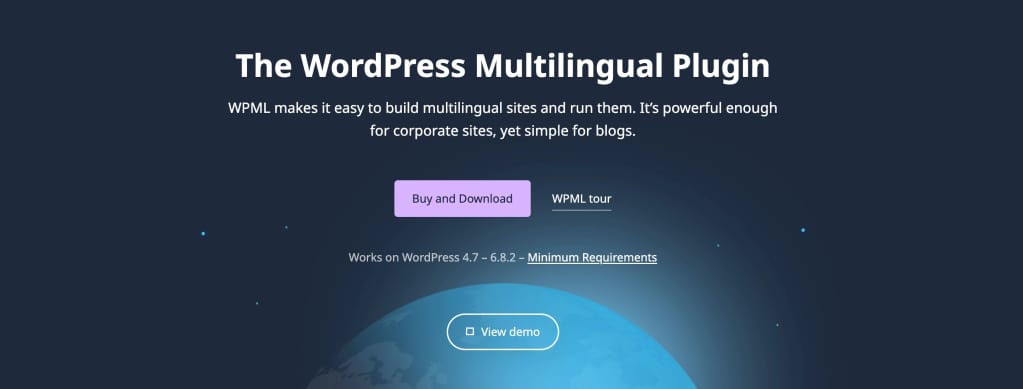
WPML (WordPress Multilingual Plugin) has been around for years and is widely used on professional and enterprise-level websites. It’s known for its flexibility and integration options, because WPML allows you to translate posts, pages, taxonomies, menus, and even theme strings.
Unlike plugins that rely heavily on automated translations, WPML focuses on building a structured multilingual system. It supports translation management workflows, so you can assign translation tasks to different users or professional services.
It’s especially strong for large sites that require robust organization.
Key features:
- Full translation management system
- Compatible with WooCommerce for multilingual stores
- Integration with professional translation services
- Advanced SEO support for multiple languages
Best for: Large or complex websites that need structured multilingual management.
Starting at: $39/year.
3. Weglot

Weglot is a cloud-based translation solution that integrates seamlessly with WordPress. Once installed, it automatically detects your site’s content and translates it into your chosen languages. You can edit translations directly through the Weglot dashboard, which lives outside of WordPress.
It’s designed for simplicity, offering a quick setup process that requires no coding. Since Weglot handles translations on its servers, it doesn’t bloat your WordPress database. However, because it’s a SaaS product, pricing depends on word count and languages.
Key features:
- Automatic detection and translation of content
- Cloud-based management dashboard
- Manual editing and professional translation options
- SEO-optimized for multilingual search rankings
Best for: Businesses that want a quick, SaaS-based translation solution with minimal setup.
Starting at: Free for up to 2,000 words; paid plans from €15/month.
4. Polylang

Polylang is a well-known free translation plugin that gives you control over manual translations. You can assign different languages to posts, pages, media, categories, and tags. It’s lightweight, which makes it ideal for site owners who don’t want unnecessary features.
While Polylang itself doesn’t include automatic translation, it can integrate with Lingotek for that functionality. It’s flexible and works well with most themes and plugins, including WooCommerce, though you may need the paid Polylang Pro version for advanced support.
Key features:
- Assign languages to posts, categories, menus, and widgets
- Manual translation focus with Lingotek integration
- Works with WooCommerce (with Polylang for WooCommerce add-on)
- SEO-friendly with customizable URLs per language
Best for: Site owners looking for a free, manual translation plugin with solid core features.
Starting at: Free; Polylang Pro from €99/year.
5. GTranslate

GTranslate connects your WordPress site with Google Translate to provide automatic translations into more than 100 languages. The free version uses Google’s automatic translations, while the paid version lets you edit translations manually for better accuracy.
It’s a popular choice for beginners because it’s easy to set up and lightweight. GTranslate adds a language switcher to your site so visitors can choose their preferred language. While automatic translations may not always be perfect, it offers a fast way to make your site multilingual.
Key features:
- Uses Google Translate for automatic translations
- Supports over 100 languages
- Language switcher widget
- Paid version offers manual editing and SEO support
Best for: Beginners who want quick, automatic translations without much setup.
Starting at: Free; Pro plans from $9.99/month.
6. Loco Translate

Loco Translate focuses on translating WordPress themes and plugins rather than full site content. It lets you translate directly in your WordPress dashboard using a built-in editor. Developers and site owners often use it to customize plugin or theme language files.
Unlike some plugins, Loco Translate doesn’t handle page or post translations for multilingual sites. Instead, it’s best used for fine-tuning site wording or localizing plugins that weren’t originally in your language.
Key features:
- In-dashboard translation editor
- PO and MO file editing
- Integration with machine translation APIs
- Useful for translating plugins and themes
Best for: Developers or site owners who want to translate plugin and theme text strings.
Starting at: Free; premium add-ons available.
7. Multilanguage

The Multilanguage plugin offers a straightforward approach to building a multilingual WordPress site. It allows you to translate posts, pages, menus, and widgets into multiple languages. The plugin includes a simple language switcher that you can place in menus or widgets.
It doesn’t have as many advanced features as WPML or TranslatePress, but it’s lightweight and simple enough for small sites. If you want a no-frills solution that focuses on manual translations, this plugin does the job.
Key features:
- Translate posts, pages, categories, and widgets
- Easy-to-use language switcher
- Customizable per-language menus
- Lightweight and simple setup
Best for: Small websites that need a lightweight manual translation option.
Starting at: Free.
8. WPGlobus

WPGlobus provides multilingual capabilities for WordPress by letting you enter translations directly into your posts and pages. Instead of managing separate versions, it stores translations in the same content field and displays the correct language to visitors.
The plugin is simple to use but may require more manual work compared to automatic translation solutions. It works with WooCommerce, themes, and page builders, though advanced features are available through paid add-ons.
Key features:
- Manual translation for posts and pages
- WooCommerce compatibility
- Simple interface with language switcher
- Paid extensions for SEO and multilingual URLs
Best for: Site owners who prefer manual translations and want a simple approach.
Starting at: Free; paid add-ons available.
9. ConveyThis

ConveyThis is a cloud-based translation service similar to Weglot. It automatically detects and translates your content into more than 100 languages. You can customize translations through its external dashboard and choose between machine translation, manual editing, or professional services.
Its setup is fast, requiring no coding, and it supports WooCommerce and other major plugins. ConveyThis also offers SEO optimization for multilingual sites, making it attractive for businesses looking to improve global reach.
Key features:
- Automatic translation with manual editing options
- Supports over 100 languages
- External dashboard for managing translations
- SEO-friendly with multilingual sitemaps
Best for: Businesses that want a managed, SaaS-based translation service with scalability.
Starting at: Free for one language and up to 2,500 words; paid plans from $9/month.
What to look for in a translation plugin and how to choose
The best translation plugin depends on your site’s size, goals, and budget. Here are a few key things to consider:
- Ease of use: Beginners may prefer visual editors like TranslatePress or automatic tools like Weglot.
- Type of translation: Decide whether you want automatic translations, manual control, or a mix.
- SEO support: Look for plugins that create multilingual sitemaps and let you customize URLs.
- WooCommerce compatibility: If you run an ecommerce store, make sure the plugin supports product translations.
- Cost: Some plugins are free, but SaaS-based solutions often charge based on word count and languages.
WordPress translation plugin FAQs
Next steps for WordPress translation plugins
Translation plugins can help your site reach a global audience, improve SEO visibility, and connect with users in their preferred language. Choosing the right one depends on your goals, technical comfort, and budget.
If you’re just starting, try a free option like TranslatePress or Polylang. For more advanced setups, SaaS solutions like Weglot or structured systems like WPML may be better.
Ready to upgrade your WordPress experience? Professional hosting improves speeds, security, and reliability for a website and a brand that people find engaging and trustworthy. Liquid Web’s WordPress hosting options configure business-class servers and support plans specifically for WordPress websites.
And if you don’t want to deal with server management and maintenance, our fully managed hosting for WordPress is the best in the industry. Our team are not only server IT experts, but WordPress hosting experts as well. Your server couldn’t be in better hands.
Click below to explore options or start a chat with one of our WordPress hosting experts now to get answers to your questions and further guidance.
Additional resources
What is a WordPress plugin? →
A complete beginner’s guide to WordPress plugins and how to manage them
Premium WordPress plugins by StellarWP →
StellarWP is Liquid Web’s home for premium WordPress plugins. StellarWP encompasses some of the most popular and trusted plugin brands, including The Events Calendar, SolidWP, GiveWP, and Kadence WP.
How to check if a plugin is safe →
Simple steps to evaluating a plugin before you install and activate it