

◦ Comprehensive security
◦ 24/7 support
WordPress Guide → Plugins → Best Marketing
The 14 best WordPress marketing plugins that every website needs (all industries)

As a savvy business owner and WordPress user, you understand that using the right tools isn’t just advantageous — it’s essential. And with over 60,000 WordPress plugins available to download, you won’t have to worry about a shortage of tools.
But the problem becomes: how do you choose the best marketing plugins for WordPress?
Keep reading to find the best WordPress plugins for your setup.
Get fast, reliable hosting for WordPress
Power your site with the industry’s fastest, most optimized WordPress hosting
What are WordPress plugins?
WordPress plugins are custom software created by WordPress developers, used to modify your website in beneficial ways. Plugins can automate tasks like online order fulfillment, install ads, and track data analytics, making those things easier for the WordPress site owner.
Not all plugins are created equal, but WordPress marketing plugins are especially helpful if you run a blog, ecommerce website, or affiliate website. Let’s explore why they can be essential for decision-making, analytics, and general insights.
How WordPress marketing plugins can guide decisions
As grand as WordPress is, it can’t do everything. Plugins help cover the tasks needing help that the platform can’t offer. Think of them as the cherry on top of the cake.
For one, plugins help automate and centralize your marketing tasks like analytics, email marketing, and search engine optimization (SEO) research. Plus, they can help improve your user experience. Some plugins offer specially designed call-to-action buttons, custom animations, or chatbots to help your sales process.
Next, WordPress plugins integrate with each other. If you use an email marketing service and Google Analytics, you can download the respective WordPress plugins to view data simultaneously.
If you can think of a special feature on a popular website, there’s probably a WordPress plugin created around it.
The top 17 marketing WordPress plugins
We’ve curated this list of the 17 best marketing plugins for WordPress and divided it into multiple categories:
- SEO
- Email marketing
- Content marketing
- Ecommerce
- Lead generation
- Performance tracking
- Marketing automation
SEO plugins
WordPress SEO plugins help you find gaps in your content, potential technical errors, and keyword ideas to implement.
1. Yoast SEO

If you’re looking for an all-in-one plugin for on-page SEO, Yoast’s features will help your website. Yoast helps you create better content by analyzing posts and pages, providing scores on readability, telling you how likely your content is to rank, and offering tips to improve.
Additionally, the plugin helps you handle technical SEO issues like sitemaps, robots.txt, and URL structures. Technical SEO helps search engines crawl your website, allowing them to understand what your content’s about and where to rank it.
Whether you’re a seasoned SEO professional or just starting out, Yoast will help improve your website’s rankings in relevant search engine result pages (SERPs).
2. Semrush SEO Writing Assistant

Like Yoast, Semrush is a comprehensive SEO tool for keyword research, competitive analysis, content ideation, and more. If you’re familiar with Semrush, it’s an excellent tool to integrate into your WordPress website.
From the standard Semrush portal, you can do competitive research and identify keyword difficulty. But with the Semrush SEO Writing Assistant WordPress plugin, you use a tool that analyzes and rewrites existing content to improve the chances of ranking higher on relevant SERPs.
While Semrush may not be the best tool for beginners just learning SEO, it has the resources and features needed to learn. But SEO experts would benefit the most from this plugin.
3. All in One SEO
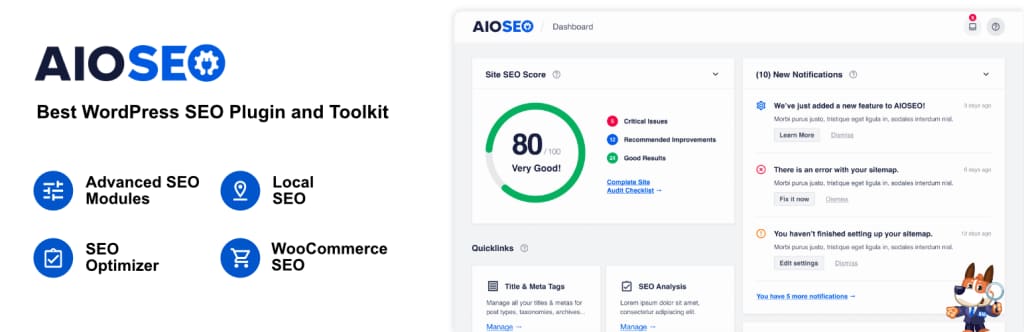
As the name suggests, the All in One SEO Pack plugin works for all skill levels and offers nearly every SEO feature you need. For example, experienced coders can edit the source code in the plugin.
And for nontechnical users, you can receive personalized audits about your website with steps to alleviate the problems. All in One SEO covers features such as:
- Meta tag generation and optimization
- XML sitemap support
- Google Accelerated Mobile Pages (AMP)
- Schema markup
The plugin is user-friendly, making it ideal for SEO beginners looking to improve their website rankings without diving into the weeds. Plus, it offers advanced features when you’re ready to move up the ladder.
See more: SEO plugins for WordPress →
Email marketing plugins
Email marketing plugins offer pop-ups and sign-up forms that collect email addresses, build a list, and send emails to help you grow a community.
4. MC4WP: Mailchimp for WordPress

Mailchimp is a name that echoes across the email marketing industry. And the Mailchimp for WordPress plugin extends its affordable, practical plans to your WordPress website. If you want to build an email list with ease and engage your audience, Mailchimp is an excellent choice.
Mailchimp for WordPress integrates with other plugins like WooCommerce and Contact Form 7, enhancing its functionality. And making custom, attractive opt-in forms is easy too.
Mailchimp provides a simple platform that helps you send automated emails, create campaigns, and make segments within your audience. It’s a versatile email marketing tool that will suit your needs from start to finish.
5. OptinMonster
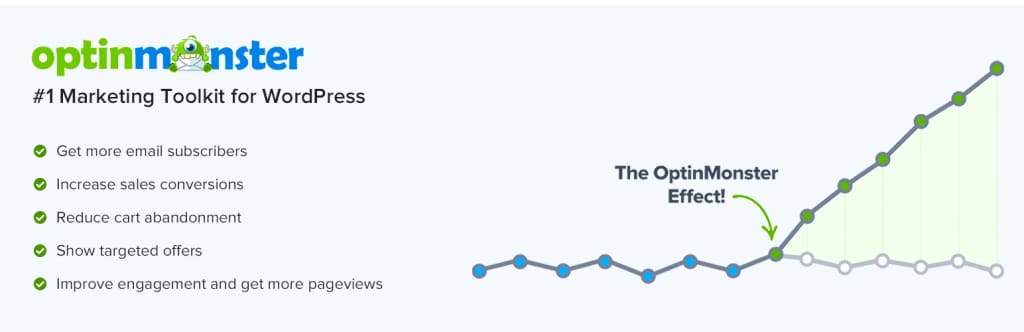
Looking to grow your email list and convert more visitors? OptinMonster is your ideal tool. This powerful lead generation plugin offers features designed to increase your conversion rate of website visitors into subscribers and customers.
With OptinMonster, you can create pop-ups and opt-in forms not found anywhere else. Its drag-and-drop builder makes designing easy. Plus, you can choose from pre-made templates and build from there.
But what makes OptinMonster unique is its ability to segment your audience. For example, let’s say someone on your email list returns to your store’s website, and they’ve already purchased. Rather than a pop-up to subscribe to your email newsletter, you could offer a discount for the next three hours to buy a specific product.
These advanced analytics and personalization tools make OptinMonster a must-have plugin for WordPress blogs and ecommerce stores.
See more: Best WordPress contact form plugins →
Performance tracking plugins
Performance tracking plugins help you understand your audience, measure engagement, and guide A/B testing.
6. MonsterInsights
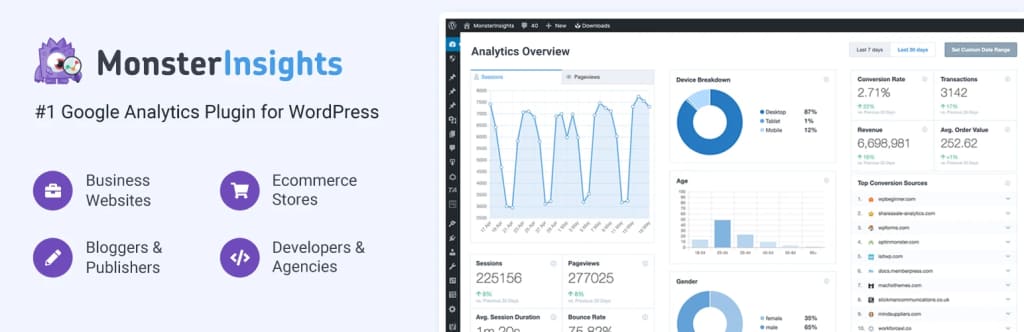
If you already use Google Analytics to track your website data, MonsterInsights will be your best friend. It fully integrates and allows you to view data on your WordPress dashboard.
With MonsterInsights, you can view real-time stats, track user behavior, and get enhanced ecommerce tracking if you use WooCommerce. Not to mention, the dashboard is a simplified report and representation of what you need to know. It’s not a blurb of useless information.
If you need help making informed decisions based on your analytics dashboard, MonsterInsights is one of the best plugins in the game.
7. JetPack

Not only does Jetpack provide detailed information about your website’s traffic and performance, but it also helps improve your website’s security and performance, which, in turn, can improve your SEO rankings.
Jetpack’s analytics dashboard will tell you which pages are most popular, how people found your website, and where your visitors are from. Understanding your audience empowers you to improve your messaging and personalize marketing.
Lastly, Jetpack also provides features like automated social media posting, spam protection, downtime monitoring, and SEO tools. Because too many WordPress plugins can slow your website, it might be a good idea to download one with multiple features to keep your website running fast.
Marketing automation plugins
Marketing automation plugins let you set up tasks that will execute based on a specific action. For example, if someone opts into your email list, the plugin will automatically send a set of pre-written emails.
8. HubSpot
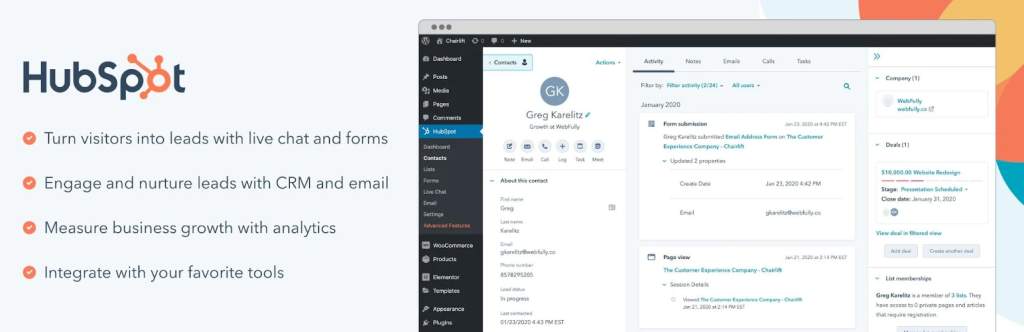
HubSpot’s free plugin does more than just marketing automation. It’s a full-scale customer relationship management (CRM) system. You can use it to manage email contacts, track customer interactions, and deliver personalized content.
You can expect features like email marketing, live chat, form builders, and analytics. While it has plenty to offer, the automation makes HubSpot stand out and take this spot on the list. For example, you can create workflows that automatically send emails when a user downloads a PDF.
HubSpot is the go-to CRM platform for B2B companies and blogs. If you want one of the best automation plugins available, HubSpot’s plugin is an excellent choice.
Social media plugins
Social media plugins allow you to create widgets that make website content easily shareable on various social media platforms.
9. Revive Social

Revive Social does exactly as the name suggests. It’s a tool that leverages your past content to other channels for more reach. Nearly all major social media platforms are included, such as Facebook, Twitter, and LinkedIn.
You can schedule post sharing at specific intervals and even add automatic hashtags for better reach. For businesses with a large backlog of content, Revive Old Post can be an excellent way to get fresh eyes on your content so it doesn’t get buried.
See more: Best WordPress community plugins →
Content marketing
Content marketing plugins help your content stay organized and on track, empowering you to be efficient with your time.
10. Editorial Calendar

Like many of the plugins on this list, the main purpose of the Editorial Calendar plugin is to centralize and automate your marketing efforts. It’s a dashboard where you can schedule plans for posts, manage drafts, and edit titles and publishing times.
Often, sticking to a consistent posting schedule gets left behind to other priorities. When you plan it all out in advance, it’s much easier to stick with and be consistent in the long run. It’s an ideal tool for solo bloggers, multi-author blogs, and content teams in businesses of all sizes.
See more: Best WordPress content plugins for editing blocks →
Ecommerce plugins
Ecommerce plugins integrate order fulfillment, data analytics, and payment processing to automate customer orders — making it easy to scale your business.
11. WooCommerce

WooCommerce is the most popular ecommerce WordPress plugin because it’s custom-made for the platform. The premise of WooCommerce is to turn any website into a full-fledged ecommerce store using automation.
From product pages to checkout flows, WooCommerce supports all standard ecommerce features. It’s highly customizable, with hundreds of free and paid add-ons for logistics, payment processing, taxes, and more. Plus, you can integrate Meta (formerly Facebook) Pixel and other tracking software for better analytics.
If you have an ecommerce store, WooCommerce is a must for its ease of use and popularity. You’ll also want to look into web hosting for WooCommerce, to take advantage of hosting services specially designed for the challenges and needs of online stores.
12. Easy Digital Downloads

Primarily designed for digital products, Easy Digital Downloads (EDD) is a lightweight, feature-rich ecommerce plugin. Whether you sell ebooks or video courses, EDD helps bring your brand together.
EDD allows you to track downloads, access customer data, and accept multiple payment options. It also supports discount codes, customizable purchase receipts, data reporting, and more. If you want a hassle-free way to sell your digital products, EDD is the way to go.
See more: Best WordPress ecommerce plugins →
Lead generation plugins
Lead generation plugs assist with converting visitors into warm leads, often through landing pages and email capture forms.
13. WPForms

WPForms keeps it simple. Its drag-and-drop builder allows you to create stylish, responsive forms within minutes. And the plugin isn’t limited to email capture forms. You can create contact forms, surveys, or subscription forms to engage with your visitors.
WPForms also offers other features like email notifications, multi-page forms, templates, and conditional logic. For instance, you could have a form that asks for a user’s industry. Based on their response, the next question asking about their job title would show different options.
Lastly, WPForms integrates with email marketing plugins, CRM platforms, and webinar software, making it a versatile tool for lead generation.
14. Thrive Automator

Similar to WPForms, Thrive Automator lets you deploy different lead forms like pop-up lightboxes, in-line forms, two-step opt-in forms, and slide-ins. By making your lead forms unique and personality-driven, you’re more likely to get higher conversion rates. And Thrive Automator makes it easy.
Plus, Thrive offers advanced targeting and A/B testing. These tools can help you tailor lead form offers by testing different form types, triggers, and designs until you find what converts best.
Getting started with a photo gallery plugin for WordPress
The power of WordPress doesn’t lie in the platform itself — it lies in the community that’s built countless plugins to help website owners save time and money. The plugins we’ve discussed today enhance the capabilities of your website and marketing campaigns.
However, your marketing plugins and strategies are only one part of the equation. If your website speed isn’t up to par or experiences downtime, it could harm your marketing efforts.
When you’re ready to take your whole WordPress site to a professional level, it might be time to upgrade your web hosting. Premium WordPress hosting services are the foundation of a fast, reliable site, and that’s where Liquid Web comes in.
Liquid Web has been leading the industry in WordPress hosting for decades. And if you select managed WordPress hosting, our team of experts will manage server IT for you — so you can focus on growing your brand.
Click below to explore options or start a chat with one of our WordPress hosting experts now to get answers to your questions and further guidance.
Additional resources
What is a WordPress plugin? →
A complete beginner’s guide to WordPress plugins and how to manage them
7 steps to the perfect small business website →
Strategic tips to creating a website that works for you (or your client)
How to check if a plugin is safe →
Simple steps to evaluating a plugin before you install and activate it

Maddy Osman is a WordPress expert, WordCamp US speaker, bestselling author, and the Founder and SEO Content Strategist at The Blogsmith. She has a B.A. in Marketing from the University of Iowa and is a WordCamp Denver organizer.