


 Maddy Osman
 Many of today’s buyers use multiple channels while shopping. Customers are researching and buying products on websites and apps across multiple devices, from wearables to laptops to smartphones.
In response, top brands like Allbirds, PUMA, and Cloudflare have turned to headless content management (CMS) solutions to deliver high-quality, omnichannel content to win and retain customers.
As omnichannel content consumption continues trending up, brands that don’t adapt will be left to play catch up.
However, delivering top-class content across digital channels at scale can erode your bottom line.
That’s where a headless CMS comes in.
This guide will help you understand how a headless CMS works, including its use cases, benefits, and drawbacks. You’ll learn how it differs from hybrid, traditional content management systems, and decoupled CMSs. You’ll also get a checklist to help you choose the best headless CMS for your business.
Here’s what we’ll cover:
- What is a headless CMS?
- Benefits of a headless CMS
- Drawbacks of using a headless CMS
- Why use a headless CMS?
- Headless vs non-headless CMS
- Headless CMS platforms
- Headless CMS for ecommerce
- How to choose the best headless CMS for your business
- Final thoughts: Headless CMS guide — serve top-class content across channels
What is a headless CMS?
A headless content management system helps you manage and distribute digital content without tying you to a specific website or platform. A headless CMS decouples these functions, unlike a traditional or monolithic CMS, which combines content creation and frontend presentation.
A headless CMS lets you create and store content in a structured way, much like filling a digital library with articles, images, and videos. Users can then access and share your content across various channels.
“Headless” means you can choose how and where your content is displayed, as it lacks a fixed frontend framework or “head.” This flexibility can save valuable time and resources.
You can update content once and have it automatically appear across multiple platforms, ensuring your business’s branding and messaging are consistent.
How a headless CMS works
A headless CMS stores and manages digital content, acting as a backend-only solution. Unlike a traditional CMS, it offers content through APIs for frontend technologies to display. That empowers you to be flexible in the way you present your content.
Here’s how a headless CMS works in simple terms:
- Content creation: You can create and organize content in a headless CMS.
- API access: Developers use APIs to request content from the CMS. These APIs return structured data (such as JSON) rather than fully rendered webpages.
- Frontend freedom: Frontend developers use this data to design and build the website or app’s user interface (UI). They have full creative control and can use any tech stack they prefer.
- Content delivery: When visitors land on the site or app, the frontend requests content from the CMS over APIs and presents it in a user-friendly way.
This decoupled content management structure has drawn many top brands because of its cost, security, and benefits.
Benefits of a headless CMS
A headless architecture lets your team members streamline content management, boost digital initiatives, and adapt quickly to changing market demands. It empowers them to enhance the customer experience while maintaining brand integrity.
Here are some of the top headless CMS advantages.
Content flexibility and multichannel delivery
Presentation layers are the UI and frontend components that display or deliver content to end-users. By separating content from the presentation layer, you have more flexibility in how and where that content is shown.
That means you can use your content across various platforms and devices, such as websites, mobile apps, and Internet of Things (Iot) devices, without the constraints of a monolithic system. That makes headless CMSs great for omnichannel content delivery strategies.
Faster time-to-market
Developers can work independently on the frontend and backend, allowing for parallel development and faster deployment of updates and new features.
Improved performance
With no frontend templates or themes to load, headless CMS-powered websites and apps often have faster page load times and better performance, which can enhance search engine optimization (SEO) and the user experience.
Future proof
Headless CMS architectures are adaptable to changing tech and trends. You can switch to new frontend tech or redesign your UI without changing the content structure or backend system.
More security
Since there are fewer entry points, it’s harder for malicious actors to exploit vulnerabilities in a headless CMS. You can also apply security updates independently to each layer.
Scalability
Headless CMSs typically scale easily, helping you handle increased traffic and content volume as your business grows. You can also integrate microservice architecture and extra services seamlessly.
Content reusability
You can reuse content across different parts of a website or on multiple sites, ensuring consistency and reducing the need for redundant content creation.
Language and localization support
Headless CMSs often provide robust multi-language support and localized content, making it easier to target global audiences.
Drawbacks of using a headless CMS
While headless CMS solutions offer flexibility, they have some downsides:
- Advanced development: Headless CMS requires more technical expertise and development effort to build a custom frontend. That could increase project timelines and costs.
- Limited content previews: Lack of built-in preview features can make reviewing and editing content before publishing it difficult.
- Non-intuitive interface: Non-technical users may find the interface less user-friendly than traditional CMSs.
- SEO challenges: Properly handling SEO can be more complex, and mistakes may hurt search rankings.
- Dependency on third-party services: Relying on external services for various functionalities can cause reliability and security concerns.
Considering its benefits and weaknesses, you might want to know the best use cases for a headless CMS.
Why use a headless CMS?
You can use a headless content management system in several ways.
Centralize omnichannel media and content publishing
A headless CMS enables content distribution across various platforms, ensuring consistent messaging and improving the user experience.
Publishing and media outlets can organize and seamlessly distribute articles, videos, and multimedia content across all digital channels.
Manage ecommerce catalogs
Ecommerce websites can manage large product catalogs with diverse attributes, pricing, inventory, and content.
A headless CMS lets you centrally manage and update product information, descriptions, images, and videos. That ensures accuracy and consistency across all touchpoints.
Manage content across IoT devices
IoT devices can retrieve and display content from headless CMSs, ensuring real-time updates, monitoring, and control of connected devices.
Personalize and globalize content management
Headless CMSs empower marketers to deliver tailored content to users based on their preferences, behavior, and location, which can improve engagement and conversion rates.
They also support multi-site management to centralize global content while allowing local development teams to adapt and translate it for different markets.
Streamline content syndication
With a headless CMS, you can simplify content syndication to partner websites or third-party platforms, further ensuring uniform messaging and brand representation.
Empower developer flexibility
You can let developers choose their preferred frontend tech, frameworks, and languages, which can speed up development and reduce vendor lock-in.
Headless vs non-headless CMS
Content management systems have two key approaches: traditional CMSs and headless CMSs.
A traditional CMS combines content management with presentation for user-friendliness but offers limited flexibility. On the other hand, a headless CMS separates content from presentation, providing greater flexibility but requiring technical expertise.
Below, we’ll help you decide if a monolithic CMS or an API-first approach suits your business best.
Headless CMS vs traditional CMS
Headless and traditional CMSs differ in their architecture and functionality. A traditional CMS combines content management and presentation, tightly coupling the backend and frontend. But a headless CMS separates content and storage from presentation. That lets you deliver content through APIs to various frontends, such as websites, apps, and devices.
Traditional CMSs offer simplicity for non-technical users with integrated themes and templates but limit flexibility. Headless CMSs excel in flexibility, letting developers use any tech for frontends, but they also require more technical knowledge.
To sum up, traditional CMSs suit simpler websites, while headless CMSs are better for complex projects and omnichannel content delivery needs.
Headless CMS vs decoupled CMS
Headless and decoupled CMSs are similar approaches to content management but are still distinct from one another. Both separate the content from the presentation layer but handle it differently.
A headless CMS completely separates content from the frontend, offering content through APIs.
In contrast, a decoupled CMS maintains a loose coupling between the content and presentation layers, allowing more control over the frontend while still benefiting from CMS features.
While a headless CMS is ideal for fully independent frontends, a decoupled CMS suits projects that need more control over design without sacrificing content management capabilities.
Headless CMS vs hybrid headless CMS
Hybrid headless CMSs combine headless capabilities with some traditional CMS features, like templates and themes. This combined approach appeals to companies that want a balance between flexibility and ease of use.
Although the hybrid method suits businesses with less technical expertise, it limits customization compared to a fully headless CMS.
Ultimately, your CMS choice depends on your project requirements, technical expertise, and desired level of control.
Headless CMS use cases
Here are some real-world use cases for headless CMS:
- Omnichannel content delivery — Headless CMS is ideal for delivering content to multiple digital channels, such as websites, mobile apps, social media, and digital assistants. For example, The Economist uses a headless CMS to deliver content to its website, mobile apps, Snapchat, Alexa skill, and Oculus headset.
- Personalized content experiences — Headless CMS can be used to create personalized content experiences for users. For instance, Netflix uses a headless CMS to deliver personalized recommendations to its users based on their viewing history.
- Ecommerce product information management — Headless CMS can be used to manage product information for ecommerce websites. This allows ecommerce businesses to easily update and manage product information across all of their channels, including their website, mobile apps, and marketplaces.
- Content syndication — Headless CMS can be used to syndicate content to other websites and platforms. For example, a company could use a headless CMS to syndicate its blog posts to Medium and LinkedIn.
- Content-driven applications — Headless CMS can be used to build content-driven applications, such as knowledge bases, documentation portals, and marketing automation platforms. GitHub, for instance, uses a headless CMS to power its documentation portal.
Here are some additional examples of companies and organizations that use headless CMS:
- Walmart
- Home Depot
- Starbucks
- Nike
- Adidas
- BBC
- Financial Times
- NASA
Overall, headless CMS is a powerful tool that can be used to deliver content to any channel or device. It is ideal for organizations that need to deliver personalized content experiences, manage product information across multiple channels, or syndicate content to other websites and platforms.
Headless CMS platforms
If you decide to use a headless CMS platform, the one you choose should depend on your development needs. These seven headless CMS solutions should cover your bases.
*The pricing information listed below is accurate as of the date of this publication but is subject to change.
WordPress
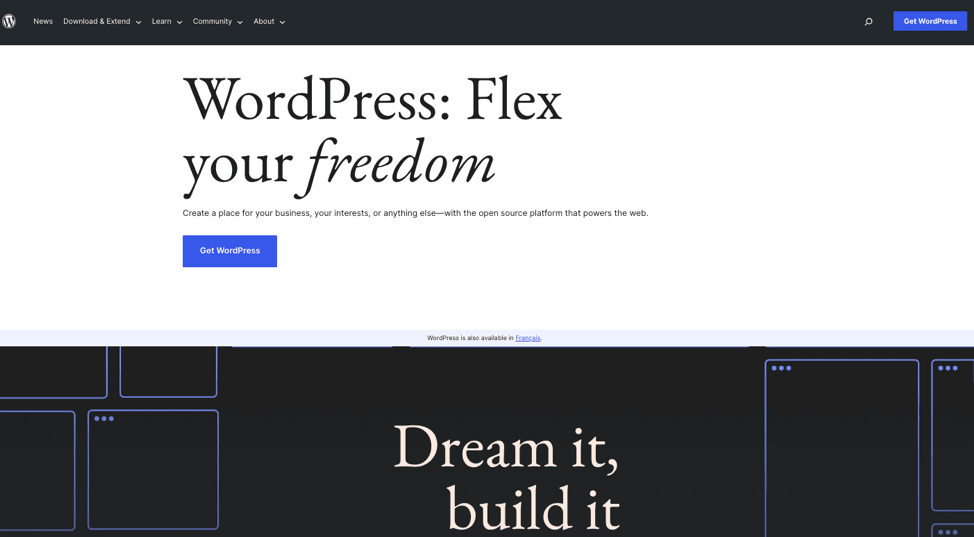
Headless WordPress works as a decoupled frontend and backend of the CMS, enabling integration with platforms like Gatsby.
For swift and lightweight headless capabilities, you can decapitate and leverage WordPress’ robust content management infrastructure. In addition to its vast plugin ecosystem, the standout features of WordPress include SEO-friendliness, a user-friendly interface, and a strong community.
Best headless CMS for: Budget-friendliness and premade plugins.
Pricing: Depends on developers’ charges and the cost of third-party tools.
Drupal

Headless/decoupled Drupal excels for its flexible architecture, robust API support, and extensive module ecosystem. Headless Drupal offers many benefits, such as integrating with natively incompatible tech. It also enables various frontends, including mobile, desktop, widgets, and apps.
However, this CMS structure sacrifices Drupal’s out-of-the-box functionality, content preview, and styling control.
Best headless CMS for: Extending Drupal’s native capabilities.
Pricing: Quote-based.
Strapi

Strapi offers customizable content types, user-friendly APIs, real-time collaboration, and an open source foundation. Its dynamic ecosystem empowers both developers and content creators.
The CMS has a free self-hosted option and a paid cloud service for public cloud, platform as a service (PaaS), and private cloud deployments.
Best headless CMS for: API and admin panel customizations.
Pricing: Free if self-hosted. Cloud-hosted premium plans start at $99/month/project. A free 14-day trial for each plan is available.
Webiny

Webiny Headless CMS is for developers seeking flexible, high-performance, and scalable tech for their web projects.
Webiny’s best features include serverless architecture, GraphQL API (to request larger, more complex, or specific data), extensive plugins, automatic scaling, and seamless Amazon Web Services (AWS) integration.
Best headless CMS for: Serverless infrastructure.
Pricing: Free for open source. Premium plans are free for one user, then $9/user/month.
Magnolia
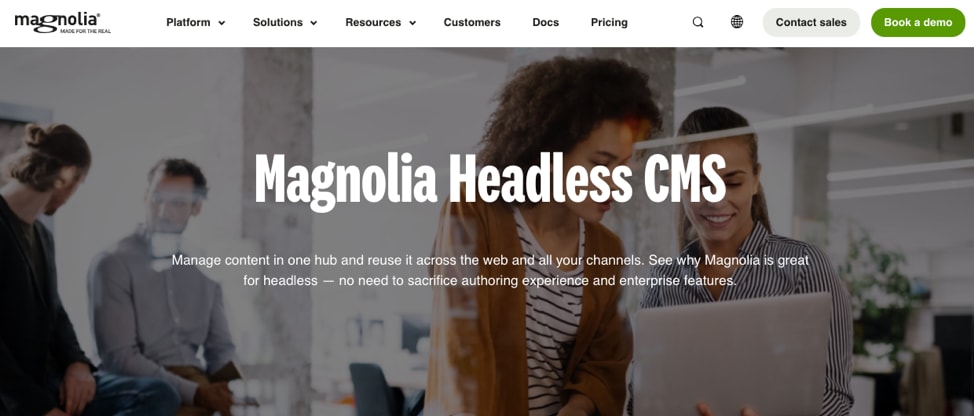
Magnolia is a hybrid headless CMS offering modular architecture, content versioning, multi-language support, and robust integration capabilities.
Magnolia facilitates low-code development through YAML (a data serialization language that’s easy for people to read). It connects with progressive web apps (PWAs) and single page applications (SPAs) built on Gatsby, Next.js, Angular, React, or Vue.
Magnolia’s templating API lets marketing teams edit web apps easily.
Best headless CMS for: Hybrid architecture.
Pricing: Free with premium plans starting at $3,500/month.
Payload

Payload is a flexible, scalable, and developer-friendly headless CMS. Key features include a robust GraphQL API, easy content modeling, custom field types, and a user-friendly interface. It’s a top choice for content-driven applications.
Although Payload is built with and supports TypeScript, it’s platform agnostic as you can swap in your React components.
Best headless CMS for: Open source and extensible development.
Pricing: Premium plans start at $35/month. A free demo and 30-day trial are available.
Sanity

Sanity is a headless CMS known for its composable architecture and collaboration tools. It offers real-time collaboration, structured content models, customizable APIs, and a JavaScript-based framework.
Sanity is great for developers and content teams seeking seamless content management and distribution.
Best headless CMS for: Team collaboration.
Pricing: Free with premium plans starting at $99/user/month.
Headless CMS for ecommerce
If you’re an ecommerce business, you may want to adopt a headless commerce platform that offers CMS capabilities. Here are a few worth considering.
Adobe Commerce
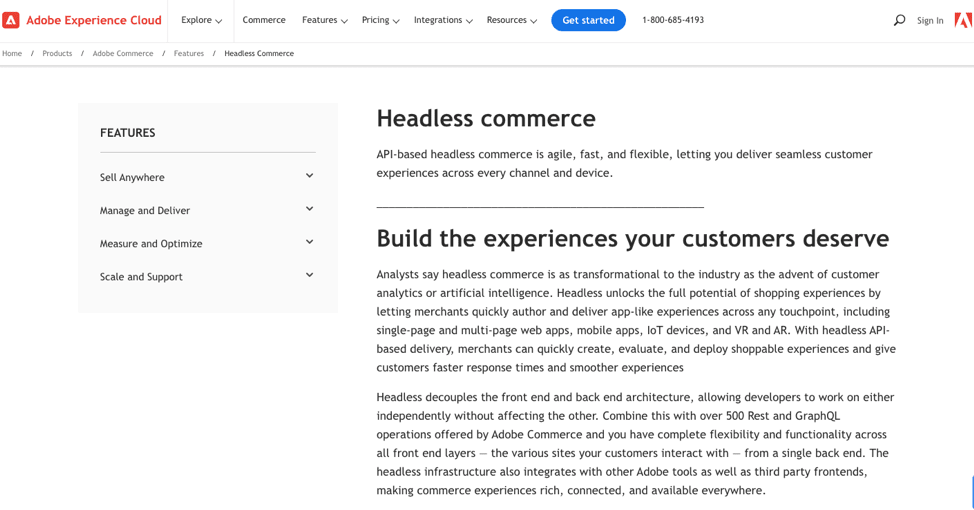
Adobe Commerce (formerly Magento) offers headless capabilities that enable seamless omnichannel experiences. Features include robust personalization, AI-driven recommendations, and deep integration with Adobe Experience Cloud for comprehensive customer engagement.
Shopify Plus

Shopify Plus for headless commerce emphasizes flexibility and scalability. It offers seamless API integrations, customizable storefronts, and robust security, empowering businesses to create unique, high-performing online shopping experiences.
BigCommerce

BigCommerce offers a flexible, fast, and scalable headless commerce solution that decouples your frontend and backend ecommerce architecture.
Its standout features include an API-first approach, microservices, and seamless omnichannel capabilities, empowering businesses to create tailored digital experiences across various touchpoints.
Salesforce

Salesforce’s headless commerce solution enables seamless integration with various platforms. Key features include an API-first CMS, scalability, and comprehensive customer data management.
How to choose the best headless CMS for your business
Still undecided which platform to use? This checklist can help you choose the best headless CMS for your business:
- Content needs: Assess your content requirements, such as text, images, videos, and structured data, to ensure the CMS can handle them effectively.
- Scalability: Ensure the CMS can scale with your business growth and accommodate increasing content and traffic demands.
- Compliance: Your CMS should comply with required data privacy regulations, such as GDPR or CCPA.
- User-friendly interface: If you have many non-technical team members, opt for a user-friendly admin interface that enables them to manage content easily.
- Content modeling: Look for a CMS that supports flexible content modeling that lets you structure and organize content as needed.
- Content versioning: Ensure the CMS offers content versioning and revision history features for easier content management and collaboration.
- APIs: Ensure it has robust APIs for seamless integration with various frontend tech and third-party services.
- Performance: Check for performance optimization features, including caching, content delivery networks (CDNs), and serverless options.
- Security: Prioritize security features like role-based access control, encryption, and regular updates to protect your data.
- Support and community: Assess the availability of support, documentation, and an active user community for troubleshooting and updates.
- Customization: Check if the CMS supports easy customization to match your brand’s look and feel.
- Long-term strategy: Align your choice of CMS with your long-term content strategy and business goals to avoid costly migrations later.
Whether you’re deploying a headless CMS on a cloud infrastructure or on-premise, test drive the solution to ensure it meets your company’s needs before committing fully.
Final thoughts: Headless CMS guide — serve top-class content across channels
In a rapidly evolving landscape of unified content management, businesses must adapt to remain competitive. With consumers seamlessly accessing content from different devices, savvy brands have turned to headless CMSs to fortify their omnichannel content strategy.
As omnichannel continues to gain the upper hand, businesses reluctant to revamp their content management approach risk losing market share.
But applying the ideas in this guide can set you on the right path to a successful headless CMS transition — provided your host supports a headless content infrastructure.
Your headless CMS can only deliver on its promises if you have scalable hosting to handle its server, security, and technological demands.
Liquid Web understands that a headless CMS needs enterprise-grade hosting with 24/7 expert support, capacity for unlimited server requests, zero downtime, and full compliance. Contact us today to discuss your needs.