


 Liquid Web
 When you’re already juggling multiple projects for different clients and taking on new meetings to grow your web development business, the last thing you want is to be stuck managing servers and hosting.
If you want to grow your business, you need a hosting provider that can support you now and in the future. Not one that holds you back with time-consuming management or evasive support.
With the right plan, you can take hosting upkeep tasks off your plate and focus on doing what you love and are best at. Here’s how to find the right hosting provider for you and a look at the best web hosting companies for developers.
What to consider when choosing a web hosting company
In general, you want to consider the following factors when choosing a web hosting provider: hosting type, environment type, performance, security, scalability, price, and customer support. That said, the priority level of each of these factors can shift based on your company’s unique needs.
For instance, hosting requirements for an ecommerce store will differ from those of a SaaS company. Online stores want to ensure uninterrupted performance for variable traffic levels. In short, they need to know that their website can handle sudden surges in traffic or purchases.
SaaS companies, on the other hand, need to prioritize overall performance, scalability, and security, especially if they’re handling sensitive information like health data.
So, what do freelance web designers and agencies need from their hosting services? Let’s take a look.
What do web developers need from a hosting provider?
Web developers should pay special attention to their hosting provider’s ease of use, high performance, flexibility, and scalability. These features allow you to meet a variety of client needs while ensuring maximum uptime and reliability for each project.
Whether you’re an individual freelancer or a development agency, working with the right provider can take the burden of managing hosting off your plate. The less time you spend on tasks like server monitoring, backups, software updates, and resource optimization, the more you can dedicate to winning and keeping clients.
Managed vs. unmanaged hosting
Choosing a managed hosting plan means your provider handles server management tasks, including deployment, configuration, and ongoing maintenance. With an unmanaged plan, those responsibilities fall to you. As such, managed hosting plans tend to cost more upfront than unmanaged plans, but they’re often more beneficial and cost-effective for developers in the long run.
Specifically, working with a fully managed solution like Liquid Web allows you to focus on your core business. You also have access to a team of hosting experts that can help you scale your business seamlessly.
We’ll cover the best options for both managed and unmanaged plans later on, but first, let’s explore the most essential web hosting features for web developers.
Top web hosting features for developers

Here are the most important features developers should look for in a hosting provider to achieve the balance of hands-off server management, flexibility, and reliable performance:
Client management capabilities
Unlike companies that have one website to run, developers and agencies need to be able to launch and manage multiple websites. As such, you want to find a solution tailored to your business model that makes it easy to keep all your different projects organized.
You also want the ability to provide and manage client access. Ideally, it should be easy to add collaborators and manage their permissions. When it comes to reporting, having a provider that allows clients to log in and view analytics can be especially time-saving for you.
Flexibility
Each client is different, and you need a hosting provider that gives you the flexibility to easily take on both big and small projects. For freelancers and agencies, it’s essential to be able to configure your hosting environment to fit each client’s needs. This way, you get the features you need for each project without paying for unnecessary ones.
You also want the option to work with various programming languages and customer relationship management (CRM) systems so you can adapt to your clients’ preferences. When choosing a provider, ensure they’re compatible with the frameworks and technologies you use most frequently.
Reliable support
If any client issues arise, you need to be able to resolve them swiftly and effectively. When you have clients that need fast solutions, you don’t have time to wait days or weeks to get an email response from customer support.
Opt for a hosting solution that has 24/7 support and provides live channels like chat and phone. It’s also helpful to check the provider’s average response time for live chat to ensure you can get support when you need it. When possible, choose a solution with a support team of qualified experts, increasing your chance of getting any issues resolved correctly the first time.
Security
Security requirements may differ between clients. So, you want a hosting solution that offers a wide range of security features to enable you to meet project requirements and protect all of your clients’ websites and web applications.
Look for free SSL certificates, firewalls, DDoS protection, malware scanning, and regular backups. Ideally, you want your provider to take a proactive approach to security so that you can identify and protect against potential threats.
Ease of use
Working on tight deadlines is par for the course when you’re developing websites for others, and you don’t want your hosting provider to be the reason for any deadline-breaking delays. As such, you want to work with a company that’s easy to use and allows for efficient website launches.
Look for options that offer one-click installers for popular web applications like WordPress, Drupal, and Joomla. It’s also helpful to have an intuitive and user-friendly control panel (cPanel) that makes it easy to configure settings or add email addresses for your clients.
Performance
At the end of the day, it’s your name that’s on the line with clients. Even if your hosting provider manages the servers, you’re going to be the one who gets the call if the website is down. If you choose a hosting service that can take tasks off your plate, you need to trust their ability to help you keep your reputation spotless.
Look for providers with uptime guarantees of 99.9% or higher, and check reviews to see if they have a long track record of proven performance. Other factors to consider when evaluating performance include server response times, load balancing and redundancy techniques, and available bandwidth.
Partnerships or integrations with content delivery networks (CDNs) enable you to distribute content more efficiently, which can minimize downtime and create a faster website experience.
Scalability
Your hosting requirements can change as you grow; the same is true for your clients. Choosing a provider that will support your business now and in the future means you can scale without worrying about migrating to another provider later.
In particular, flexible resource allocation, high-availability servers, and auto-scaling features are all vital if you want to trust that your clients’ websites can handle traffic spikes without your needing to step in and make manual changes.
Cloud hosting powered by Liquid Web Cloud Studio
Discover the ultimate in on-demand flexibility and scalability
Best web hosting for developers
Here are the top web hosting services for web developers who want to spend less time managing servers and more time growing their business.
Liquid Web

Liquid Web offers fully managed hosting solutions ranging from VPS and dedicated servers to cloud hosting and managed ecommerce. With Liquid Web, you get access to a suite of hosting plans that makes it easy to launch new websites and manage projects of all sizes.
For freelancers and agencies, we recommend Liquid Web’s dedicated server, VPS, Managed WooCommerce, and Managed WordPress hosting plans.
You can also take advantage of Liquid Web’s Cloud Studio, which was specifically designed to let creatives launch multiple websites without the need to learn cPanel or server management. Cloud Studio lets you create different accounts for each project to help you stay organized, and it gives you the option to provide clients with a white-labeled dashboard of web usage metrics.
Liquid Web supports JavaScript, Java, PHP, Ruby, Python, and Perl and works seamlessly with WordPress, Drupal, and Joomla.
Key Liquid Web features:
- On-demand scaling.
- Backup options.
- Free SSL certificates.
- Fully managed hosting.
- 100% uptime guarantee.
- Proactive security monitoring.
- Transparent pricing with no strings attached.
- 24/7 customer support from the Most Helpful Humans in Hosting℠ via chat or help ticket.
Best for: Best overall web hosting for developers.
Kamatera
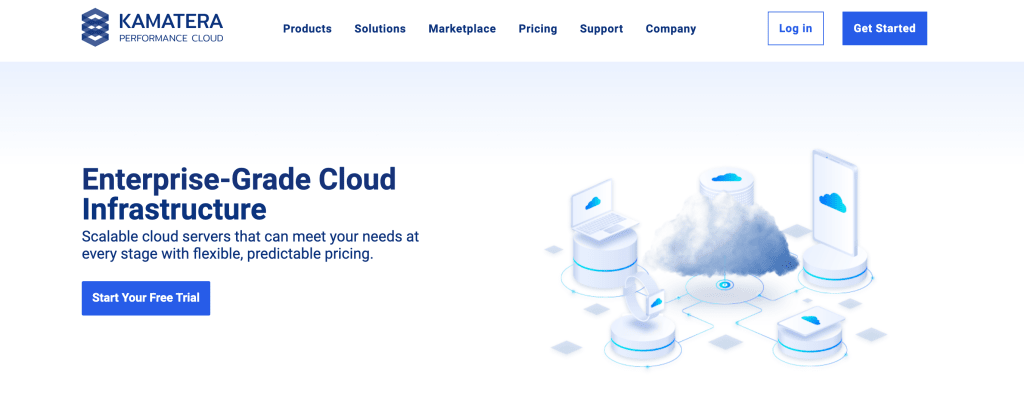
Kamatera offers scalable VPS and cloud hosting solutions that allow configurations to suit a wide range of use cases, including ecommerce and web applications. With Kamatera, you can easily scale resources up or down to fit your needs. The company boasts a fast infrastructure and 18 data centers around the globe.
For additional fees, you can opt for the managed server add-on, which means someone else will install and configure your server and handle any upkeep or troubleshooting. As such, Kamatera’s base plans are better suited for individuals who have experience managing VPS servers.
Kamatera supports PHP and Python and works with WordPress and Joomla.
Key Kamatera features:
- 99.9% uptime.
- Customizable server dashboard.
- 24/7 customer support via phone or email.
- Option to choose between monthly or hourly billing.
Best for: Experienced developers who want a scalable unmanaged solution.
Hostinger
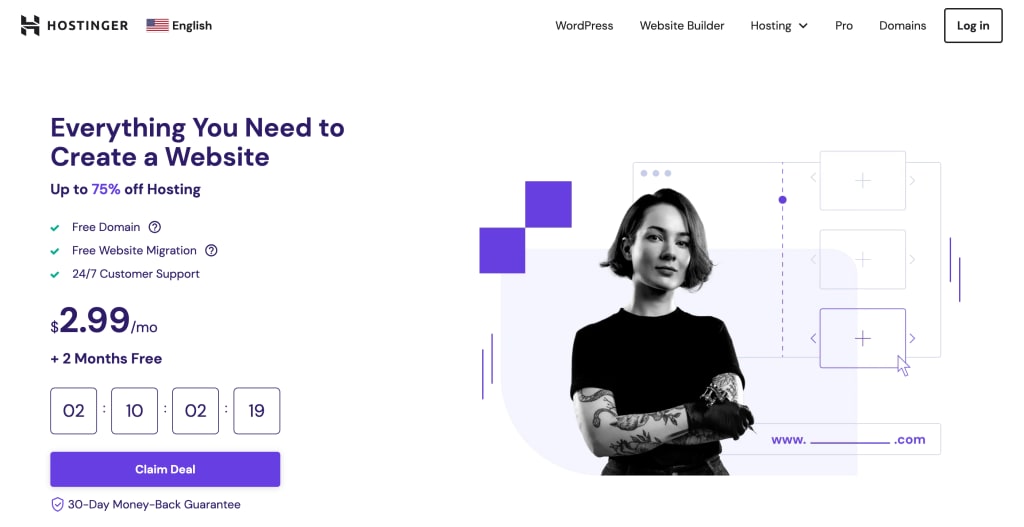
Hostinger is an affordable, performance-based hosting provider that offers web, cloud, Managed WordPress, and VPS plans. It offers a selection of flexible pricing plans that allow you to scale by only paying for the services you need. That said, plans are pre-paid, and you have to commit to several years to get the best rates.
With Hostinger, you get a user-friendly experience based on the company’s hPanel dashboard (instead of a cPanel). It also includes features like a drag-and-drop website builder, which is great for beginners, and a guided setup wizard for easy server installation. It’s worth noting that Hostinger’s support is done primarily through live chat and doesn’t offer a phone option.
You can get fully managed services for Cloud hosting plans and back-end support for VPS. Hostinger supports PHP and JavaScript.
Key Hostinger features:
- Weekly backups.
- Free SSL certificates.
- 99.9% uptime guarantee.
- Drag & drop website builder.
- 1-click WordPress installation.
- 24/7 customer support, including live chat.
Best for: Beginners and developers who want a cheap, performance-based option.
InterServer

InterServer is a straightforward hosting solution that offers web and Cloud VPS plans. It’s a feature-rich provider that has enough options for experienced users but still operates using an intuitive and beginner-friendly cPanel.
That said, InterServer’s no-nonsense approach means it’s not the most modern interface on this list. Still, InterServer does have a website builder, SitePad, which is an excellent feature for beginners.
Overall, InterServer is a well-rounded and reliable option for smaller websites. InterServer supports PHP, Ruby on Rails, and Python.
Key InterServer features:
- 99.99% uptime.
- Automatic backups.
- Free SSL certificates.
- InterShield and Inter-Insurance security features.
- 24/7 customer support through phone, email, live chat, and Messenger.
Best for: Small websites.
Ionos

Ionos offers affordable shared hosting plans along with dedicated, cloud, VPS, and business hosting. It has beginner-friendly features, such as a drag-and-drop website builder and basic templates, but the user interface isn’t as intuitive as others on this list. Given that, it’s not the best choice for complete beginners, but it does have time-saving features that are especially helpful for smaller websites.
Still, web developers and agencies can take advantage of Ionos’ unlimited storage and flexibility, which makes it easy to scale your resources up or down as needed and only pay for what you use. With Ionos, you can also access several marketing tools that help with Google Ads, email marketing, local business listings, and search engine optimization (SEO).
While it can give you fast and reliable performance for smaller websites, it’s not ideal for large projects that require advanced customization or content-heavy websites.
Key Ionos features:
- 99.9% uptime.
- Daily backups.
- Website builder.
- Unlimited storage.
- Free SSL certificates.
- 24/7 support available through phone, email, and chat.
Best for: Developers working primarily with startups and small ecommerce stores.
InMotion Hosting

InMotion is a feature-rich hosting option with fast onboarding and flexible billing. It offers shared, WordPress, dedicated server, and VPS hosting plans. You can also choose between managed and unmanaged services. InMotion mainly targets business users and offers fast and reliable performance that helps minimize downtime and create a snappy website experience.
It offers user-friendly hosting management through a native Account Management Panel (AMP) and a cPanel. InMotion also uses the BoldGrid website builder, making it easier to customize WordPress websites. It should be noted that automatic backups are available but not included for free in the shared plans.
InMotion supports PHP, Ruby, Perl, Python, and JavaScript.
Key InMotion features:
- 99.99% uptime.
- Security monitoring.
- Free SSL certificates.
- 90-day money-back guarantee.
- Ability to add and manage collaborators.
- 24/7 customer support based in the U.S. with phone and live chat options.
Best for: Developers that want the ability to work in multiple programming languages.
SiteGround

SiteGround is a user-friendly solution with shared hosting, WordPress/WooCommerce, and cloud plans. Both WordPress and cloud hosting plans come with fully managed options.
As far as shared hosting goes, SiteGround offers some of the best speed and performance backed by the latest technology, including Ultrafast PHP and a custom MySQL setup. That said, compared to other providers, SiteGround does have a higher price increase when you renew your plan.
SiteGround’s cloud hosting plans also include an auto-scaling feature to increase server resources as needed to minimize downtime. Aside from Scalability, one of SiteGround’s most attractive features is its intuitive in-house dashboard, Site Tools, which makes it easy to manage your websites. It also has reseller plans with the option to white-label and add collaborators.
Key SiteGround features:
- Free SSL certificate
- 99.9% uptime guarantee
- Intuitive Site Tools dashboard
- Collaborator access and management
- Auto-scaling (available for cloud plans)
- Custom PHP and MySQL for fast server setup
- 24/7 customer support through live chat and phone
Best for: Freelance web developers who want an option that can scale.
Final thoughts: Discover the best web hosting for developers
You dedicate your time to developing websites tailored to each client’s business needs. Finding a hosting provider that has plans designed for your needs means spending more time doing the work you love and not having to worry about the quality and performance of each client’s website.
Liquid Web Cloud Studio is a managed hosting platform that’s made for creatives who want to manage multiple clients and projects without having to keep up with hosting management for every website they create. To learn more, explore our Cloud Studio platform today.