Restoring a cPanel Account from WHM
Cleaning up your server and getting rid of old cPanel accounts? What happens if you accidentally delete an account? You can restore cPanel accounts from WHM.
Warning: |
| Restoring cPanel accounts in WHM only works if you have backups enabled in WHM. See our article Configuring cPanel Backups in WHM for information. |
- Log into WHM.
- Click on the Backup icon from the home page of WHM.

- Select Backup Restoration from the menu.
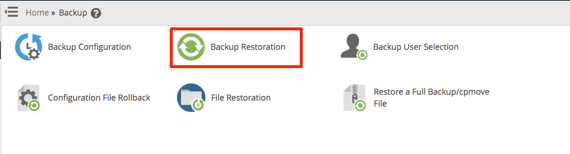
- From the home page of Backup Restoration, you can choose to restore by account or by date.
Note:
When selecting to restore by account, you will select the date you wish to restore from. If you select to restore by date, you will select the account(s) you want to restore to that date. 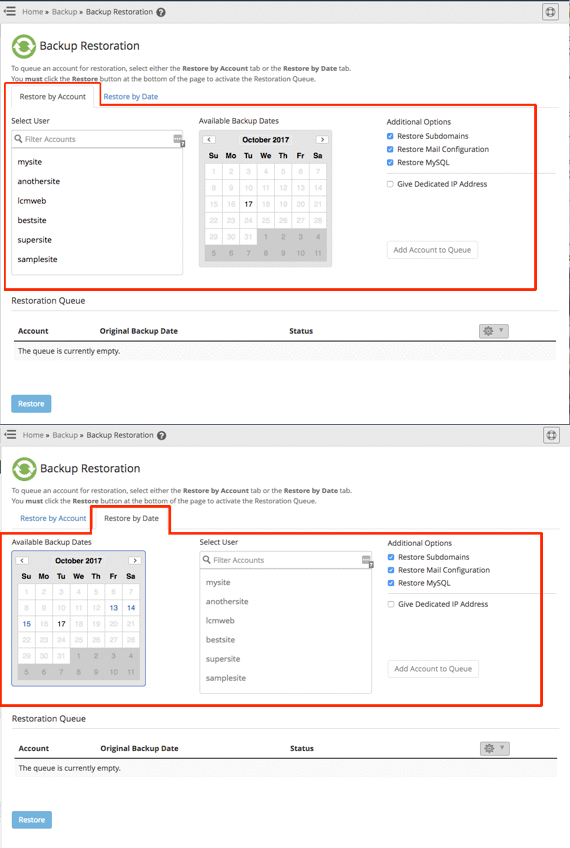
- Once you select the account and date you’d like to restore back to, click the Add Account to Queue button. This places the account in the restoration queue.
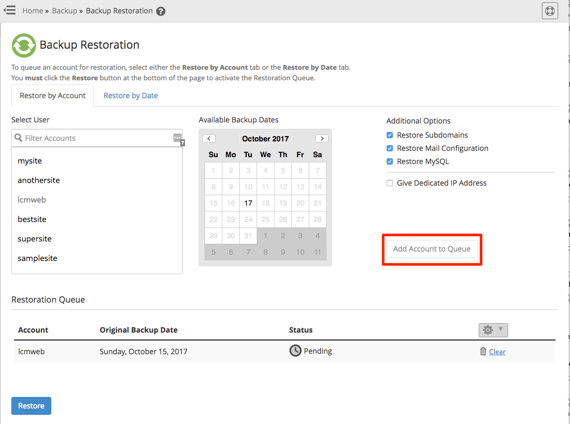
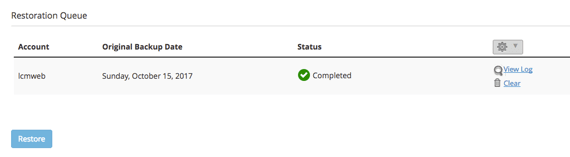
- When you’re ready to restore, click the Restore button to begin the process.

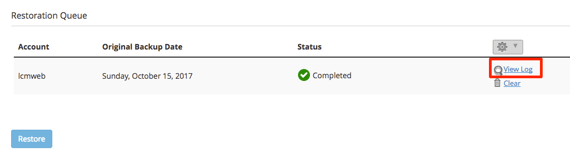
- The restoration process will begin. Once complete, the Status will show as completed.
Tip:
You can view the log of the restoration process to verify all parts of your site were restored by clicking the View Log link.