Remap Cloud Sites MSSQL Users
Remap the server-level logins on Microsoft SQL Server database users on Cloud Sites.
Microsoft SQL Server has two logical layers of security.
- The term login refers to the account at the server level.
- The term user refers to the account that exists inside the database.
When you restore a database from one server to another server, you effectively sever the mapping between the server-level login and the database-level user. All databases have a single owner that is assigned to a server-level login. That special owner login is mapped to a special database user called dbo. The owner login account and password is the primary administrative account for your database.
You might need to re-establish the mappings between the server-level logins and the database users for the new database to be accessible. Your new server-level logins are found in your Cloud Sites Cloud control panel under your MSSQL 2014 Database.
Note: |
For additional login to user mappings that are not the special owner account, you can use the following command:ALTER USER [123456_olduser] WITH LOGIN = [123456_newlogin] |
Remap database users to logins
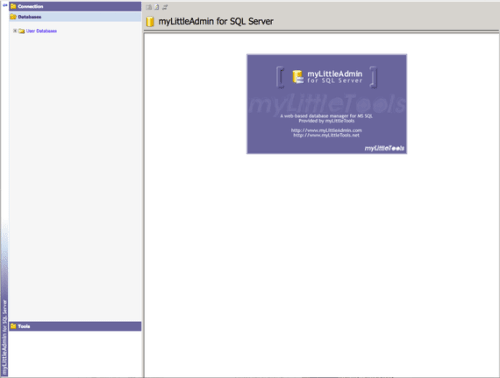
- To manage your SQL Server database, log in to the online manager (myLittleAdmin).

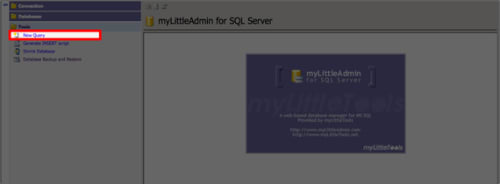
- Click Tools to open the menu and select New Query.

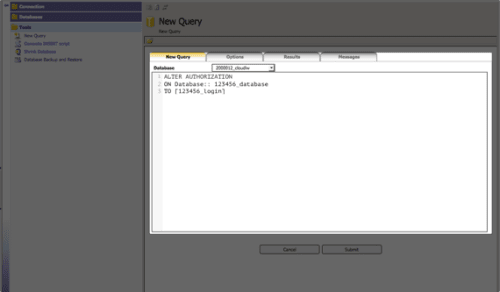
- Enter the following command to reassign ownership to the new login that you created in the control panel (the brackets are required). Replace your database name and login name.
ALTER AUTHORIZATION
ON Database::[123456_database]
TO [123456_login]

- Verify that the command worked by going to your database and viewing the properties.
- The login should now be listed as the new owner.