

Deleting a User From a Database or Account in cPanel
Each MySQL database you create in cPanel can have multiple users assigned to it for different purposes. At some point, you may want to delete a user. You can delete a user from a specific MySQL database or delete the MySQL User completely from the account.
You can delete a user from your:
Delete from Database
- Log into cPanel.
- Click the link for MySQL Databases.

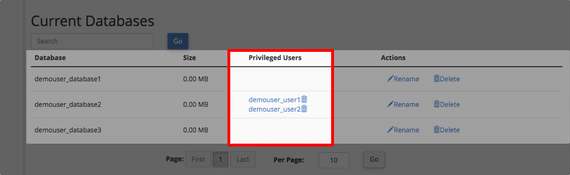
- To delete a user from a database, navigate to the Current Databases section under MySQL Databases.

- The users assigned to each database will show under the Privileged Users section.
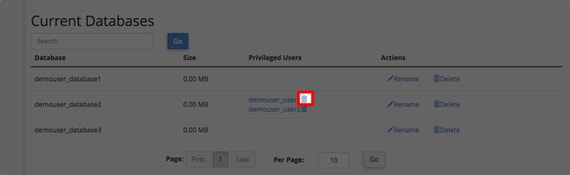
- Click the trash can icon to delete the user from the database.
- A green success message will appear to confirm the user has been deleted from the database.

- When you return to the Current Databases section, you will see the user is no longer listed in the database.

Delete from cPanel Account
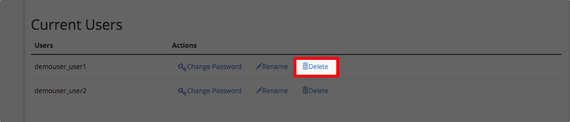
- Scroll to the Current Users section at the bottom of the MySQL Databases page.

- Click the Delete icon on the line for the user you want to delete.
- You will be asked to confirm that you want to permanently remove the user. Click Delete User.

- A green success bar will appear notifying that the user has been permanently deleted.

- When you go back to the MySQL Databases page, the user will no longer show in Current Users.
