

Upgrade Standard Premium Business Email Mailboxes
While ‘Standard’ Premium Business Email mailboxes are great for many of our customers, some users need additional features like Cloud storage and Mobile Sync that are available in Premium Business Email Plus. Fortunately, the process of upgrading to PBE Plus is very simple and only requires a few quick clicks in your Liquid Web account portal.
- Log in to your Liquid Web account.
- Select Email Services, or click on Domains, then Business Email.
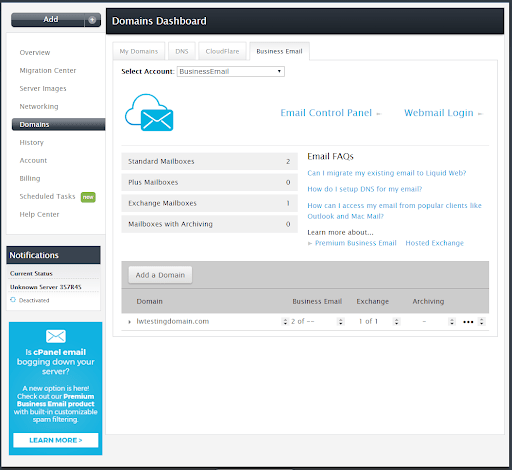
- Select the domain you wish to upgrade to Plus.

- Select Plus from the drop down menu. Then click Save Changes.

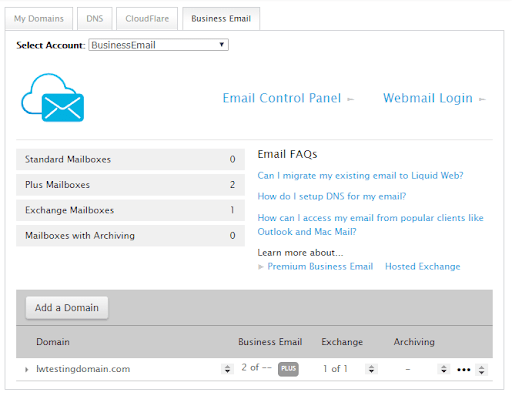
Once finished you will notice a PLUS symbol next to your business email sections. You will now be able to access the cloud drive (30GB) and also have mobile sync for contacts & calendars and have to ability to edit documents and spreadsheets through your webmail. For more information about setting up and using the Cloud Drive and Mobile Sync, see Using the Email Help Tool for Premium Business Email and Hosted Exchange.
WARNING: |
| You can revert back to Standard Premium Business Email at any time by reversing the steps in this tutorial. However, the Cloud Drive will be removed from the domain and cannot be recovered. Any data in the Cloud Drive should be backed up to a local source before downgrading from Plus to Standard. |