Rename VMs in VMware Multi-Tenant
Occasionally, you may find it necessary to change the name of a VM that you are using in your VMware Multi-Tenant environment. Perhaps the purpose of the VM has changed or you’ve launched a new project that is now the focus for a particular VM. In order to keep things organized, you want to change the hostname of the VM. You can change the hostname of a VM just as you would any other server. For more information on changing hostnames, you can see our article Changing Your Hostname.
Once you’ve updated the hostname of one of your VMs, we would recommend that you also update the name of the VM in your VDC so that our systems identify the VM the same way that you do. This will make Support interactions simpler and clearer in the future.
Changing the Hostname of a VM in the VDC
Updating a hostname in the VDC is simple process.
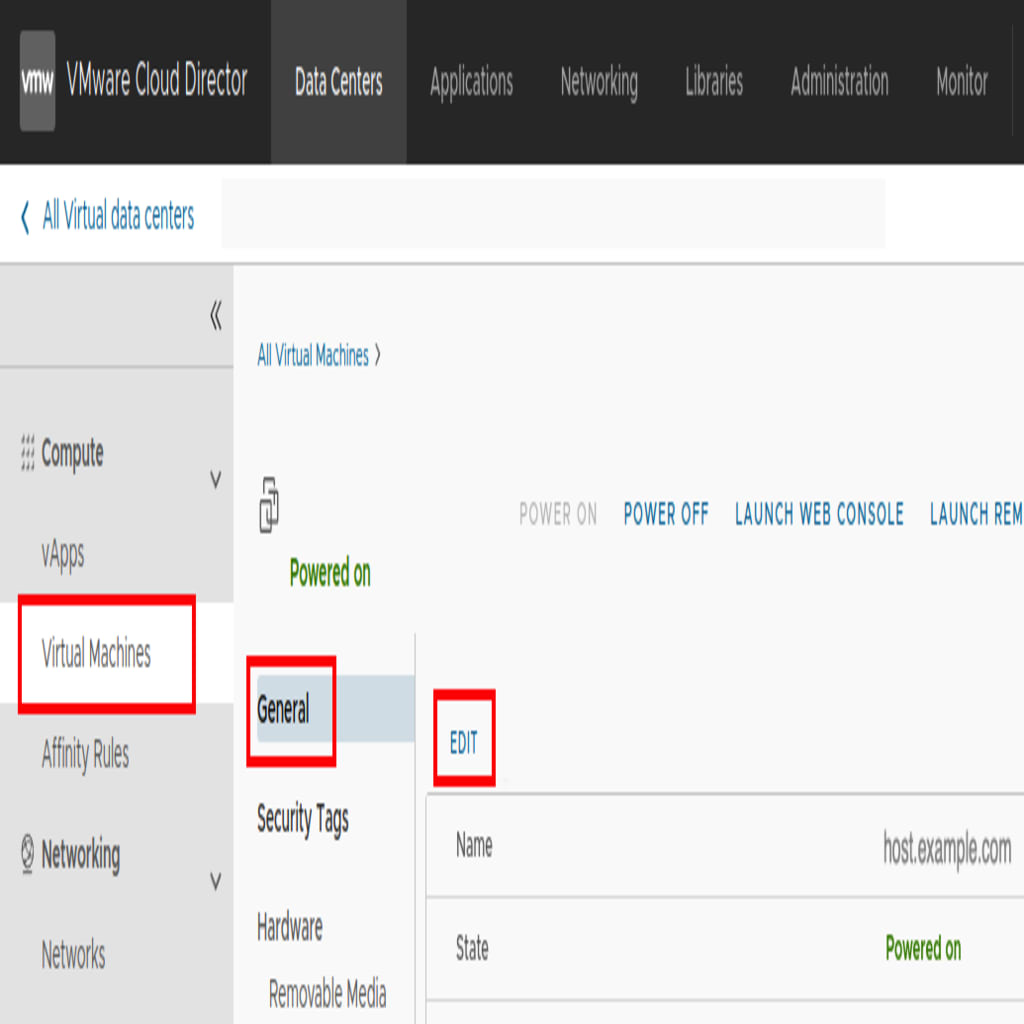
- Log in to the VDC that controls the VM you want to adjust.
- Select the VM that you want to update from the Virtual Machines list.
- Click General.
- Click Edit.
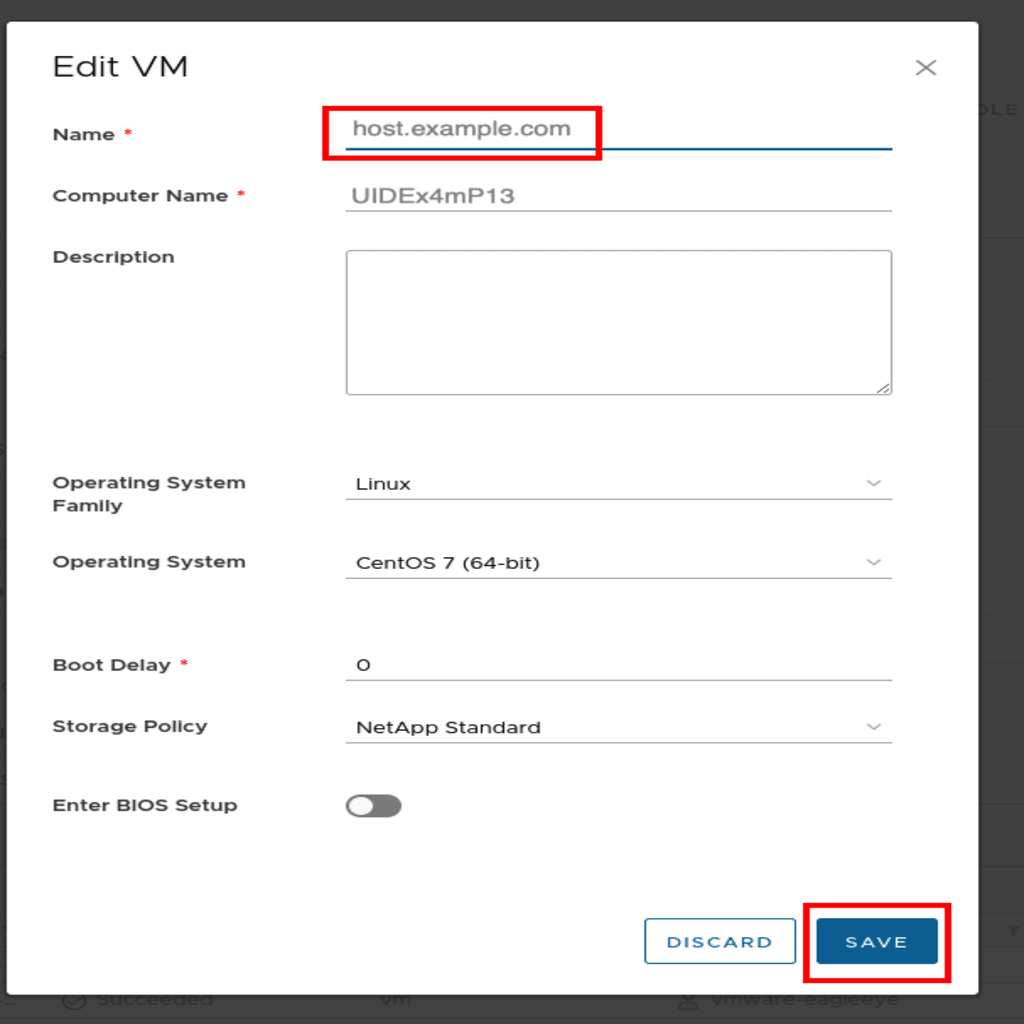
- Enter the new Hostname. Click Save when finished.